






Wired vs. wireless lighting remote control: which to buy?
Wired vs. Wireless Lighting Remote Control: Which to Buy?
As lighting control systems merge with smart building platforms, buyers need focused, technical answers—not high-level marketing. Below are six frequently asked long-tail questions beginners and specifiers still search for, with practical, evidence-based answers you can use when selecting lighting remote control systems for residential, commercial, and theatrical applications. Semantic keywords like smart lighting, dimming remote, RF remote, DALI controller, DMX controller, Zigbee gateway, Bluetooth mesh, and wireless lighting control are used throughout to reflect current market terminology.
1) Can I retrofit a wireless lighting remote control into an older wired DALI or line-voltage system without changing fixtures, and what compatibility pitfalls should I expect?
Short answer: Often yes — but only with the correct gateway and interface hardware; expect limitations around dimming range, addressability, and safety regulations.
Details and steps:- Identify the existing system: Is it DALI (digital addressable lighting interface), 0–10 V, phase-cut line-voltage (TRIAC/leading-edge), or a proprietary wired control? Each requires different retrofit hardware.- Use the right gateway: For a DALI network, a Zigbee-to-DALI or Wi‑Fi-to-DALI gateway (also called a DALI controller or DALI gateway) will translate wireless commands into DALI control commands and preserve addressing and scenes. For line-voltage phase-cut fixtures, install smart dimmer modules or smart switches rated for line-voltage; some wireless smart relays can be mounted in junction boxes or at the fixture driver.- Expect dimming nuance: Wireless dimming remotes (RF remote, Zigbee dimmer) will send discrete brightness levels. If the fixture uses an older incandescent/leading-edge dimmer, you may get flicker or reduced dimming range without replacing the driver or adding a compatible LED driver. For DALI fixtures, digital dimming resolution is usually preserved if the gateway supports DALI DT6/DT8 profiles.- Watch safety and code: Line-voltage changes often require an electrician and must meet local electrical codes—do not attempt to bypass neutral/ground requirements. For multi-master control or emergency lighting circuits, consult the manufacturer to avoid code violations.- Verify power and commissioning: Wireless solutions need power for repeaters/gateways; DALI wiring remains a wired bus and must be preserved if you want full two-way feedback (status, energy data). If you remove the DALI bus in favor of purely wireless controls, you lose ballast-level telemetry unless the gateway polls the devices.Practical pitfall examples:- Using a generic RF remote with a non‑compatible LED driver can cause flicker.- A cheap Wi‑Fi smart bulb that replaces an existing fixture may remove central emergency or building management functionality.Bottom line: Retrofit with a certified gateway or driver replacements to preserve features. If telemetry, emergency circuits, or fine-grained dimming are required, plan for partial rewiring or DALI-preserving gateways rather than a pure bulb swap.
2) For theater and stage setups, which offers reliable low-latency: wired DMX (Art-Net/sACN) or wireless DMX, and how do you minimize dropouts?
Short answer: Wired DMX (or DMX over Ethernet via Art-Net/sACN) remains the gold standard for lowest latency and reliability; wireless DMX can be acceptable for non-critical or backup runs if properly engineered with line-of-sight and RF planning.
Why wired is preferred:- Deterministic performance: DMX512 over cable has defined timing and low, predictable latency (<10 ms typical across a cascade). When using Art‑Net/sACN over managed Ethernet with QoS, latency remains low and scales well.- Immunity to RF interference: Cabled runs avoid spectrum congestion.When wireless DMX is acceptable and how to minimize issues:- Use licensed RF bands or robust commercial wireless DMX gear (2.4 GHz or 5.8 GHz systems using frequency-hopping or MIMO) designed for stage environments.- Ensure line-of-sight and install multiple redundant transmitters and receivers using wireless DMX systems that support built-in retransmission or bridging.- Use wireless line-of-sight planning tools and RF spectrum analyzers during installation to detect interference from Wi‑Fi, Bluetooth, or other 2.4 GHz users.- Add a wired DMX backup path for mission-critical cues (many venues use wireless for special effects but keep critical playback on cable or run sACN over a physically segregated network).Best practices:- For large productions, prefer wired DMX with Art-Net/sACN over managed switches and time-synchronized controllers (PTP for sACN) for consistent timing.- If using wireless DMX, choose pro-grade systems (with AES encryption if required), multiple antenna diversity, and dedicated wireless channels. Test full-show cueing under load before performances.In summary: For theater-grade low-latency and reliability, pick wired DMX/Art‑Net with managed Ethernet switches; use wireless DMX only where cable runs are impossible and back up crucial cues with wired paths.
3) How do battery-powered RF/dimming remotes perform in large commercial spaces (battery life, range, repeaters), and how should I spec them to avoid failures?
Short answer: Battery RF remotes (433 MHz, 2.4 GHz Zigbee/Bluetooth remotes) can work reliably in large spaces if planned with RF repeaters, mesh endpoints, and proper battery management; battery life varies widely depending on wake intervals and features.
Key factors affecting performance:
- Frequency and propagation: Sub-GHz (e.g., 433 MHz or 868 MHz) penetrates walls better than 2.4 GHz but has fewer device options and potentially less bandwidth. Zigbee and Bluetooth mesh at 2.4 GHz are common for smart lighting and rely on mesh node density for coverage.
- Mesh vs. star: Bluetooth Mesh and Zigbee are mesh-capable; each powered node (mains devices) can act as a repeater, extending range and robustness. Battery-only remotes typically are edge devices and do not repeat, so coverage depends on the density of powered mesh routers.
- Battery life: Depends on reporting frequency, display/backlight usage, and whether the remote remains in deep sleep. With conservative use, small coin-cell remotes can last 1–3 years; remotes with screens or continuous polling may need rechargeable batteries or frequent swaps.
- Repeaters and planning: For large commercial sprawl, plan powered mesh nodes every 10–30 meters line-of-sight for 2.4 GHz; use dedicated repeaters or smart switches that also serve as routers.
How to spec for reliability:
- Specify mesh-capable wireless lighting control (Zigbee or Bluetooth mesh) for large spaces so mains devices repeat signals.
- Choose remotes with low-power modes and explicit battery-life specs; ask manufacturers for real-world test data under expected event rates (commands per hour).
- Use a site survey and RF heatmaps to plan router/repeater placement; avoid placing gateways near large metal surfaces or busy Wi‑Fi APs.
- Implement battery monitoring: systems exposing battery state via the lighting controller let you schedule maintenance before failures.
In short: battery RF remotes are fine if you design the network (mesh density, powered repeaters) and include battery telemetry in maintenance planning.
4) What security risks exist with Wi‑Fi and Zigbee lighting remote control, and what encryption and network segmentation practices prevent hacks?
Short answer: Wi‑Fi and Zigbee can be secure if you enforce modern encryption, firmware updates, and correct network segmentation; common vulnerabilities are weak default passwords, unpatched firmware, and placing control devices on the same network as guest Wi‑Fi.
Specific risks:
- Default credentials and open commissioning modes: Many devices ship with easy pairing or no password, enabling unauthorized control.
- Unpatched firmware: Vulnerabilities in device firmware (e.g., weak key exchange) can be exploited remotely.
- Lateral movement: If lighting controllers are on the same subnet as user devices, an attacker might pivot between devices.
Protections and best practices:
- Encryption: For Wi‑Fi, use WPA2‑Enterprise or WPA3‑Personal/Enterprise where supported. For Zigbee, ensure devices implement Zigbee 3.0 security with standard AES‑128 encryption for application payload and proper key management (install codes or certificate-based commissioning for production sites).
- Network segmentation: Place lighting controllers, gateways, and IoT endpoints on a separate VLAN with firewall rules limiting outbound traffic as needed. Use an access control list (ACL) to allow only the building management system or designated controllers to access lighting endpoints.
- Firmware and OTA updates: Require signed firmware and an OTA update plan. Use gateways that support secure update channels (TLS) and central management to push verified updates.
- Physical security and commissioning controls: Disable open commissioning after setup and use out-of-band provisioning for production devices where possible.
- Monitoring and logging: Integrate lighting gateways into your SIEM or log-monitoring solution to detect anomalous command patterns.
Follow these defenses and you reduce the risk of remote attackers manipulating lighting systems or using them as a beachhead into other networks.
5) What is the total installed cost difference (materials, labor, and maintenance) between wired PLC/DALI and wireless Zigbee/Bluetooth mesh for a 50-fixture office retrofit — and how do I create an accurate TCO estimate?
Short answer: There is no one-size-fits-all dollar answer. You must calculate total cost of ownership (TCO) using a formula that captures device cost, installation labor, commissioning time, maintenance (batteries, firmware), and lifecycle considerations. Wireless often lowers initial labor and conduit costs but can increase device and commissioning costs and potential maintenance if RF issues occur.
How to create an accurate TCO model (step-by-step):
- Inventory: Count fixtures, switchgear, junction boxes, and existing control cabling (DALI bus, 0–10 V, or none).
- Hardware BOM: Price per unit for controllers (DALI drivers, Zigbee gateways, smart relays), endpoint devices (smart drivers or bulbs), gateways, repeaters, and backup/UPS for gateways. Obtain manufacturer quoted prices from vendors or distributors.
- Labor and installation: Estimate electrician hours for rewiring, mounting gateways, and commissioning. Wired DALI may require more wiring and longer labor; wireless reduces conduit/trenching but may require more RF commissioning time.
- Commissioning and programming: Include hours for addressing, scene programming, BACnet/KNX integration, or cloud setup. Complex scenes or integration with BMS increases cost.
- Maintenance and consumables: Battery replacements for wireless remotes, firmware management, and potential RF troubleshooting labor. Factor expected replacement cycles (batteries, firmware refactors) over a typical lifecycle (7–10 years).
- Energy savings and operational benefits: Include expected energy savings from occupancy sensors, automatic dimming (if present), and remote diagnostics. These can offset higher hardware costs.
- Risk and contingency: Add contingency for RF mitigation (repeaters) or extra wiring if a wireless solution underperforms.
Representative considerations (no fabricated figures):
- Wireless: Lower trenching and conduit cost, faster physical install, more reliance on gateways and mesh nodes, battery costs for remotes, and a need for RF commissioning.
- Wired DALI/KNX/PLC: Higher initial wiring and labor, better deterministic behavior, easier integration with building management and emergency systems, and lower risk of RF issues long-term.
If you want a precise estimate for a 50-fixture office retrofit, we can perform a site survey and provide a line-item quote that includes BOM, labor hours, and lifecycle maintenance projections based on current market unit prices and local labor rates.
6) When should I choose wired lighting remote controls (DALI/KNX) over wireless (Zigbee/Bluetooth) for smart building integration, considering future-proofing, EMI, and power redundancy?
Short answer: Choose wired DALI/KNX when deterministic control, two-way telemetry, power redundancy (emergency lighting), and long-term integration with building management systems are essential; choose wireless Zigbee/Bluetooth when minimizing installation disruption, quick commissioning, and lower upfront labor are higher priorities.
Decision factors to weigh:- Mission critical and emergency systems: Wired control is typically required for emergency circuits and compliance with codes in many jurisdictions. DALI supports emergency lighting protocols and centralized test reporting, making it preferable for life-safety circuits.- Determinism and telemetry: DALI/KNX provide consistent polling, ballast-level telemetry, and standardized profiles (DALI DT6/DT8) for color/intensity control. For commercial buildings where metering and diagnostics are essential, wired control often integrates more cleanly with BMS via gateways.- Electromagnetic interference (EMI) environments: In industrial or medical facilities with high EMI or where RF is unreliable, wired systems avoid unreliable wireless links.- Scalability and vendor lock-in: KNX is an open, long-established standard; DALI has strong fixture-level support. Zigbee/Bluetooth are widely supported but can have vendor-specific profiles; ensure Zigbee 3.0 or Matter compatibility if vendor neutrality matters.- Future-proofing and upgrades: Wired systems offer long lifecycles and clearer upgrade paths for building management. Wireless systems evolve faster (Bluetooth mesh, Matter) and may require more frequent gateway/firmware updates.- Hybrid approach: Many modern installations use a hybrid design—wired backbones (DALI/KNX) for core systems and wireless endpoints (Zigbee or Bluetooth mesh) for non-critical or retrofit zones. Gateways translate and expose commands to a unified management platform, giving the best of both worlds.Recommendation: For new construction, if the budget allows and the project requires longevity, telemetry, and code compliance, choose wired DALI/KNX for core lighting and use wireless endpoints for flexible zones. For low-disruption retrofits where rapid deployment and cost control matter, wireless Zigbee/Bluetooth mesh is a practical choice when designed correctly.
Conclusion: Advantages of Wired and Wireless Lighting Remote Control
Wired lighting remote control (DALI, KNX, DMX) offers deterministic timing, robust telemetry, and regulatory compliance—ideal for mission-critical, commercial, and theatrical installs. Wireless lighting control (Zigbee, Bluetooth mesh, Wi‑Fi) reduces installation disruption, speeds deployment, and supports flexible smart lighting and remote dimming remotes for residential and retrofit projects. A hybrid strategy frequently delivers the most pragmatic, future-proof outcome: wired backbones for life-safety and telemetry, with wireless endpoints for convenience, zones, and occupancy-driven savings.
If you need a tailored, data-backed configuration or a site survey and quote for wired, wireless, or hybrid lighting remote control systems, contact us for a professional proposal.
Website: www.systoremote.com | Email: [email protected]
CRC86E
How do I use the One-Key Copy function?
Place two CRC86E remotes head-to-head. On the source remote, press TV/BOX/SUB/DVD + CH+ to send all learned codes. On the target remote, press TV/BOX/SUB/DVD + CH- to receive codes. Indicators flash to confirm successful transfer.
KS-PN03V
Does it include batteries?
No, please use two AAA batteries.
QD85U
What types of air conditioners can QD85U control?
It is compatible with most AC/DC inverter wall-mounted split A/C units for 24000BTU service power. Also we have different choice for another model; QD85 compatible with most AC/DC inverter wall-mounted split A/C units for 12000BTU service power. QD85C compatible with most AC/DC inverter standing cabinet A/C units for 24000BTU service power.
About Contact
What information do I need to include in an inquiry?
Product model, quantity, customization requirements, and destination country.
AKB75095308
Is this remote compatible with all LG TVs?
This model is specifically designed to replace AKB75095308 and works with corresponding LG TVs Model. For other LG models, please contact us for compatible options.
Recommended For You
Do solar remote controls still use lithium batteries? Learn how modern solar-powered remotes now adopt supercapacitors with USB Type-C fast charging for improved safety, durability, and long lifespan.
Learn how to check whether a garage door remote control bought online is compatible with your opener. Frequency, learning type, and easy tips explained.
Having trouble setting up a universal remote even though your TV brand is listed in the manual? Learn the real reason, common mistakes, and how to improve success by using precise TV codes.
Learn how to set up and program the CRC1130V universal remote control for your TV. This step-by-step guide covers direct brand buttons, code input, and auto search methods for quick and easy pairing.
You May Also Like
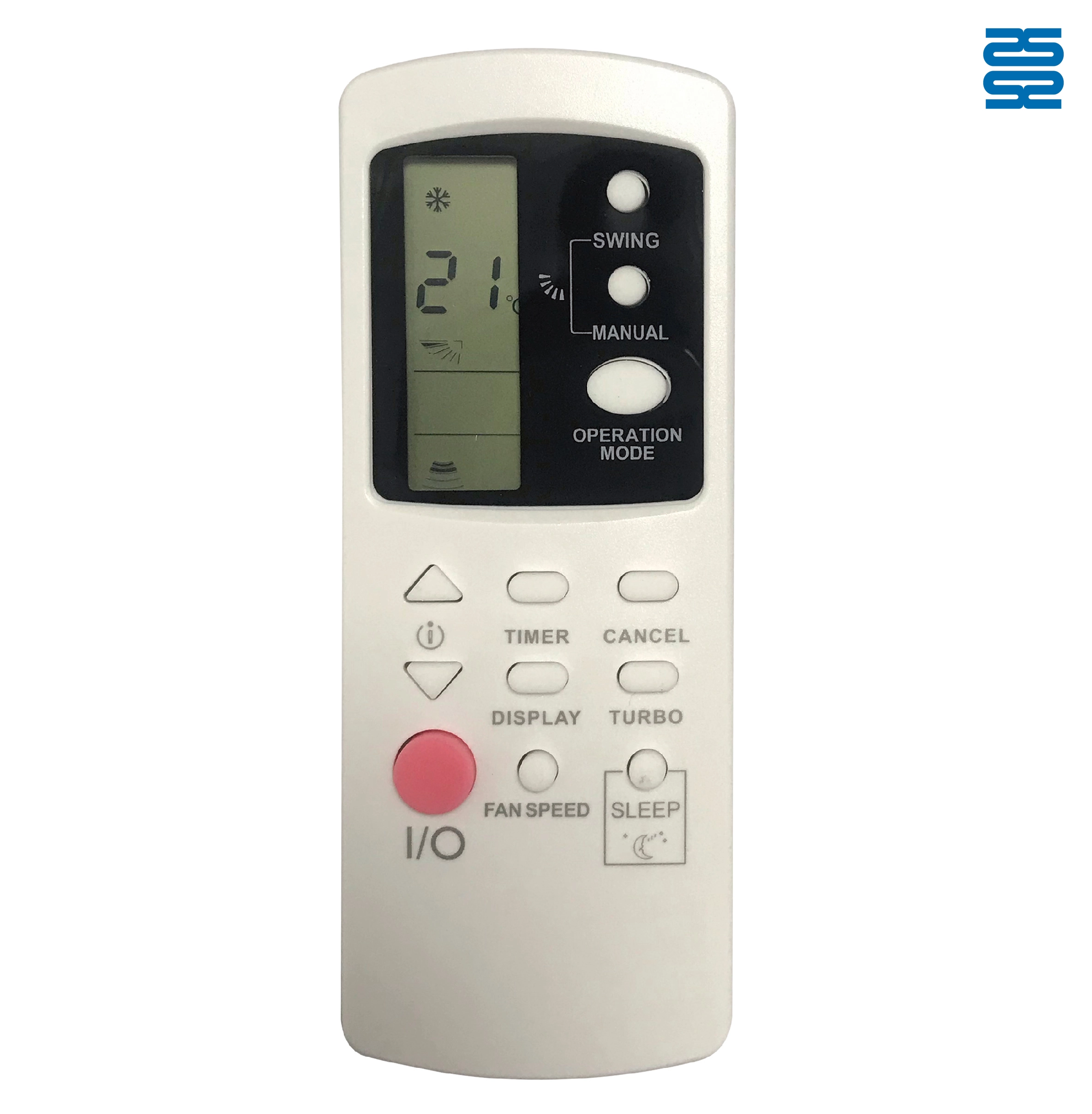
AFR31 Fujitsu Air Conditioner Remote Control Replacement

AFR29 Fujitsu Air Conditioner Remote Control Replacement

AFR30 Fujitsu Air Conditioner Remote Control Replacement

AFR39 Samsung Air Conditioner Remote Control Replacement
◼ Let’s Build Together
Get in Touch with SYSTO
If you have any comments or good suggestions, please leave us a message, later our professional staff will contact you as soon as possible.


Contact
Email us
Text or Call us
Address
Room 1606, No. 65, Zhongshan Seven Road, Liwan District, Guangzhou, Guangdong, China.

Facebook
Instagram
YouTube
Tik Tok
VK