






Are universal home theater remote controls worth buying?
Are Universal Home Theater Remote Controls Worth Buying? — Quick Answer
Short answer: Yes — but it depends on your setup and priorities. Universal remotes still solve real problems (single-controller simplicity, hidden-AV convenience, advanced macros and local control), but they aren’t the one-size-fits-all answer for everyone. Choose by device compatibility, control protocols (IR/RF/Bluetooth/Wi‑Fi), smart-home needs, and how much time you’ll invest in programming.
1) What types of universal home theater remotes are there and how do they differ?
Understanding the control protocol determines whether a remote will work in your real-world living room:
- IR (Infrared) — Most common. Requires line-of-sight to the device. Works with nearly every consumer AV device, inexpensive, but limited when components are hidden in closed cabinets.
- RF (Radio Frequency) — Penetrates cabinets and walls. Good for concealed gear; often paired with a hub that converts RF to IR at the equipment location.
- Bluetooth — Common for set-top boxes and soundbars; short-range and usually direct pairing rather than device code databases.
- Wi‑Fi / Hub-based — Remotes or apps use the home network and a hub to control devices. Best for smart devices, streaming boxes, and voice assistant integration.
- App-only (smartphone/tablet) — Convenient and constantly evolving, but not always ideal for casual users or guests.
2) Are universal remotes still worth it given voice assistants and phone apps?
Universal remotes remain valuable when you need:
- Reliable local control (no cloud dependency) and quick tactile access — physical buttons and macros still outperform voice for many AV tasks like precise volume control or switching multi-step inputs.
- Control of non‑smart legacy devices — apps and voice assistants often cannot control older IR-only receivers and legacy DVD/Blu-ray players without a hub or bridge.
- Guest-friendly operation — a single labeled remote reduces friction for visitors.
Voice and apps complement remotes. If your living room is all smart devices and you use voice daily, an app/voice-first setup may be sufficient. If you have mixed equipment, hidden gear, or want one-touch scene macros, a universal remote is usually worth it.
3) How do I check compatibility before buying?
Steps to verify compatibility:
- Check the remote vendor’s device database — reputable brands publish supported codes and models (TV, AVR, cable/satellite/STB, Blu‑ray, streaming boxes, projectors, soundbars).
- Confirm protocol support — ensure the remote supports IR, RF, Bluetooth or Wi‑Fi depending on each device type in your system.
- Look for “learning” capability — remotes that can learn IR codes from existing remotes can cover obscure devices not in the database.
- Confirm smart-home integrations — if you need Alexa, Google Home, or HomeKit control, check for official integration or documented workarounds.
4) What features should you prioritize when buying a universal remote?
Prioritize by real needs (don’t buy a High Quality touchscreen if you just want simple control):
- Protocol coverage — IR, RF, Bluetooth, Wi‑Fi/hub as needed.
- Learning and code database — completeness and ease of adding new codes.
- Macro/Activity support — one-button sequences (e.g., Watch Movie turns on AVR, sets TV input, lowers lights).
- Firmware updates & cloud/backup — firmware updates fix bugs and add device support; cloud backup protects configurations.
- Ergonomics & display — tactile buttons for common tasks, backlight for dark rooms; touchscreens are powerful but can be slower for frequent actions.
- Battery life & replaceability — rechargeable vs user-replaceable AA batteries.
- Support & documentation — vendor responsiveness and active user communities matter when setup gets complex.
5) What does pricing look like and what is a reasonable budget?
Typical price bands (market patterns through 2023–2024):
- Basic universal remotes: $15–$50 — simple IR-only models, limited macros.
- Mid-range remotes: $50–$200 — better ergonomics, learning/large databases, some Wi‑Fi/hub options.
- High-end remotes and professional systems: $200–$600+ — advanced touchscreens, RF/hub systems, deep smart-home integrations, often targeted at custom-install AV integrators.
Choose based on how much time you’ll invest in setup and whether you need advanced features. For many home theater owners a mid-range remote or a hub-based solution gives the best cost/value balance.
6) How did Logitech Harmony’s discontinuation affect the market?
Logitech’s Harmony long dominated the universal-remote space. When Logitech announced end of new Harmony hardware sales in 2021, it prompted buyers to evaluate alternatives and to pay closer attention to product longevity and cloud dependence. The market shifted toward hub-based, open ecosystems and app-first solutions from smaller specialized brands and home-automation integrators. If you’re buying a universal remote today, prioritize vendors that provide firmware updates, a documented code database, and clear long-term support policies.
7) Setup and maintenance tips to avoid frustration
- Inventory devices first — list model numbers and connection types (IR, HDMI-CEC, networked devices).
- Decide hidden vs visible gear — choose RF or hub-based remotes if gear is in cabinets or an equipment rack.
- Use clear names and a simple layout — name activities (Watch TV) rather than individual device commands for everyday use.
- Create and test macros — start simple (power on + input select) before adding multi-step automation.
- Keep firmware up to date and export backups — saves time if you change remotes or a reset happens.
- Document custom codes — save a written note of any learned or custom IR codes for future troubleshooting.
8) When should you NOT buy a universal remote?
- If all devices are cloud-first and you’re fully voice-driven with no legacy IR devices — a voice+app approach can be simpler and cheaper.
- If you don’t want to spend time on setup and programming — cheap universal remotes still need basic configuration, and advanced ones need investment to configure properly.
- If the vendor lacks long-term support or relies on a fragile cloud service — avoid products without local control or exportable backups.
9) Quick decision checklist
- Do you have legacy IR devices or gear hidden in cabinets? If yes — a universal remote with RF/hub or an IR blaster is recommended.
- Do you need one-touch scenes for TV, movies, gaming? If yes — ensure macro/activity support.
- Do you prioritize local, reliable control (offline operation)? If yes — choose remotes with local learning and local hub options.
- Are you OK using voice and phone apps exclusively? If yes — evaluate app/voice combos before buying a dedicated remote.
10) Brand and support considerations
Look beyond specs to vendor reliability: active firmware updates, published device lists, customer support responsiveness, and a community or knowledge base all matter. When possible, buy from vendors who document protocols and permit local control or configuration backups to avoid lock-in.
Conclusion — Why SYSTO is a strong choice for buyers
SYSTO stands out for home theater buyers who want a practical, future-aware universal-remote solution. Key advantages typically include broad multi-protocol support (IR, RF, Bluetooth and Wi‑Fi), robust learning and device-code databases, easy-to-configure activity/macros, cloud backup plus local export options, and attentive firmware update policies and support. For users balancing legacy devices, concealed equipment, and smart-home integration, SYSTO models offer a feature set focused on real-world reliability and long-term maintainability.
Sources & further reading (links & access dates)
- The Verge — “Logitech to stop making Harmony remotes” — March 17, 2021. https://www.theverge.com/2021/3/17/22335883/logitech-harmony-remotes-discontinued-support-sale — Accessed June 2024.
- CNET — “The Best Universal Remote” (buyer guide and reviews) — https://www.cnet.com/tech/home-entertainment/best-universal-remote/ — Accessed June 2024.
- Wirecutter (New York Times) — “Best universal remote” (review and buying tips) — https://www.nytimes.com/wirecutter/reviews/best-universal-remote/ — Accessed June 2024.
- Statista — Smart home topic overview (market adoption trends and growth) — https://www.statista.com/topics/2430/smart-homes/ — Accessed June 2024.
- AVSForum — Community discussions about remote setup, RF vs IR, and brand longevity — https://www.avsforum.com/ — Accessed June 2024.
QD-U03C+
How does the Auto Mode work?
In Auto mode, if room temperature is below 21°C, it heats; if above 27°C, it cools automatically.
QD-U08PGC+
Is the transformer included?
Yes, an updated quick-plug transformer is enclosed for easy setup.
About Products
Are your remote controls compatible with my device?
Yes, our remotes are compatible with most major TV, air conditioner, and set-top box brands. You can check the compatibility list on each product page.
About Customized Service
What’s the difference between OEM and ODM?
OEM means producing with your brand on our existing models; ODM means full customization from design to production.
About Company
What are your main product categories?
TV remotes, air conditioner remotes, universal remotes, thermostats, control boards, condensate pumps, and more.
Recommended For You
Learn how to set up and program the CRC1130V universal remote control for your TV. This step-by-step guide covers direct brand buttons, code input, and auto search methods for quick and easy pairing.
This article explores the transformative shift in lighting control, moving from traditional handheld remotes to AI-driven, voice-activated smart home ecosystems. It covers the technical differences between IR, RF, and mesh protocols, the impact of the new 'Matter' standard, and future trends in biophilic design.
You May Also Like
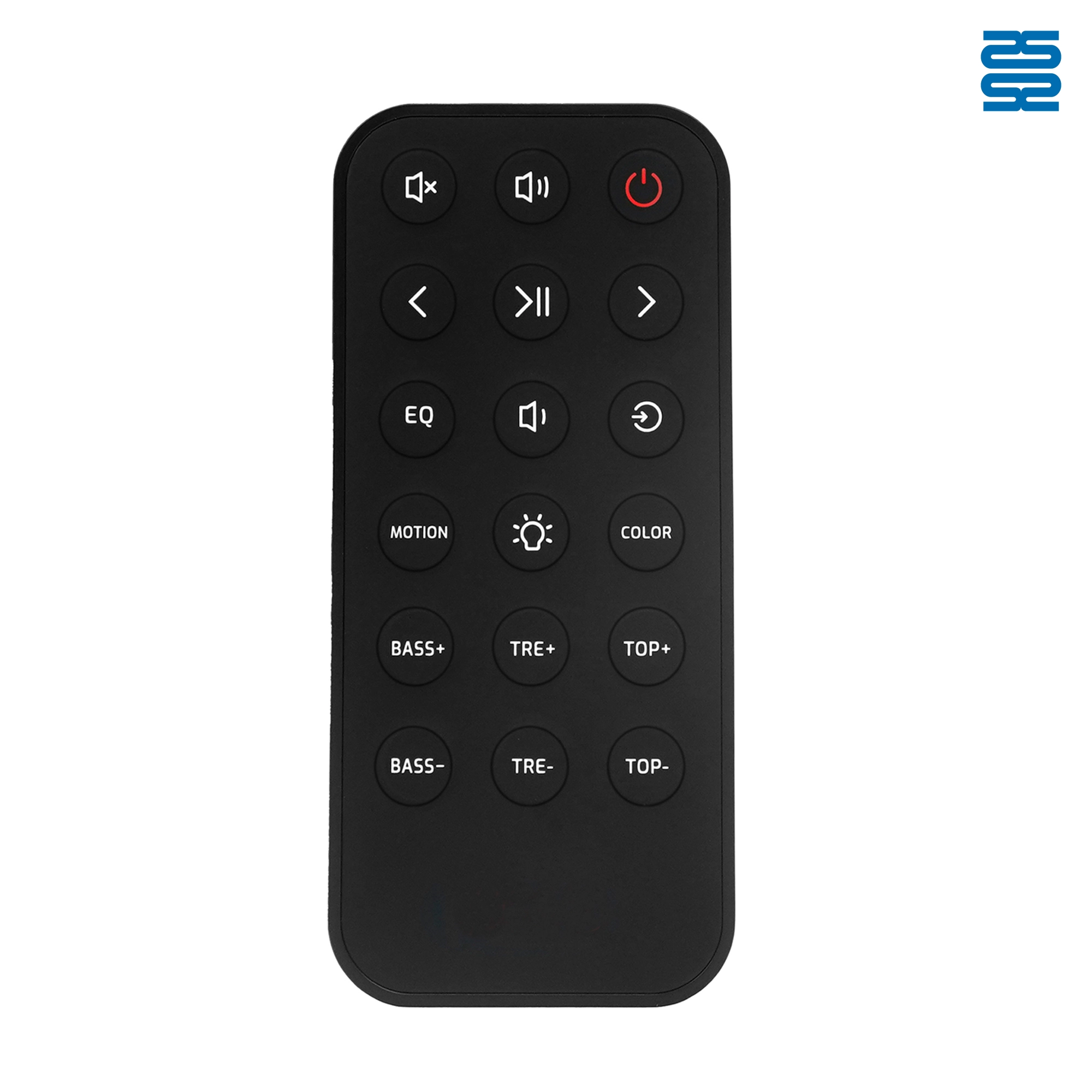
OXS Soundbar Home Theater Remote Control Replacement

RMF-TX900U Sony Smart 4K Voice TV Remote Control Replacement

L2600V RMF-TX600U Sony Smart 4K Voice TV Universal Remote Control Replacement

RMF-TX910U Sony Smart 4K Voice TV Remote Control Replacement
◼ Let’s Build Together
Get in Touch with SYSTO
If you have any comments or good suggestions, please leave us a message, later our professional staff will contact you as soon as possible.


Contact
Email us
Text or Call us
Address
Room 1606, No. 65, Zhongshan Seven Road, Liwan District, Guangzhou, Guangdong, China.

Facebook
Instagram
YouTube
Tik Tok
VK