






Original vs. Universal: How to Find the Best Replacement Remote Control for Panasonic TV Without Losing Features
Losing your TV remote is a modern inconvenience that disrupts your downtime. Whether it slipped between the cushions or simply stopped working, finding a replacement seems simple until you realize the options available. Should you spend more on an original Panasonic remote to guarantee every feature works, or save money with a universal one?
Panasonic Viera remote replacement options vary significantly in functionality. This guide breaks down the technical differences between Original Equipment Manufacturer (OEM), universal, and dedicated replacements, helping you make a decision that keeps your smart features intact.
Key Takeaways: Quick Summary for Buyers
The type of replacement remote you choose directly impacts feature retention and ease of use.
Before you buy, consider these critical factors:
- Replacement Type Matters: Universal remotes often lose specific smart functions; dedicated replacements mimic the original layout without programming.
- Model Matching: Locating the specific N2QAYB or similar code on your old remote is critical for 100% feature retention.
- Smart Features: Bluetooth and voice control features are rarely supported by budget universal remotes.
- Cost vs. Function: OEM remotes cost more but guarantee VIERA Link compatibility; universals are cheaper but require setup.
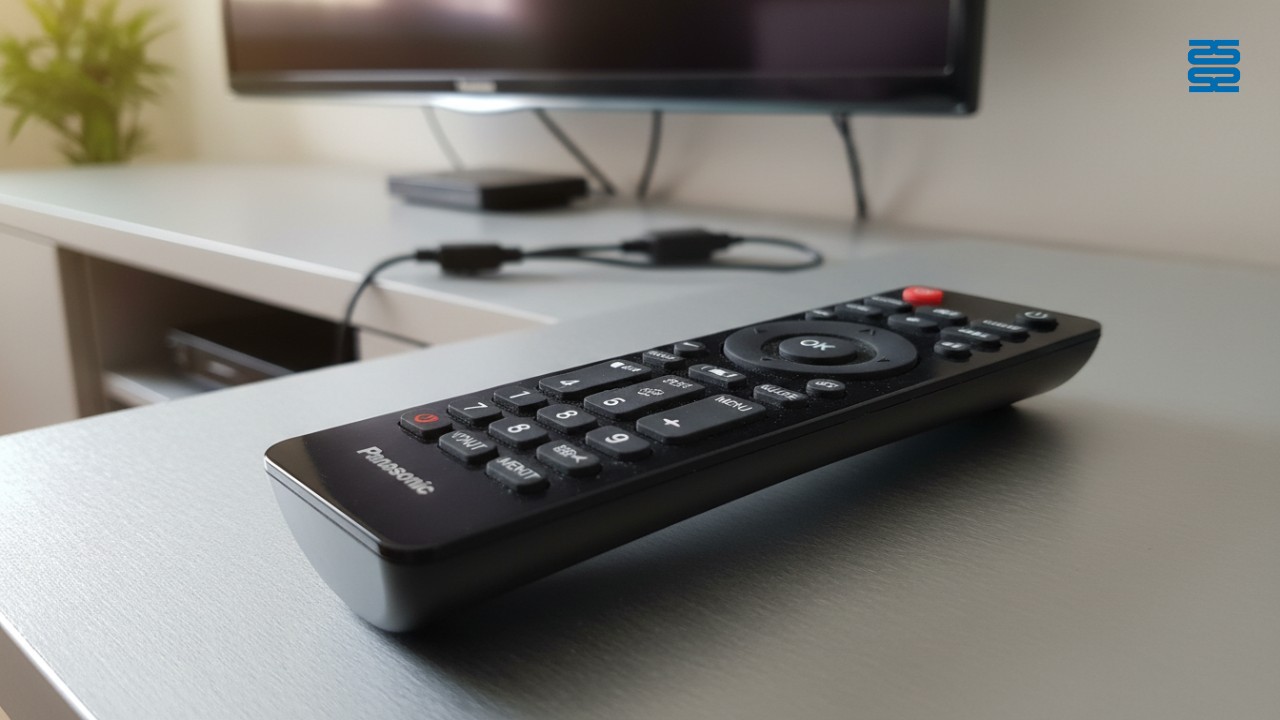
What is the best replacement remote control for a Panasonic TV?
The best replacement depends entirely on your specific feature requirements and budget. An OEM remote is the only option that guarantees 100% functionality (including voice control) out of the box, while a dedicated replacement offers the best balance of value and ease of use.
Here is how the options stack up:
- OEM (Original): Ideal for users who use voice control and deep menu settings regularly.
- Dedicated Replacement: Perfect for those who want the original button layout without paying a premium price.
- Universal Remote: Best for consolidating multiple devices (TV, DVD, soundbar) into one controller, despite potential feature loss.
Original vs. Universal vs. Dedicated: Breaking Down the Options
Understanding the three distinct categories of remotes prevents buyer's remorse. While they may look similar, the internal technology and signal protocols differ significantly.
The OEM Option
An OEM remote is an exact replica manufactured by Panasonic. It ensures durability and zero feature loss but often carries a premium price tag and lower availability for older models. If you have a high-end OLED panel, this is often the safest choice.
The Universal Option
Universal remote vs OEM features is the most common debate. Universal remotes are great for multi-device control (e.g., controlling a soundbar and TV simultaneously). However, they require code programming and often lack specific buttons like "Netflix" or "Apps," forcing you to relearn how to navigate your TV.
The 'Dedicated Replacement' Solution
These are third-party remotes built specifically for Panasonic IR frequencies. They require no programming and look like the original but are not manufactured by Panasonic.
Industry Insight: At Guangzhou SYSTO International Trading Limited, we have observed a significant shift in the market. Our testing shows that high-quality dedicated replacements offer 95% of the functionality of OEMs at half the price. Because we have specialized in R&D and manufacturing since 1998, we engineer our dedicated remotes to match the specific IR protocols of major brands, bridging the gap between cheap universals and expensive originals.
The 'Feature Gap': What You Might Lose with a Universal Remote
Generic universal remotes often fail to replicate proprietary signals used for advanced smart features. This "gap" is where frustration occurs for many buyers who expect a $10 remote to perform like a $50 one.
VIERA Link Functionality
VIERA Link-compatible remotes are essential if you use a home theater system. VIERA Link is Panasonic's implementation of the HDMI-CEC standard. According to Wikipedia, Consumer Electronics Control (CEC) allows devices connected via HDMI to communicate. Generic universals often fail to trigger these specific HDMI-CEC commands, meaning your TV remote will no longer turn on your soundbar or switch inputs automatically.
Smart App Shortcuts
The specific hex codes for "Netflix," "Prime Video," or "My App" buttons are often missing from standard universal remote code tables. While you can sometimes program a macro, it is a complex process that most users find tedious.
Voice Control
Most universal remotes rely on IR (infrared) only. Modern smart TVs, however, often use Bluetooth for voice commands. Because Bluetooth requires a pairing process and specific hardware, a standard IR universal remote cannot replace the voice command features of modern Panasonic Smart remotes.
How to Identify the Correct Model Number (N2QAYB Series)
Panasonic N2QAYB remote compatibility is the gold standard for finding a match. ** Panasonic remotes almost always start with this prefix, followed by a specific string of numbers.
Follow these steps to ensure a perfect match:
- Check the Front: Most Panasonic remotes have the model number printed on the bottom front face (e.g., N2QAYB000490).
- Check the Battery Compartment: If the text is worn off the front, the code is often on a sticker inside the battery housing.
- Consult the TV Manual: Your specific TV model (e.g., TX-55GZ950) has a designated remote part number listed in the technical specifications.
- Cross-Reference Compatibility: Ensure the replacement explicitly lists your TV series (Plasma, LCD, LED, or OLED) to guarantee frequency matching.
Expert Tips: Avoiding Common Mistakes When Buying
Not all replacement remotes are created equal; build quality and signal strength vary massively.
- Avoid 'One-Size-Fits-All' Claims: Cheap remotes claiming to work on "all TVs" usually only cover basic power and volume functions.
- Verify Return Policies: Always buy from a vendor that allows returns if the specific IR frequency doesn't match your older plasma model.
- Battery Considerations: Many cheap replacements drain batteries twice as fast as OEMs. Look for high-efficiency signal descriptions.
- Future-Proofing: If you plan to upgrade your TV soon, consider a sophisticated programmable remote. As noted by the Bluetooth SIG, Bluetooth technology is becoming the standard for smart home integration, so investing in a remote that supports both IR and Bluetooth ensures longevity.
Program universal remote for Panasonic Smart TV
If you choose a universal remote, you will likely need to program it manually.
While dedicated replacements work instantly, universal ones require a setup process:
- Find the Code: Look for the Panasonic section in the remote's manual. Common codes often start with 1 or 2.
- Enter Programming Mode: Usually, you hold the "Magic" or "Setup" key until the LED blinks.
- Enter the Code: Type in the 4- or 5-digit code.
- Test Functionality: Try the volume and power buttons. If they don't work, repeat the process with the next code in the list.
Troubleshooting: Before You Buy a New Remote
Sometimes the remote isn't broken; it just needs a reset or a cleaning.
Try these steps before spending money:
- Perform a Camera Test: Point your remote at a smartphone camera and press buttons. If you see a purple light on the screen, the remote is sending a signal.
- Power Cycle the TV: Unplug the TV for 60 seconds to reset the IR receiver sensor, which can sometimes freeze.
- Re-pair Bluetooth Models: For newer Smart TVs, the remote may just need to be re-paired via the TV's physical control buttons.
- Clean the Contacts: Sometimes, simple button oxidation prevents the signal; a quick cleaning with isopropyl alcohol can save you the cost of a replacement.
Conclusion & Call to Action
Choosing the right replacement remote for your Panasonic TV is a balance between feature retention, convenience, and cost. Whether you opt for an OEM unit to keep voice control or a universal remote to declutter your coffee table, understanding the trade-offs ensures you aren't left without critical menu functions.
At SYSTO, we leverage over two decades of manufacturing experience to provide reliable, high-performance remote control solutions that rival OEM quality. Our commitment to strict quality control ensures that whether you need a dedicated replacement or a custom solution, you get a product that works every time.
Contact [Guangzhou SYSTO International Trading Limited] today to discuss your specific needs.
About Products
What battery type do your remotes use?
Most models use standard AAA or AA batteries, as specified in the product manual.
CRC86E
How do I replace the batteries?
Open the back compartment, insert 2 × AAA batteries correctly, and close securely. Do not mix old/new or different types of batteries.
KS-DK02V
Can I customize the logo or packaging?
Yes, we offer full OEM/ODM customization services.
BN59-01432A
Do I need to pair the remote manually?
No, it automatically pairs when you press and hold the “Back” and “Play/Pause” buttons while pointing at the TV.
AKB75095308
Does it require setup or pairing?
No setup needed. Just insert batteries and it’s ready to use.
Recommended For You
Learn how to set up and program the CRC1130V universal remote control for your TV. This step-by-step guide covers direct brand buttons, code input, and auto search methods for quick and easy pairing.
This article explores the transformative shift in lighting control, moving from traditional handheld remotes to AI-driven, voice-activated smart home ecosystems. It covers the technical differences between IR, RF, and mesh protocols, the impact of the new 'Matter' standard, and future trends in biophilic design.
You May Also Like

P020745 ChiQ Smart TV Voice Remote Control Replacement

C3250 JVC Smart TV Voice Remote Control Replacement

P023040 JVC Smart TV Voice Remote Control Replacement

C3287 JVC Smart TV Voice Remote Control Replacement
◼ Let’s Build Together
Get in Touch with SYSTO
If you have any comments or good suggestions, please leave us a message, later our professional staff will contact you as soon as possible.


Contact
Email us
Text or Call us
Address
Room 1606, No. 65, Zhongshan Seven Road, Liwan District, Guangzhou, Guangdong, China.

Facebook
Instagram
YouTube
Tik Tok
VK