






Can a lighting remote control integrate with smart home systems?
Lighting Remote Control: Practical Guide to Smart Home Integration
As a professional resource for installers, integrators and advanced buyers, this article answers six specific, frequently asked long‑tail questions about lighting remote control devices and how to integrate them into modern smart home systems (Home Assistant, SmartThings, Apple HomeKit, Alexa, Google Home). Embedded throughout are industry terms like Zigbee remote, RF 433MHz remote, IR remote, BLE Mesh, Matter-compatible remotes, OTA firmware, hub/bridge and scene control to help you evaluate purchase decisions with confidence.
1. Can a lighting remote control integrate with smart home systems without a hub, and which protocols allow direct pairing?
Short answer: sometimes — but it depends on protocol and platform. Hubless direct pairing is possible when the remote and the target controller (e.g., a smart bulb or bridge) share the same IP or radio protocol and the target exposes a pairing mode. Common hubless scenarios:
- Wi‑Fi remotes (or remotes that act as Wi‑Fi clients) can communicate directly with cloud or local IP endpoints if the hub/service supports local API pairing.
- Bluetooth LE remotes can pair directly with a smartphone or gateway that supports BLE (e.g., many phones, some smart speakers). BLE Mesh remotes typically require a mesh provisioner (phone or gateway) but that can be the user's phone rather than a dedicated hub.
Protocols that generally require a hub or bridge:
- Zigbee — most smart bulbs and remotes implement Zigbee; they usually require a Zigbee coordinator (a hub or USB stick such as a ConBee II or a Zigbee-enabled smart hub). Some vendor bridges (Philips Hue Bridge, IKEA TRÅDFRI Gateway) act as the coordinator and provide cloud/HomeKit/Alexa/Google integration.
- Z‑Wave — requires a Z‑Wave controller (hub) to manage the network and security (S0/S2).
- RF 433/315 MHz and IR — these legacy remotes are protocol‑specific and typically require an RF/IR bridge (e.g., Sonoff RF Bridge, BroadLink RM4) to translate button presses into IP events usable by Home Assistant, Alexa, etc.
Practical guidance:
- If you want true hubless operation, choose Wi‑Fi or native BLE devices whose vendors support local LAN APIs. Verify vendor documentation for local control and offline operation.
- If you prefer a resilient mesh and large device counts, Zigbee or Z‑Wave with a hub/USB coordinator is better — they are not hubless but provide superior reliability and low power consumption for battery remotes.
- Check the product spec sheet for terms like local API, BLE provisioning via phone, Thread/Matter support — these indicate fewer middleboxes are needed.
2. Can a lighting remote control integrate with smart home systems? (Practical integration routes and limits)
Yes — most modern lighting remotes can integrate, but the route depends on protocol, security model and the target smart home platform. Typical integration routes:
- Bridge/Hub Integration — Use the vendor bridge (Hue Bridge, Lutron Caséta Smart Bridge) that exposes the remote and devices to cloud services and local platforms (HomeKit/Alexa/Google). This is the most supported route and preserves scene controls.
- Third‑party Coordinator — Use a generic coordinator like ConBee II, Zigbee2MQTT, ZHA (Zigbee Home Automation) or a Z‑Wave USB stick with Home Assistant. This allows advanced mapping of remote buttons to scenes, automations and MQTT topics.
- IR/RF Bridging — For IR or 433MHz remotes, use an RF/IR bridge (Sonoff RF Bridge, BroadLink RM4, or an RTL‑SDR/ESP8266+Tasmota solution) to capture raw codes and inject events into Home Assistant or Node‑RED.
- Cloud/API Integration — If the remote is cloud‑connected, use vendor APIs or official integrations to surface button events. Beware of cloud latency and privacy implications.
- Matter/Thread — Emerging: remotes that support Matter (or can be bridged via a Matter controller) will integrate more easily with multiple ecosystems using the Matter controller as the unifying layer.
Limits to be aware of:
- Proprietary remotes (Lutron Clear Connect, some RGB LED remotes) may only expose functionality via the vendor bridge and may restrict third‑party mapping or scene export.
- Battery‑powered remotes (Zigbee/BLE) are usually end devices; they do not act as repeaters in Zigbee networks and may sleep — this affects immediate state reporting and may introduce small delays when waking to send events.
3. How can I convert an RF 433MHz lighting remote control to work with Home Assistant while preserving multi‑button scene controls?
This is a common pain point with legacy RF remotes used for multi‑zone LED controllers. Steps and recommendations:
- Capture raw codes: Use a Sonoff RF Bridge ( flashed with Tasmota/ESPhome if you need local control) or an RTL‑SDR/Arduino receiver to learn each button's raw code. BroadLink RM4 can also capture IR/ some RF codes for IR → IP mapping.
- Map codes to entities: In Home Assistant, create binary sensors or MQTT topics for each unique code. Name them to match the scenes/zone they control (e.g., livingroom_scene_1).
- Preserve scenes: Recreate the scene logic in Home Assistant (scenes or scripts) so each RF button triggers the corresponding scene. This preserves behavior even if you later retire the physical RF controller.
- Advanced: Use a hardware translator (ESP8266/ESP32 running ESPHome) to receive RF codes and publish MQTT events with JSON payloads (button name, long/short press, sequence). This allows multi‑press/hold recognition and better automation.
- Test for latency and reliability: RF remotes (433MHz) are sensitive to interference. If you need robust control, consider migrating the fixtures to Zigbee/Z‑Wave or use the RF translator as a temporary bridge while planning a full upgrade.
Recommended hardware to start: Sonoff RF Bridge (with local firmware), BroadLink RM4 (for IR), RTL‑SDR or inexpensive 433MHz receiver modules with an ESP32 for custom integrations. Document every captured code and back it up.
4. Which lighting remotes support secure encrypted pairing (Zigbee 3.0, Z‑Wave S2, Matter) and how to verify firmware/OTA capability before purchase?
Security is critical when remotes can arm scenes or open lighting circuits. Key protocol facts:
- Zigbee 3.0 uses AES‑CCM‑128 encryption for network and application security when properly configured by the coordinator.
- Z‑Wave S2 uses Elliptic Curve Diffie‑Hellman (ECDH) for key exchange and AES‑128 for message encryption; S2 provides role‑based authorization (e.g., Access Control, Authenticated).
- Matter uses modern cryptography with a secure on‑boarding process (PAKE + certificate model) and runs over Thread (802.15.4) or Wi‑Fi.
How to verify vendor security and OTA support before buying:
- Check the spec sheet: look for terms Zigbee 3.0, Z‑Wave S2, Matter certified, AES encryption, OTA firmware or firmware updates.
- Vendor firmware policy: Confirm whether the vendor provides regular security updates and whether updates are delivered locally (OTA via LAN) or only via cloud. Local OTA is preferable for privacy and offline patching.
- Community/third‑party reports: Search Home Assistant, SmartThings and device‑specific forums for user reports on pairing security and whether the device supports secure join (Zigbee Trust Center link key, Z‑Wave S2 inclusion).
- Test inclusion behavior: On arrival, try including the device in a local coordinator (ConBee II, Z‑Wave stick) to see if it requests security keys or allows insecure join. A secure join request is a good sign.
Note: Some budget remotes implement older insecure profiles. For installations where security and auditability matter (multi‑tenant buildings, commercial lighting), insist on Zigbee 3.0 or Z‑Wave S2 and vendor commitment to OTA security updates.
5. Can a battery‑powered Bluetooth Mesh lighting remote act as a mesh node or repeater, and how does that affect range and battery life?
Important distinction: In most mesh radio stacks (Zigbee, Z‑Wave, BLE Mesh), only mains‑powered devices act as routers/repeaters. Battery‑powered remotes are typically end nodes that sleep to conserve energy and therefore do NOT route traffic. Specifics:
- Zigbee: Battery devices are end devices and do not forward traffic. Zigbee routers are mains‑powered (bulbs, plugs, dedicated routers) and provide network resilience.
- Z‑Wave: Same model — battery devices do not act as repeaters.
- BLE Mesh: Bluetooth LE Mesh has a concept of relays, but many battery remotes disable relaying to conserve power. A device must advertise continuous relay capability to act as a mesh node.
Consequences for range and battery life:
- Range: Expect shorter effective control range for battery remotes because they do not forward messages. Use more mains‑powered routers (smart plugs, bulbs) to create a denser mesh and extend coverage.
- Battery life: Enabling relay on a battery device (if possible) drastically reduces battery life. Typical coin‑cell remotes (CR2032) last 1–3 years depending on usage; enabling relaying would reduce that to months or less.
Best practices:
- Plan mesh topology: place mains‑powered routers between remote locations and the coordinator to guarantee reliable message delivery.
- Use BLE Mesh remotes with explicit relay settings only when the vendor documents acceptable battery life tradeoffs.
- For long‑range control without many routers, consider a hybrid approach: use a low‑power RF remote with a dedicated local bridge or a Wi‑Fi/BLE remote that talks directly to a nearby gateway.
6. How do I ensure scene and timeline persistence when migrating from a proprietary lighting remote (e.g., Lutron Caséta) to a new smart home ecosystem?
When replacing a proprietary ecosystem, the main goal is to preserve scene definitions, schedules (timelines) and multi‑button behaviors. Steps to migrate with minimal disruption:
- Inventory: Export or document all scenes, button mappings, and schedules from the current system. Note devices, groups and exact dim levels, color temperatures and delays.
- Bridge where possible: Use vendor bridges that expose the proprietary system to the new controller (e.g., Lutron Caséta Smart Bridge exposes devices to HomeKit/Alexa/SmartThings). This lets you keep the existing remotes while slowly moving automations.
- Recreate scenes programmatically: In Home Assistant or another controller, recreate scenes and schedules as scenes/automations. Use names identical to the old system and map old remote buttons to new automations gradually.
- Use a transitional controller: In many projects, leave the legacy bridge active while running the new system in parallel; replicate scenes and compare behavior for a few weeks before decommissioning the old bridge.
- Test hardware functions: Some proprietary remotes have hidden button combos or long‑press behaviors. Verify these with the vendor before removing the remote permanently.
Example: Migrating from Lutron Caséta — keep the Caséta Smart Bridge connected and use the Lutron integration in Home Assistant to call Caséta scenes. Recreate scenes in Home Assistant when you need advanced automations or local-only execution, then reassign the physical Pico remote buttons to the new scenes using Home Assistant mappings.
Additional tips:
- For large installations, export schedules to CSV or take screen captures for exact reproduction.
- If physical remotes are critical to users’ habits, consider retaining them as secondary controllers until the new system proves reliable.
Concluding summary: Advantages of integrating lighting remote controls with smart home systems
Integrating lighting remotes with a smart home delivers centralized automation, improved security, richer scene and schedule persistence, and the ability to add voice, geofencing and analytics. Using a coordinator (Zigbee/Z‑Wave) or a local bridge provides reliable low‑latency control and better privacy than cloud‑only solutions. Planning for security (Zigbee 3.0, Z‑Wave S2, Matter), topology (mains routers vs battery remotes) and upgradeability (OTA firmware) reduces long‑term maintenance and keeps the installation scalable.
If you need personalized product selection, compatibility checks, or a quote for bridging legacy remotes to Home Assistant, Alexa or Matter, contact us for a quote at www.systoremote.com or email [email protected].
Sources consulted: Zigbee Alliance specifications, Z‑Wave Alliance S2 documentation, Matter working group public materials, and platform documentation (Home Assistant, SmartThings). Verify local RF frequency regulations (433/315/868/915 MHz) and vendor firmware policies for your region.
CRC86E
Can I learn individual keys from another remote?
Yes. Press and hold the TV/BOX/SUB/DVD button for 3 seconds to enter Learning Mode, then place the original remote head-to-head. Press the key to copy; the LED will flash 3 times on success. Repeat for other keys.
CRC2303V
Does this remote need any setup or pairing?
No need. Simply insert two AAA batteries to start using.
About Customized Service
Can you develop remotes compatible with specific brands or models?
Yes, we can develop IR codes for most global brands and devices.
AN-MR25GA
How do I pair it with my TV?
Turn on your TV, insert the batteries, and press the “OK” button — pairing will occur automatically.
Does it support AI Voice commands?
Yes. It fully supports LG AI Voice Recognition and Google Assistant (if available in your TV).
Recommended For You
Do solar remote controls still use lithium batteries? Learn how modern solar-powered remotes now adopt supercapacitors with USB Type-C fast charging for improved safety, durability, and long lifespan.
Learn how to check whether a garage door remote control bought online is compatible with your opener. Frequency, learning type, and easy tips explained.
Having trouble setting up a universal remote even though your TV brand is listed in the manual? Learn the real reason, common mistakes, and how to improve success by using precise TV codes.
Learn how to set up and program the CRC1130V universal remote control for your TV. This step-by-step guide covers direct brand buttons, code input, and auto search methods for quick and easy pairing.
You May Also Like
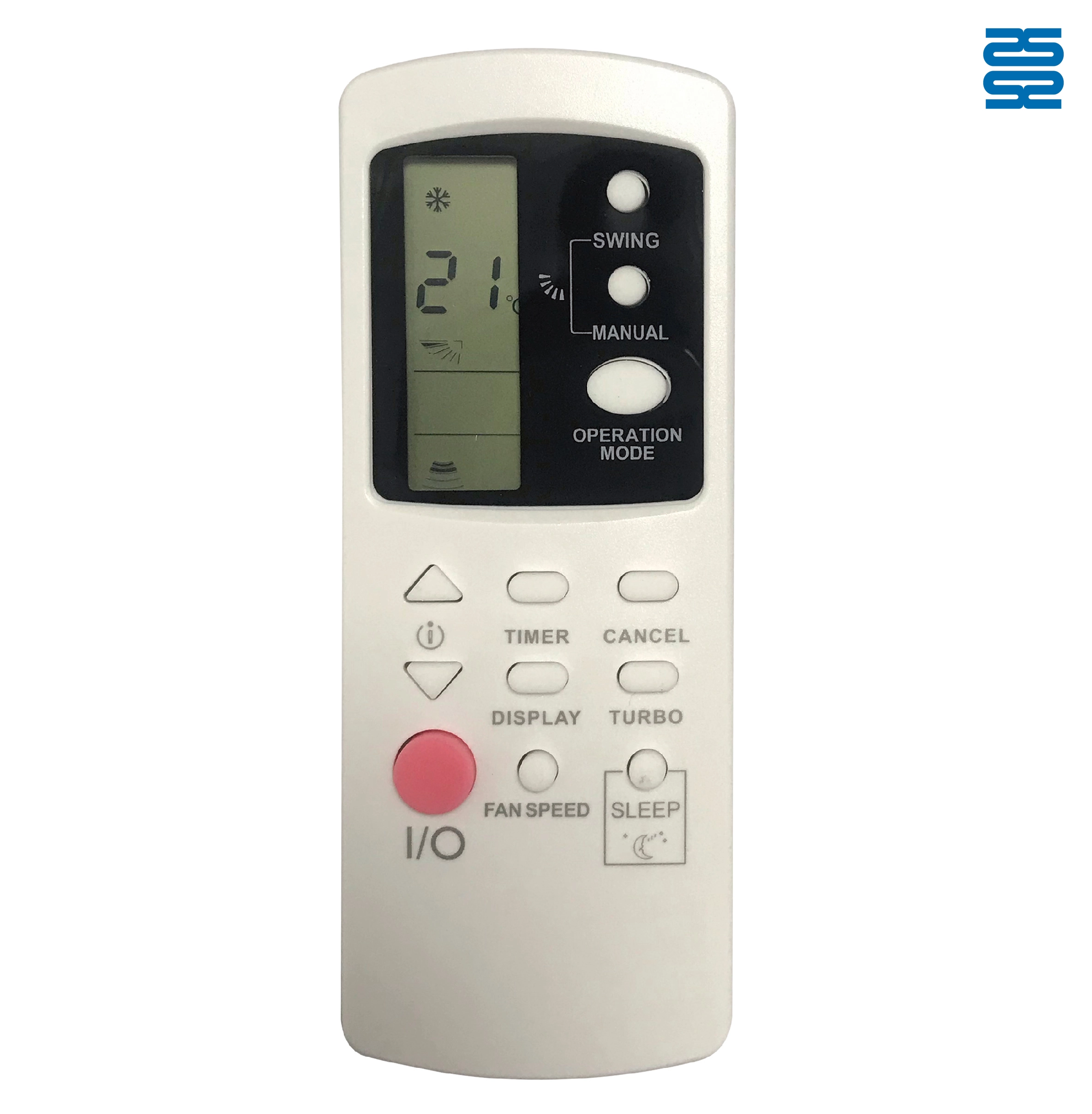
AFR31 Fujitsu Air Conditioner Remote Control Replacement

AFR29 Fujitsu Air Conditioner Remote Control Replacement

AFR30 Fujitsu Air Conditioner Remote Control Replacement

AFR39 Samsung Air Conditioner Remote Control Replacement
◼ Let’s Build Together
Get in Touch with SYSTO
If you have any comments or good suggestions, please leave us a message, later our professional staff will contact you as soon as possible.


Contact
Email us
Text or Call us
Address
Room 1606, No. 65, Zhongshan Seven Road, Liwan District, Guangzhou, Guangdong, China.

Facebook
Instagram
YouTube
Tik Tok
VK