






Which lighting remote control supports DMX and RGBW control?
1. How can I control DMX-addressable RGBW LED strips with a handheld RF remote without reprogramming fixtures?
Problem: You have DMX-addressable RGBW strips or fixtures already patched for shows, but you want a simple handheld RF/IR remote for on-the-fly scene recall without changing fixture addressing or reloading scenes.
Solution overview: Use a protocol bridge (gateway) that translates the remote's commands into DMX channel changes while preserving fixture addresses. Practically there are two approaches:
- Local gateway (recommended for reliability): An RF/IR receiver or Wi‑Fi/Zigbee hub receives the handheld remote input and maps it to DMX512 channel values. The gateway acts as a DMX controller on your network and transmits standard DMX to your fixtures (wired or wireless DMX).
- Controller overlay: Keep your primary lighting console for complex cues and use the handheld remote to trigger pre-programmed scenes stored in the gateway. The gateway issues the same DMX values as the console's scenes, so fixtures' addresses remain unchanged.
Key technical points to check when buying:
- Channel mapping flexibility: The gateway must let you map remote zones/buttons to arbitrary DMX channel ranges (e.g., map remote zone 1 to DMX channels 1–4 for an RGBW strip, or to 101–104 for a different fixture).
- DMX universes and offsets: If you use multiple universes, ensure the gateway supports specifying universe and channel offsets so you don’t have to repatch fixtures.
- Latency and transition smoothing: Gateways should offer configurable fade times and transition interpolation to avoid abrupt color jumps and to match console crossfades.
- Priority handling: In systems where a console and gateway both output DMX, use DMX merge/prioritization or Art‑Net/sACN priority settings so the remote’s scenes won’t be overridden unexpectedly.
Practical tip: For small installs, an RF handheld + one local gateway is simplest. For larger rigs, choose gateways that support RDM/Art‑Net/sACN so you can discover and map fixtures without rewiring them.
2. Which lighting remote control supports DMX and RGBW control for both commercial stage fixtures and architectural LED strips?
Short answer: Few handheld remotes directly output native DMX512—professional DMX consoles do. For combined stage and architectural control you need either a true DMX controller (with wireless DMX transceiver) or a hybrid solution combining an RGBW LED controller with a DMX gateway.
Options explained:
- Professional DMX consoles (wired or wireless) — e.g., compact fader-based controllers and software consoles paired with wireless DMX transceivers (CRMX/LumenRadio or Wireless Solution). These provide full DMX512 control for stage fixtures and can output the channel values required for RGBW fixtures and strips. Pros: direct DMX control, large channel counts, scenes/cue stacks. Cons: learning curve and cost.
- Hybrid consumer/pro-sumer setups — hand remotes (RF/IR/Bluetooth/Zigbee) paired with gateways (Wi‑Fi/Art‑Net/DMX nodes). The remote controls the gateway, which emits DMX to both stage fixtures (if DMX-enabled) and architectural fixtures via DMX-enabled LED drivers. Pros: easier end-user interface, lower cost. Cons: potential protocol mismatches and limited channel counts.
Brands and components to consider (categories, not exhaustive models):
- Wireless DMX transceivers: LumenRadio CRMX modules for robust wireless DMX on stage.
- DMX interface/gateways: ENTTEC, DMXking and other manufacturers offer Art‑Net/sACN to DMX bridges that pair with IP-capable remotes or hubs.
- RGBW LED controllers: Many LED driver manufacturers provide DMX-input RGBW drivers (search for “DMX RGBW LED driver” that lists 4 channel DMX inputs or 8/16-bit channel support).
- Smart home controllers: Zigbee (Philips Hue/Gledopto) or Wi‑Fi systems for architectural lighting—use a gateway to map scenes to DMX for stage fixtures if needed.
Buyers should verify these specific features:
- DMX input/output availability on the LED driver (direct DMX input vs. proprietary RF only).
- Universe/channel capacity—the total number of RGBW fixtures multiplied by 4 channels each must fit in your number of universes.
- Support for Art‑Net/sACN if you intend to bridge IP-based remotes or software controllers to DMX.
3. What should I check on an RGBW remote/controller to ensure flicker-free, color-accurate DMX dimming for high-CRI LED installations?
Key performance parameters you must verify before purchase. Flicker and color accuracy are often overlooked but critical in commercial and broadcast installations.
Technical checklist:
- PWM frequency of the LED driver: For camera applications and to avoid visible flicker, prefer drivers with PWM frequencies above 2–4 kHz; for broadcast/film choose >= 20 kHz. Many consumer RGBW controllers use lower PWM (hundreds of Hz) which can cause banding on cameras.
- DMX resolution per channel: 8‑bit gives 256 steps—may be coarse for smooth fades on RGBW. 16‑bit per channel (or 16‑bit for intensity + 8‑bit for color) decreases banding and improves color transitions. Check if the controller or driver supports 16‑bit mode via two DMX channels per color.
- Dimming curve and gamma correction: Professional controllers allow selection of dimming curves (linear, logarithmic, cinematic gamma) to achieve perceptually smooth fades. Look for gamma correction and calibration features for consistent color mixing.
- Driver linearity and current regulation: High-CRI LEDs are sensitive to driver ripple and regulation. Choose drivers with constant-current regulation and low ripple to maintain color fidelity and prevent hue shifts at low dim levels.
- DMX refresh and RDM support: A steady DMX refresh (typically 44 Hz to 44 kHz depending on the system and merge) prevents stutter. RDM (Remote Device Management) helps monitor fixtures for errors and calibrate output remotely.
Practical acceptance tests before deployment:
- Record your LEDs under the target cameras and look for banding or flicker at intended frame rates (e.g., 24/30/60 fps).
- Run low-level fades from 0–100% to check for color shifts; verify smoothness with a waveform monitor if available.
- Measure PWM frequency with a handheld oscilloscope or a manufacturer datasheet.
4. How do I map RGBW channels across multiple DMX universes and keep scenes synced from a handheld remote?
For large installs, mapping and synchronization are critical. RGBW fixtures consume four DMX channels each, so the math and signal architecture matter.
Step-by-step approach:
- Inventory: Count fixtures and channels. Example: 50 RGBW fixtures × 4 channels = 200 DMX channels (fits in one universe). Above 128 fixtures or when using additional per-fixture channels (e.g., master dim, effects), you will span multiple universes.
- Address planning: Assign contiguous channel ranges per fixture and mark universe boundaries in your patch. Use consistent offsets so a gateway or remote can target groups predictably (for example, group 1 = channels 1–40, group 2 = channels 101–140).
- Use networked DMX protocols: Art‑Net and sACN can carry many universes over Ethernet. Choose a gateway that exposes Art‑Net/sACN so your handheld remote or hub can trigger scenes across universes simultaneously.
- Scene distribution and sync: For simultaneous recall across universes, use a controller or gateway that issues a single scene packet across Art‑Net/sACN with identical timestamps or use show-control cues with timecode. Consumer remotes that only control single universes may cause small timing offsets; professional controllers offer frame-aligned updates.
- Fallback and redundancy: For mission-critical shows, use redundant Art‑Net/sACN nodes (dual network paths) and check that your wireless remote -> gateway path has low latency and re-send logic. Some systems support “go” triggers (a single command that prompts all nodes to apply stored scenes immediately).
Practical tip: Test full-scene recall across the full number of universes before the event—network switches, gateway CPU limitations, and wireless latency can introduce mis-synchronization that’s invisible during spot testing.
5. Can Wi‑Fi, Bluetooth, or Zigbee remotes reliably replace wired DMX for large RGBW installations, and what are the interference and security considerations?
Wireless can replace wired DMX in many cases, but reliability depends on protocol choice, physical environment, and redundancy design.
Protocol trade-offs:
- Wi‑Fi (Art‑Net/sACN over IP): High bandwidth and many universes available. Subject to network congestion—segregate lighting on a dedicated VLAN and use managed switches. Security: implement WPA2/WPA3, network ACLs, and limit routing to prevent external access.
- Bluetooth/Bluetooth Mesh: Good for small installations and localized control. Range and message throughput are limited—less suited for large numbers of fixtures or high channel counts.
- Zigbee/Zigbee Light Link/Thread: Designed for many devices in mesh topologies; stable for architectural installations (smart lighting). Less suited for stage-level latencies and large DMX universe requirements unless paired with a gateway that bridges to DMX.
- Professional Wireless DMX (CRMX, W-DMX): Purpose-built for lighting with low latency, robust anti-interference features, and licensing for operation in various regions. Use for stage environments where reliability is critical.
Interference & security considerations:
- Avoid mixing lighting wireless on the same Wi‑Fi network used by production video/backstage communications. Use dedicated networks and QoS where possible.
- Consider radio frequency congestion (2.4 GHz is crowded). Use 5 GHz Wi‑Fi where possible, and professional wireless DMX that selects less-congested channels automatically.
- Security: Gateways and remotes should support authentication, encryption, and regular firmware updates. For remote management (remote scene upload), use VPN or secure management channels; do not expose lighting controllers directly to the internet.
When wireless is appropriate:
- Architectural retrofits where running DMX cable is impractical—use Zigbee/Wi‑Fi with a DMX bridge.
- Small-to-medium events where mobility and quick setup matter—use CRMX or a robust Wi‑Fi implementation.
- Large-scale professional shows generally favor wired DMX for trunks and use wireless only for last-meter or redundancy.
6. What are practical wiring and power calculations when using a DMX-capable RGBW LED controller and long cable runs?
Proper wiring prevents voltage drop, flicker, and DMX signal errors. Here’s a practical checklist and calculation steps you can apply on any project.
Power cabling for LED strips/fixtures:
- Determine per-meter or per-fixture current: Use the LED datasheet. Example: an RGBW strip might draw 1.2 A per color channel at maximum white; worst case sum may reach 4–6 A per meter.
- Compute total current: Total amps = amps per meter × total meters (or per-fixture current × number of fixtures on the run).
- Choose supply voltage and PSU rating: Add a 20–30% safety margin to allow for inrush and avoid PSU overload. For long runs, use higher voltage solutions (e.g., 24 V strips instead of 12 V) to reduce current and voltage drop.
- Cable gauge and voltage drop: Use Ohm’s law. For DC runs, keep voltage drop <3–5% at the farthest fixture. Use appropriate AWG: e.g., for 10 A over 10 m, 18 AWG might be marginal; 14 AWG or 12 AWG may be required depending on acceptable drop. Many LED suppliers provide voltage drop tables—use them.
DMX cabling (signal):
- Use RS‑485 differential cable for DMX: a shielded twisted pair (Belden 9841 or similar) is recommended. DMX uses a single pair for data and a ground reference; do not carry power and DMX in the same cable if possible.
- Termination resistor: Install a 120-ohm termination resistor at the end of the DMX line to prevent reflections. Some DMX devices have a built-in switchable terminator.
- Biasing and cable length: RS‑485 supports up to 1200 m under ideal conditions. For long runs, use repeaters, opto-isolators, or DMX-over-Ethernet gateways (Art‑Net/sACN) with local DMX nodes to keep cable lengths manageable.
- Grounding and isolation: Proper equipment grounding prevents noise. Use galvanic isolation on interfaces if the installation spans multiple electrical phases or buildings.
Practical wiring layout recommendations:
- Run power home runs where possible (power injected at multiple points) to reduce cable size and keep voltage stable across long strips.
- Use local short runs of DMX from the nearest DMX node rather than daisy-chaining very long DMX lines through dozens of fixtures.
- Label cables and document DMX addressing/universe assignments for maintenance and troubleshooting.
By following these calculations and using correctly rated wiring, you’ll avoid common problems such as dimming instability, color shift, and DMX dropouts.
Concluding summary — Advantages of choosing DMX-capable RGBW remotes and hybrid gateway systems
Choosing a DMX-aware approach (either a true DMX controller with wireless transceivers or a hybrid remote + gateway architecture) gives you the flexibility to manage both stage-grade fixtures and architectural RGBW lighting from a unified interface. The main advantages are:
- Scalability: DMX universes and Art‑Net/sACN allow large channel counts and predictable addressing.
- Interoperability: Standard DMX and RDM support ensures fixtures and drivers from different vendors can be managed centrally.
- Professional dimming fidelity: Proper drivers, PWM frequency, and high-resolution DMX channels reduce flicker and color banding.
- Redundancy and reliability: Wired DMX trunks with selective wireless for mobile elements balance dependability with flexibility.
- Simplified user control: Gateways let operators use handheld remotes for daily operations while preserving console-based show control for complex events.
If you want help specifying a DMX + RGBW control system tailored to your venue—including gateway selection, wiring diagrams, universe planning, and product options—contact us for a quote at www.systoremote.com or email [email protected].
About Company
Can I visit your company or factory?
Yes, we welcome global partners to visit. Please make an appointment in advance.
CRC014V LITE
What’s the MOQ for customized models?
The MOQ depends on customization requirements such as logo, packaging, or function.
QD-HVAC20
What do I do if the thermostat is not responding?
Ensure the thermostat is correctly installed and powered. If issues persist, check the wiring or consult the troubleshooting section in the manual.
CRC1130V
How long is the production time?
Standard models:
In stock: Ships immediately after receiving payment.
Out of stock: 15–25 working days.
Custom models: Depends on project complexity.
QD85U
How many operating modes are available?
Five — Auto, Cool, Dry, Fan, and Heat.
Recommended For You
Do solar remote controls still use lithium batteries? Learn how modern solar-powered remotes now adopt supercapacitors with USB Type-C fast charging for improved safety, durability, and long lifespan.
Learn how to check whether a garage door remote control bought online is compatible with your opener. Frequency, learning type, and easy tips explained.
Having trouble setting up a universal remote even though your TV brand is listed in the manual? Learn the real reason, common mistakes, and how to improve success by using precise TV codes.
Learn how to set up and program the CRC1130V universal remote control for your TV. This step-by-step guide covers direct brand buttons, code input, and auto search methods for quick and easy pairing.
You May Also Like
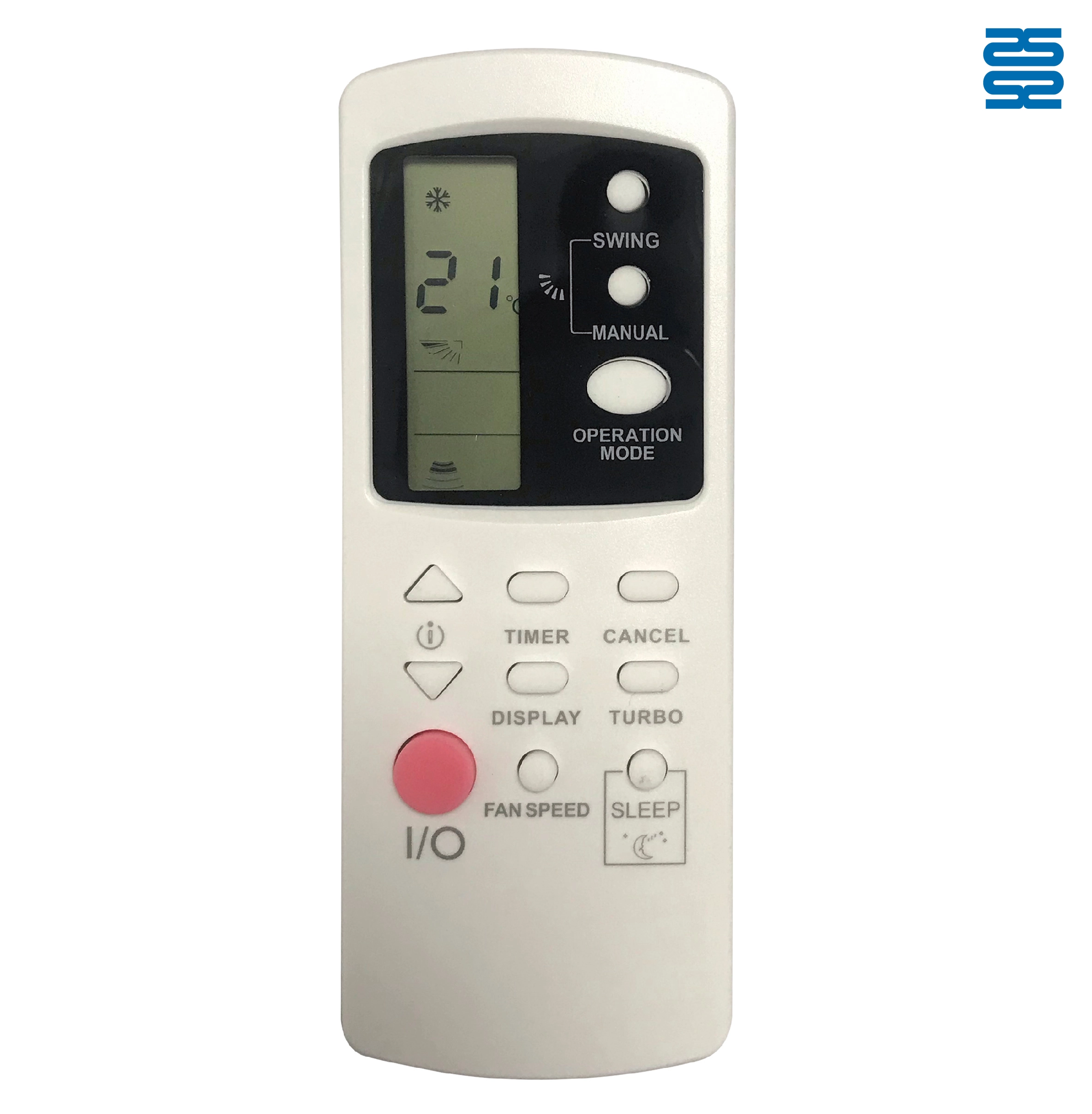
AFR31 Fujitsu Air Conditioner Remote Control Replacement

AFR29 Fujitsu Air Conditioner Remote Control Replacement

AFR30 Fujitsu Air Conditioner Remote Control Replacement

AFR39 Samsung Air Conditioner Remote Control Replacement
◼ Let’s Build Together
Get in Touch with SYSTO
If you have any comments or good suggestions, please leave us a message, later our professional staff will contact you as soon as possible.


Contact
Email us
Text or Call us
Address
Room 1606, No. 65, Zhongshan Seven Road, Liwan District, Guangzhou, Guangdong, China.

Facebook
Instagram
YouTube
Tik Tok
VK