






The Ultimate Guide to Choosing the Best Universal Remote for Your Air Conditioner
Quick Summary: Key Takeaways for Buyers
A universal remote for your air conditioner is the fastest way to restore control to your unit while unlocking modern energy-saving features.
If you are in a rush to replace a lost controller, here is what you need to know immediately:
- Types: Remotes range from basic 1000-in-1 AC remote code replacements to advanced Smart AC controller units.
- Compatibility: Most remotes work via Infrared (IR), so they support major brands like Daikin, LG, and Mitsubishi, provided the AC unit has an IR receiver.
- Savings: Smart upgrades can reduce energy usage by automating temperature schedules.
- Check First: Identify if your unit is a mini-split universal remote-compatible system or a window unit before purchasing.
What is a universal remote for an air conditioner?
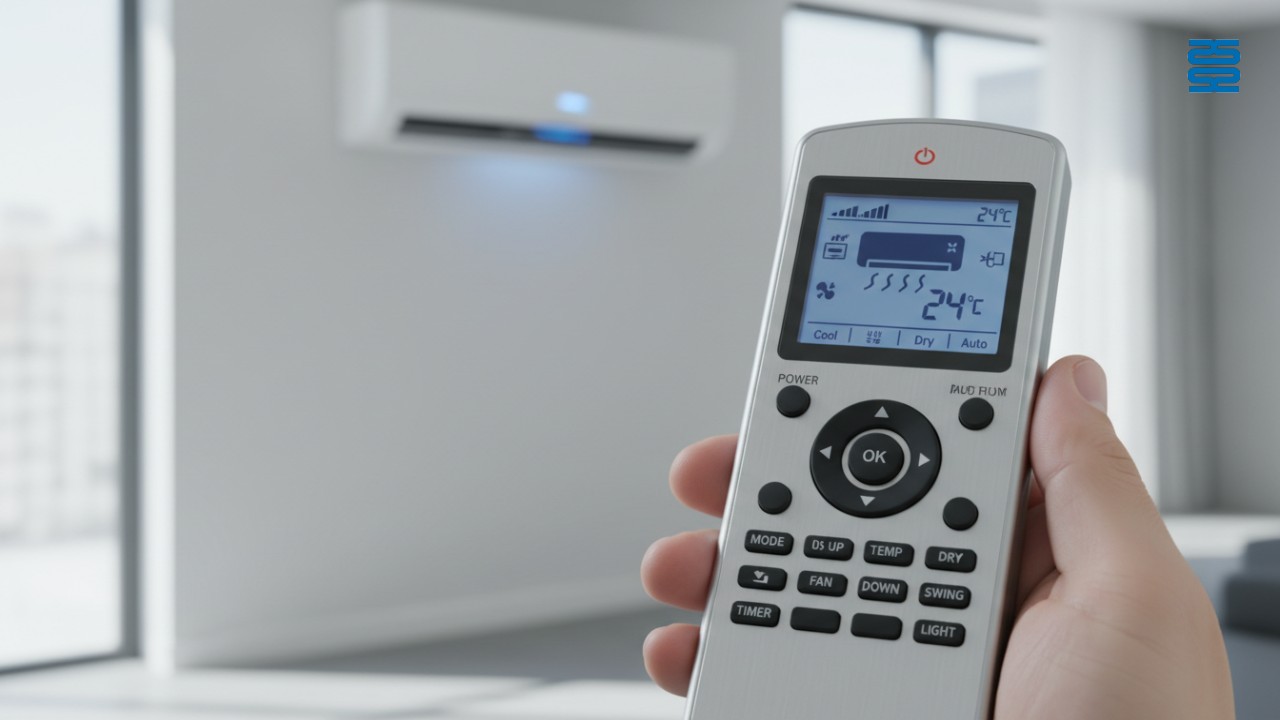
A universal AC remote is a third-party control device designed to replace lost or broken original remotes by utilizing a comprehensive database of infrared (IR) frequencies.
These devices serve as a bridge between you and your cooling system when the original equipment manufacturer (OEM) remote is unavailable. Unlike brand-specific replacements, a universal remote contains thousands of pre-programmed signal codes. By entering the correct code or using an auto-search function, the remote "learns" how to speak to your specific air conditioner. Modern iterations have evolved beyond simple button replacements; they now often include backlit displays, built-in thermometers, and even Wi-Fi chips that allow for Wi-Fi air conditioner control via smartphone apps.
Why Upgrade? Benefits Beyond Just Replacement
Upgrading to a universal remote does more than solve an immediate problem; it consolidates control and modernizes older HVAC units.
Many homeowners view a broken remote as a disaster, but it is actually an opportunity. Switching to a high-quality universal solution often provides better ergonomics and smarter functionality than the plastic remote that came in the box.
- Consolidation: Control multiple AC units in different rooms (e.g., living room and bedroom) with a single interface.
- The Smart Advantage: Turn a "dumb" 10-year-old window unit into a smart device capable of scheduling and geofencing.
- Cost Efficiency: Universal replacements are often 50% cheaper than ordering an original replacement from the manufacturer.
- Durability: Premium aftermarket remotes often feature more robust casing and better button responsiveness.
Types of Universal AC Remotes: Which Fits Your Needs?
The market is divided into two main categories: basic physical replacements and smart Wi-Fi-enabled controllers.
Choosing the right type depends entirely on whether you simply want to turn the unit on and off or if you want to integrate your cooling into a broader smart home ecosystem.
1. The Basic Replacement (1000-in- 1)
These are the standard, affordable remotes found in most hardware stores. They rely on 1000-in-1 AC remote codes to pair with your unit. They function exactly like a traditional remote but work across thousands of brands.
2. The Smart IR Blaster
An IR blaster for HVAC is a small hub that sits on a table or mounts to a wall. It connects to your home Wi-Fi and sends IR signals to your AC. This allows you to control the temperature from your phone, even when you are miles away.
3. Industry-Leading Solutions
For those seeking reliability and advanced manufacturing, companies like Guangzhou SYSTO International Trading Limited offer high-end controllers. With over two decades of experience since 1998, SYSTO specializes in creating remotes that blend universal compatibility with OEM-grade build quality, exported globally to markets including Japan and Europe.
Critical Factors for Choosing the Right Remote
To ensure a universal remote works with your system, you must verify the frequency range, brand code availability, and display features.
Not all universal remotes are created equal. A remote designed for a portable AC might not support the "swing" vanes of a wall-mounted mini-split.
- Compatibility Database: Ensure the remote supports your specific brand (check the manual for Gree, Midea, Panasonic, etc.).
- Display & Ergonomics: Look for large, backlit LCD screens for nighttime adjustments.
- Temperature Precision: Does the remote support both Celsius and Fahrenheit? This is critical for imported units.
- Setup Complexity: Do you prefer "Auto-Search" scanning or manual code entry?
Step-by-Step: How to Program Your Universal Remote
Programming a universal remote generally involves three distinct methods: auto-search, manual code entry, or brand search.
While the specific buttons may vary, the logic remains consistent across most devices. Follow these steps to pair your new controller.
- Method 1: Auto-Search: Point the remote at the AC. Press and hold the "Set" button. The remote will cycle through hundreds of frequencies. Release the button immediately when your AC beeps.
- Method 2: Manual Code Entry: Locate your AC brand in the instruction manual's code list (e.g., LG might be code 504). Type this 3- or 4-digit ID into the remote.
- Method 3: Brand Search: Some remotes have dedicated buttons (e.g., "Select" + "Cool") assigned to major brands for quick pairing.
- Testing: Verify that not just Power, but also Mode, Fan Speed, and Swing functions work correctly.
The Missing Link: Energy Efficiency & Smart Integration
Smart universal remotes significantly reduce electricity bills by preventing over-cooling and utilizing intelligent automation.
Energy efficiency is the hidden ROI of upgrading your remote. According to the Department of Energy, using programmable thermostats and smart controls to set back temperatures when you are away can save up to 10% annually on heating and cooling costs. A basic remote relies on you remembering to turn it off; a smart controller does it for you.
- Comfy Mode: Triggers the AC based on real-time room temperature or humidity limits.
- Smart Home Ecosystems: Use Alexa, Google Home, or Siri Shortcuts to voice-control legacy ACs.
- Certifications: Look for devices that align with Energy Star recommendations for efficiency.
- ROI: Investing in a premium controller often pays for itself within one hot summer by eliminating waste.
Expert Tips: Common Mistakes to Avoid
The most common error buyers make is confusing Infrared (IR) remotes with Radio Frequency (RF) remotes, which are not interchangeable.
Universal remotes almost exclusively use IR technology, which requires a direct line of sight to the AC unit.
- Mistake 1: Assuming RF (radio frequency) remotes can be replaced by IR universal remotes (they cannot; RF is common in some ducted systems).
- Mistake 2: Losing the code list manual. Tip: Tape the code list to the back of the battery cover or inside the battery compartment.
- Mistake 3: Buying a remote that excludes "Swing" or "Vane" control, which is vital for a mini-split universal remote to distribute air effectively.
- Expert Tip: Always remove batteries if the AC will not be used for months (like during winter) to prevent corrosion damage to the internal contacts.
Conclusion & Call to Action
Choosing the best universal remote transforms your air conditioning experience from frustrating to effortless. Whether you need a simple replacement or a full smart-home upgrade, selecting the right features ensures comfort and efficiency. Don't let a lost remote ruin your summer comfort; upgrade to a solution that puts you in total control.
Contact Guangzhou SYSTO International Trading Limited today to discuss your specific needs for high-quality, reliable remote control solutions.
FAN-2989W
Does FAN-2989W support all fan types?
It supports most infrared-type ceiling, wall, and table fans. It does not support RF (radio frequency) remotes.
About Customized Service
What’s the difference between OEM and ODM?
OEM means producing with your brand on our existing models; ODM means full customization from design to production.
KS-PN03V
What’s the MOQ and delivery time?
Regular stock supports small quantities; custom MOQ and lead time depend on specific requirements.
AKB75095308
Does it require setup or pairing?
No setup needed. Just insert batteries and it’s ready to use.
QD-U03C+
Is OEM customization available?
Yes, we support OEM/ODM customization for different control logic, panel design, and packaging.
Recommended For You
Learn how to set up and program the CRC1130V universal remote control for your TV. This step-by-step guide covers direct brand buttons, code input, and auto search methods for quick and easy pairing.
This article explores the transformative shift in lighting control, moving from traditional handheld remotes to AI-driven, voice-activated smart home ecosystems. It covers the technical differences between IR, RF, and mesh protocols, the impact of the new 'Matter' standard, and future trends in biophilic design.
You May Also Like

P020745 ChiQ Smart TV Voice Remote Control Replacement

C3250 JVC Smart TV Voice Remote Control Replacement

P023040 JVC Smart TV Voice Remote Control Replacement

C3287 JVC Smart TV Voice Remote Control Replacement
◼ Let’s Build Together
Get in Touch with SYSTO
If you have any comments or good suggestions, please leave us a message, later our professional staff will contact you as soon as possible.


Contact
Email us
Text or Call us
Address
Room 1606, No. 65, Zhongshan Seven Road, Liwan District, Guangzhou, Guangdong, China.

Facebook
Instagram
YouTube
Tik Tok
VK