






What are the best remote control options for AC control systems?
Air Conditioner Control System: Best Remote Control Options for AC Control Systems
This article answers six detailed, beginner-focused yet industry-grade questions about remote control choices for an air conditioner control system. It covers IR and RF remotes, Wi‑Fi enabled AC controllers, BMS gateways (BACnet/Modbus), smart thermostats, sensors, cybersecurity, OTA updates, and how to evaluate vendors and compatibility when buying.
1. How can I make a Wi‑Fi AC controller work reliably with an IR‑only split unit while keeping local control (no cloud lockout)?
Problem: Many buyers get a Wi‑Fi bridge expecting cloud convenience but later discover dependence on vendor cloud services. They worry about latency, privacy, and the unit becoming unusable if the cloud service is discontinued.
What to look for and how to implement:
- IR learning vs. IR database: Choose a Wi‑Fi enabled AC controller that supports IR learning (captures raw IR codes) rather than only a cloud-stored database. IR learning ensures the device can reproduce exact commands for legacy split units. Examples of reliable features include raw-code import/export and multiple button mapping.
- Local control capability: Ensure the controller supports a local API or LAN mode (no cloud) so schedules and commands can operate when internet/cloud is down. Look for devices advertising local API, LAN mode, or local automation. If local mode isn't native, avoid vendor lock-in for mission-critical applications.
- Two-way feedback: True status feedback (mode, setpoint, current temp) is rare in IR-only units. If you need confirmation, add local sensors (temperature/humidity) and use the controller's state model to infer status. For bi-directional control, consider an RF or wired interface or a manufacturer gateway that exposes real telemetry.
- Placement and IR reliability: IR requires line-of-sight or reflective placement. Use multiple IR blasters (IR emitters) for multi‑indoor‑unit installations and test angle/reach in commissioning. IR repeaters can extend range but increase latency slightly.
- Security settings: If the device offers local mode, check it supports secure LAN (HTTPS/TLS) or at least authenticated local connections. Avoid devices that only offer unsecured open UDP LAN toggles.
- Supported protocols: The industry standard for BMS integration is BACnet (IP or MS/TP) or Modbus RTU/TCP. Many VRF manufacturers offer proprietary gateways that translate their native bus (e.g., Daikin DIII‑NET, Mitsubishi MELCloud/MD controllers, Fujitsu DCP) into BACnet/IP or Modbus. For reliable two‑way control, choose gateways that explicitly document supported objects/points (setpoint, mode, fan speed, alarm points, runtime).
- Two‑way feedback: Confirm the gateway exposes both command points and status points (current temp, operating state, errors). Some low‑cost gateways only accept commands without reflecting actual indoor‑unit states—this is inadequate for alarm management and energy optimization.
- Point mapping and commissioning: Successful integration requires a point list (CSV) from the gateway. During commissioning, validate each mapped point, adjust scaling (e.g., setpoint in tenths), and verify alarm codes. Ask the vendor for a sample BACnet device instance tree or Modbus register map before purchase.
- Network topology and physical layer: For BACnet MS/TP or Modbus RTU use shielded RS‑485 wiring and proper termination. For BACnet/IP, ensure VLANing and QoS to avoid packet loss affecting setpoint commands.
- Compatibility pitfalls: Manufacturer firmware versions sometimes change register assignments. Require the seller to provide firmware‑specific documentation and commit to providing updates if equipment firmware changes during the project life cycle.
- Controller type: For multi‑zone ducted systems, a zone controller (central controller + zone thermostats or dampers) that supports humidity control and occupancy inputs is preferred over a simple smart thermostat. Look for controllers that expose both temperature and relative humidity setpoints and support hysteresis and dehumidification modes.
- Sensors: Use dedicated humidity sensors (±2–3% RH accuracy) in zones where humidity control is important (bathrooms, kitchens, basements). For occupancy, choose sensors that offer vacancy/occupancy modes and adjustable timeout periods. PIR + CO2 sensors provide robust occupancy detection for larger zones.
- Control logic: Advanced controllers support algorithmic control (humidistat with integrated dehumidification setpoints, demand control ventilation, and occupancy‑based setbacks). Verify if the controller supports multi‑input logic: e.g., if occupied AND RH>setpoint then run dehumidification mode, or prioritized control between zones to prevent compressor short‑cycling.
- Integration: If integrating with a building EMS, ensure the zone controller has Modbus/BACnet or open API endpoints that pass both sensor data and control commands. This allows centralized energy management and analytics for HVAC optimization.
- Commissioning tips: Calibrate sensors at commissioning, set sensible minimum runtimes to prevent short-cycling, and tune occupancy timeout to avoid frequent mode switching in intermittently used rooms.
- For commercial reliability and maintainability, prefer wired protocols (Modbus/BACnet) or IP gateways. They provide deterministic control, standardized point naming, alarms, and easier long‑term maintenance by facility teams.
- For retrofit or consumer convenience, Wi‑Fi controllers and RF remotes are acceptable, but insist on local LAN capabilities and documented APIs if integration is expected later.
- Create a maintenance plan: inventory each controller, firmware versions, and backup configurations. For wired systems, ensure spare modules and RS‑485 termination documentation are on site.
- OTA updates with signature verification: Devices should support vendor-signed firmware updates, delivered via a secure CDN, with release notes and rollback strategy.
- Local API and on‑premises operation: For compliance (GDPR, data residency), prefer controllers that can operate fully on-premises or behind the corporate firewall and expose local REST/JSON or BACnet interfaces.
- Authentication and authorization: Support for OAuth2, SAML, or SSO integration for cloud dashboards is desirable. For device-level access, require TLS with mutual authentication or at least certificate-based TLS.
- Audit logs and telemetry: Ensure the system provides access logs, command history, and event alarms to feed into SIEM systems if required.
- Vendor SLAs and lifecycle policy: Ask for security vulnerability disclosure policy, minimum support period (e.g., 5–10 years), and an EOL roadmap for firmware and cloud features.
- Energy monitoring: Prefer controllers or hubs that can ingest energy meters or report compressor run‑hours and estimated kWh. True energy reporting requires either a power meter on the outdoor unit(s) or accurate runtime+load models from the manufacturer.
- Setpoint‑driven scheduling and demand control: Choose solutions that support multi‑period schedules, holiday/vacation mode, and demand response inputs (DR signals), plus the ability to apply setbacks when unoccupied. Advanced hubs let you create conditional rules combining occupancy, humidity, and energy price signals.
- Open data export: Ensure the device can export time‑series data via Modbus, BACnet, MQTT, or REST APIs so your EMS can collect it for reporting and optimization. CSV export alone is insufficient for automated EMS workflows.
- Calibration and verification: Validate the energy model during commissioning with spot measurements from a clamp meter or energy logger. Calibrate runtime-to-kWh models if the controller estimates energy.
Bottom line: For IR-only units, prioritize controllers with IR learning, local API/LAN mode, and support for multiple IR emitters. If you require telemetry and setpoint confirmation, plan for either manufacturer BMS gateways or upgrade to AC units that support Modbus/BACnet or Wi‑Fi/Cloud with documented local APIs.
2. Can I integrate a VRF/VRV system into my BMS for centralized control—and which gateways reliably provide two‑way setpoint and status control?
Problem: Contractors assume a simple plug‑and‑play gateway will provide full control and feedback for VRF/VRV systems. In reality, VRF integration requires careful mapping of control points and awareness of manufacturer protocol extensions.
Key technical considerations:
Recommended approach: For mission‑critical centralized control, buy an OEM‑approved BMS gateway that supports BACnet/IP or Modbus with a documented point list and two‑way status. Validate with a proof‑of‑concept on 1–2 indoor units before scaling to the entire VRF system.
3. What are the best remote control options for multi‑zone ducted AC where humidity and occupancy sensors must be included for efficient control?
Problem: Beginners often rely solely on temperature setpoints and miss humidity and occupancy impacts, resulting in poor comfort and wasted energy in multi‑zone systems.
Solution components and selection criteria:
Summary: For humidity and occupancy-aware control in multi‑zone ducted systems, pick a zone controller with dedicated RH inputs, high‑accuracy sensors, occupancy detection options, and open protocol integration with an EMS/BMS.
4. How do I choose between IR, RF and wired (Modbus/BACnet) control for reliability and maintenance in commercial installations?
Problem: Customers choose the cheapest remote (usually IR or RF) and later face reliability, interference, or maintenance headaches in commercial settings.
Comparison and decision matrix:
| Interface | Pros | Cons | Best use |
|---|---|---|---|
| IR (infrared) | Low cost, easy retrofits, wide consumer device support | Line‑of‑sight required; no telemetry; fragile emitters; limited commercial scalability | Residential retrofits and single‑room deployments |
| RF (proprietary RF / sub‑GHz / 433/315 MHz) | No LOS, simple pairing, good for remotes | Interference risks, proprietary protocols, limited integration with BMS | Stand‑alone units in small commercial spaces |
| Wi‑Fi / Cloud | Remote cloud access, schedules, smart integrations, voice control | Dependency on cloud, 2.4GHz congestion, privacy concerns if no local mode | Small offices, consumer‑grade smart control |
| Wired Serial (Modbus RTU, BACnet MS/TP) | Robust, deterministic, widely supported by BMS, scalable | Higher installation cost, wiring required, needs skilled commissioning | Commercial buildings, critical systems, centralized control |
| Ethernet / BACnet IP / Modbus TCP | High bandwidth, easy integration with cloud/BMS, remote diagnostics | Network security considerations, requires IT coordination | Campus installations, enterprise BMS |
Recommendation:
5. Are there enterprise‑grade AC remote controls that offer OTA updates, local APIs, and enterprise authentication (SSO/OAuth) for compliance?
Problem: Enterprises need devices that fit security policies (TLS, SSO, audit logs) but many consumer smart controllers lack enterprise features.
Enterprise features to require:
Implementation tip: If using consumer-grade controllers in enterprise settings, isolate them on a dedicated VLAN with firewall rules and consider using a local gateway that translates to the enterprise BMS to avoid direct cloud dependencies.
6. Which universal remote controllers or hubs provide accurate energy reporting and setpoint‑driven scheduling so I can improve HVAC efficiency and integrate with an EMS?
Problem: Many universal remotes provide basic schedules but lack accurate energy metrics or integration points for energy management systems (EMS).
What to evaluate for energy‑aware control:
Recommendation: For accurate energy management, pair an AC controller (with scheduling and occupancy logic) with a dedicated power meter and ensure both devices publish data to your EMS via BACnet/Modbus or MQTT. This gives you precise kWh measurements and the ability to implement energy-saving strategies like pre‑cooling, optimal start/stop, and demand limiting.
Concluding summary: Choosing the right remote control for an air conditioner control system depends on use case and scale. IR/Wi‑Fi bridges work for residential retrofits; RF remotes suit simple wireless convenience; Wi‑Fi enabled AC controllers and smart thermostats add cloud features but require scrutiny for local control and security; and wired protocols (BACnet, Modbus) or OEM BMS gateways are the most reliable for commercial and VRF/VRV integrations. Include sensors (humidity, occupancy), require two‑way telemetry where needed, insist on documented point maps for BMS integration, and verify firmware and security policies for enterprise deployments.
About the author: This guide was prepared by SystoRemote professionals with deep expertise in remote controls, air conditioner control systems, BMS integration, and compliance best practices.
Contact us for a quote: visit www.systoremote.com or email [email protected].
FAN-2989W
What batteries does it use?
Two AAA batteries (not included).
QD-U03C+
What is the restart delay function?
After the compressor shuts off, it automatically delays 3 minutes before restarting to protect the system.
KS-DK02V
How do I perform the auto-search setup?
Long-press the power button until “00” flashes on the display. Wait until your A/C unit beeps, then release the button — setup is complete.
About Customized Service
What kinds of customization do you offer?
We provide a full range of customization options to meet different market and brand needs:
▪ Appearance customization: housing shape, size, color, material
▪ Button customization: quantity, layout, fonts, and symbols
▪ Logo customization: silk printing, laser engraving, mold logo, or label
▪ Function customization: IR, RF, Bluetooth, and voice control protocol
▪ Packaging customization: gift box, color box, manuals, stickers, barcodes
▪ Hardware & software customization: chipset solution, code development, compatibility tuning
We offer flexible combinations to help you build a competitive product line.
QD-HVAC20
How do I switch between cooling and heating modes?
Simply press the "MODE" key on the keypad to toggle between cooling and heating modes.
Recommended For You
Infrared LED light remote for Panasonic Japan market. No setup required. Supports dimming, color adjustment, timer, and 3-channel switching.
Do solar remote controls still use lithium batteries? Learn how modern solar-powered remotes now adopt supercapacitors with USB Type-C fast charging for improved safety, durability, and long lifespan.
Learn how to check whether a garage door remote control bought online is compatible with your opener. Frequency, learning type, and easy tips explained.
Having trouble setting up a universal remote even though your TV brand is listed in the manual? Learn the real reason, common mistakes, and how to improve success by using precise TV codes.
Learn how to set up and program the CRC1130V universal remote control for your TV. This step-by-step guide covers direct brand buttons, code input, and auto search methods for quick and easy pairing.
You May Also Like
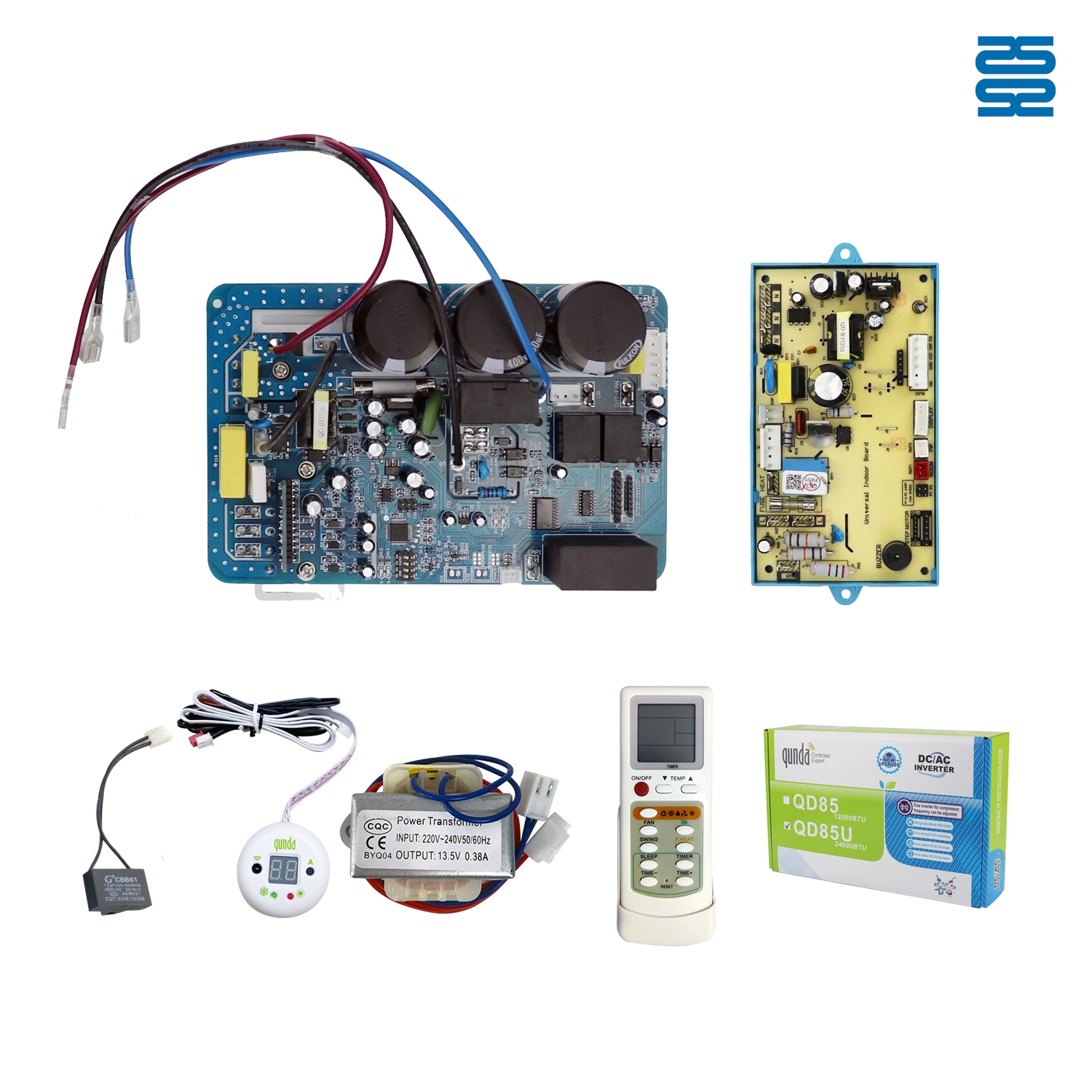
Universal Inverter Air Conditioner Control System QD85U
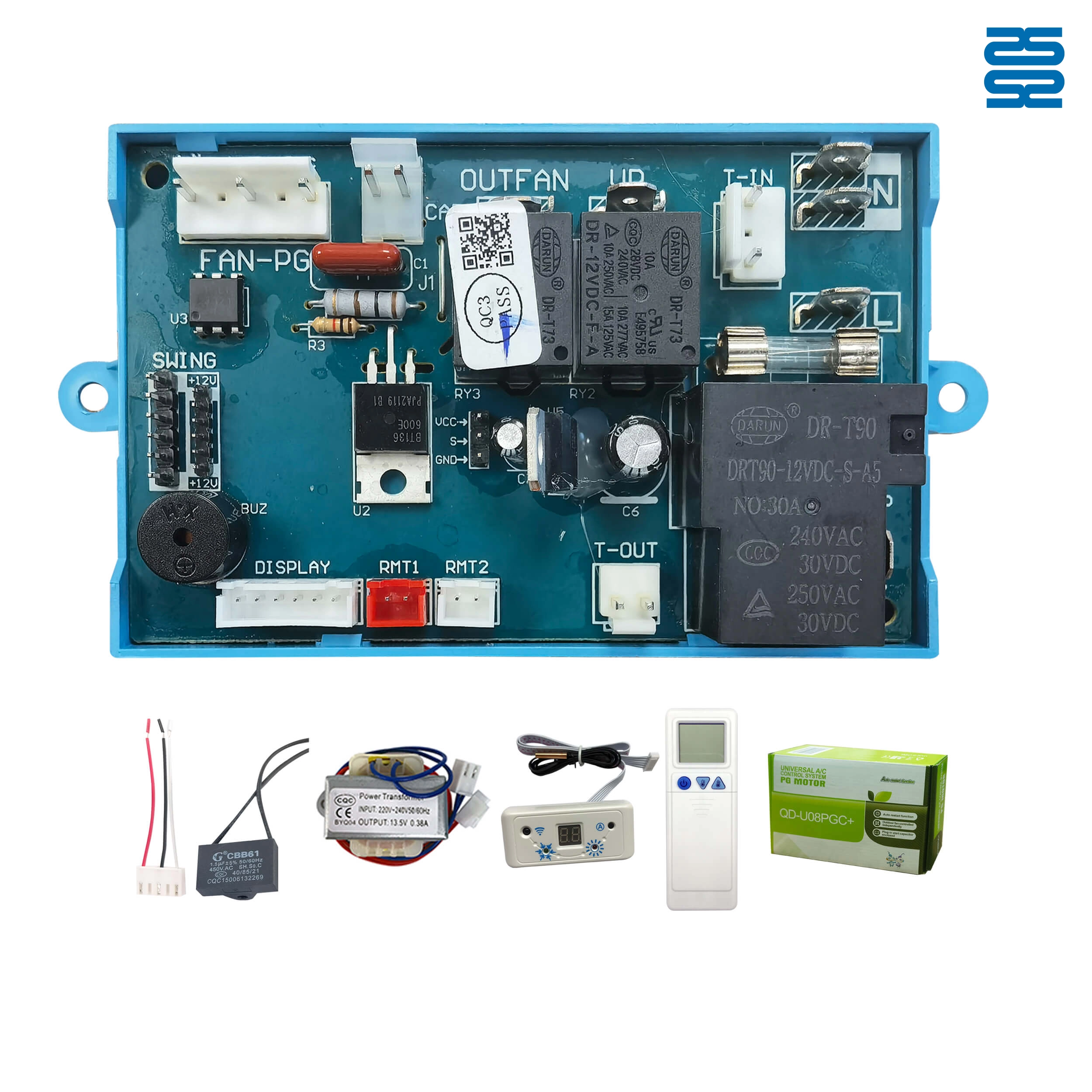
Qunda Universal Air Conditioner Control Board QD-U08PGC+
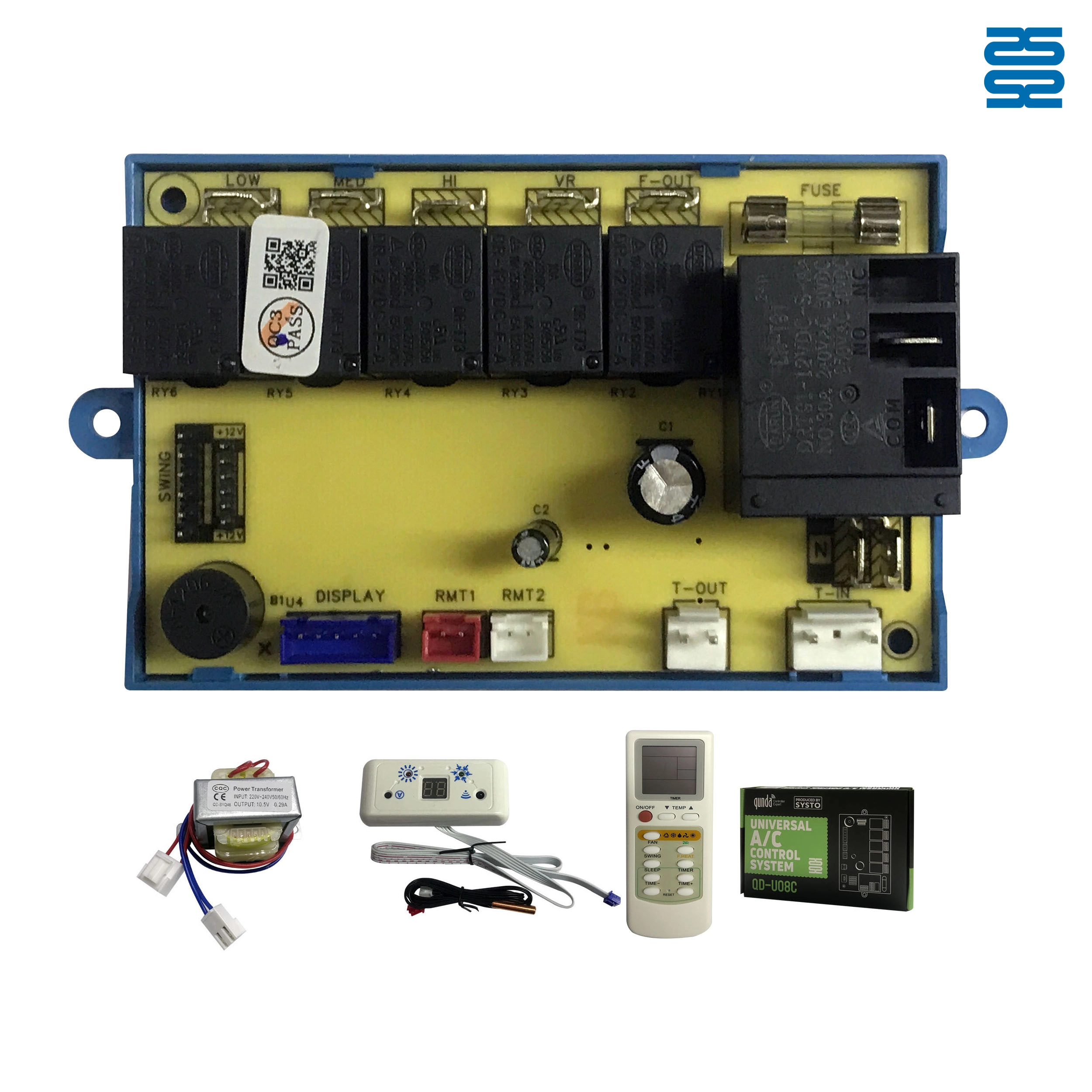
Universal Air Conditioner Control System Board QD-U08C+B for Wall-Mounted Split Units

AN-MR22GA NPDL AKB76039902 LG Magic TV Remote with Voice
◼ Let’s Build Together
Get in Touch with SYSTO
If you have any comments or good suggestions, please leave us a message, later our professional staff will contact you as soon as possible.


Contact
Email us
Text or Call us
Address
Room 1606, No. 65, Zhongshan Seven Road, Liwan District, Guangzhou, Guangdong, China.

Facebook
Instagram
YouTube
Tik Tok
VK