






How to Set Up the CRC-1130V Universal Remote Control? (TV Model Programming Guide)
Learn how to set up and program the CRC1130V universal remote control for your TV. This step-by-step guide covers direct brand buttons, code input, and auto search methods for quick and easy pairing.
Introduction
The CRC1130V Universal Remote Control is designed to replace multiple TV remotes with one simple solution. Whether you know your TV brand or model or not, the CRC1130V offers several easy programming methods to help you get connected quickly. This guide will explain how to set up the CRC1130V universal remote, ensuring compatibility and smooth operation.
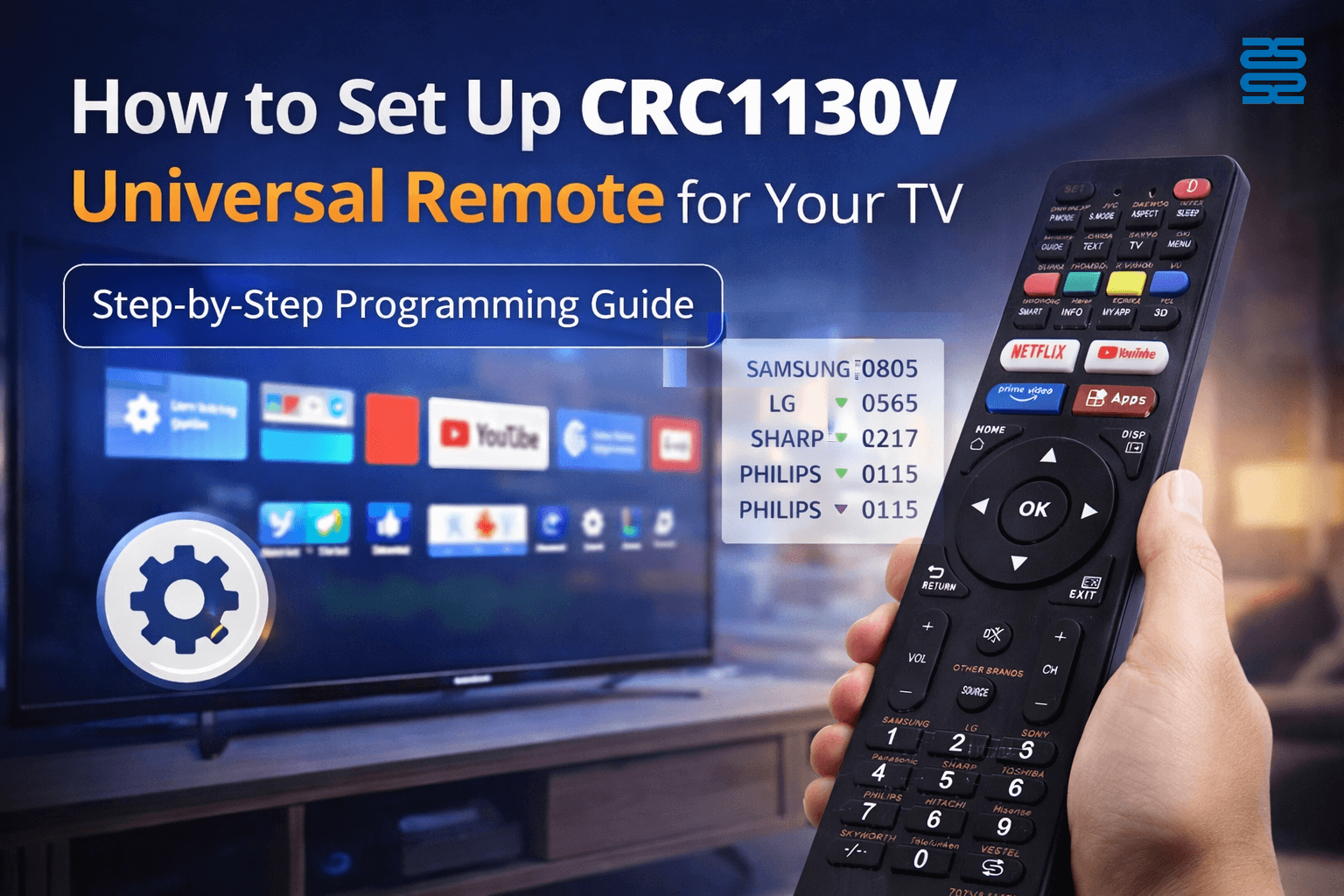
Step 1: Check the Direct Brand Buttons (One-Key Setup)
First, check whether your TV brand is listed on the direct brand buttons (hot keys) on the CRC-1130V remote.
Example: Samsung TV
-
Turn on your TV manually.
-
Press and hold the corresponding brand button (e.g. Samsung) on the remote.
-
Release the button when the TV responds (such as turning off or changing volume).
-
Test the basic functions. If the TV responds normally, the setup is complete.
This is the fastest and most convenient setup method.
Step 2: Program Using Brand Codes (Manual Code Input)
If your TV brand is not on the direct buttons but is listed in the brand code table (instruction images/manual):
-
Find your TV brand in the code list provided with the remote.
-
Turn on the TV.
-
Enter the corresponding code using the remote keypad.
-
Test the remote functions.
If the TV responds correctly, the CRC-1130V is successfully programmed.
Step 3: Auto Search Mode (Recommended When Brand Is Unknown)
If you do not know your TV brand or code, you can use the automatic code search function:
-
Turn on the TV.
-
Press and hold the SET button until the indicator light turns on.
-
Press the POWER button repeatedly or hold it until the TV turns off.
-
Press any key to save the code.
This method scans through built-in codes automatically and works for most TV brands.
Why Choose the CRC1130V Universal Remote?
-
Supports a wide range of TV brands
-
Easy setup with multiple programming options
-
Stable signal and sensitive response
-
Ideal replacement remote for home and hotel use
If you already know your TV brand, you can also choose a dedicated TV remote for guaranteed compatibility and faster setup.
Frequently Asked Questions (FAQ)
Q1: What should I do if the remote does not respond after setup?
Try a different code for the same brand or use the auto search mode.
Q2: Does the CRC1130V support older TV models?
Yes. The CRC1130V includes a wide range of built-in codes for both old and new TV models.
Q3: Can I reprogram the remote for another TV?
Yes. You can repeat the setup process at any time to pair with a different TV.
Q4: Is this remote suitable for wholesale or bulk purchase?
Yes. The CRC1130V is widely used by distributors, retailers, and e-commerce sellers.
CRC2201V
What is the maximum operating distance?
The infrared signal works up to approximately 7 meters in a straight line. Walls or obstacles may reduce effective range.
KS-DK02V
What’s the working range?
Effective signal range is approximately 8–10 meters.
CRC86E
What devices does this remote support?
CRC86E supports TVs, set-top boxes, DVD players, satellite receivers, and other IR-controlled devices.
BN59-01432A
Are batteries required?
No extra batteries are needed — it comes with a built-in rechargeable battery.
FAN-2989W
Does FAN-2989W support all fan types?
It supports most infrared-type ceiling, wall, and table fans. It does not support RF (radio frequency) remotes.
Recommended For You
This article explores the transformative shift in lighting control, moving from traditional handheld remotes to AI-driven, voice-activated smart home ecosystems. It covers the technical differences between IR, RF, and mesh protocols, the impact of the new 'Matter' standard, and future trends in biophilic design.
You May Also Like

Universal LED LCD TV Remote Control

Universal LED LCD TV Remote Control CRC1195V

Universal LED LCD TV Remote Control CRC023V

Universal LED LCD TV Remote Control CRC014V LITE
◼ Let’s Build Together
Get in Touch with SYSTO
If you have any comments or good suggestions, please leave us a message, later our professional staff will contact you as soon as possible.


Contact
Email us
Text or Call us
Address
Room 1606, No. 65, Zhongshan Seven Road, Liwan District, Guangzhou, Guangdong, China.

Facebook
Instagram
YouTube
Tik Tok
VK