






How to Replace Your Air Conditioner Remote Control?
Learn how to set up your new or universal air conditioner remote for seamless cooling control. Keep your AC running smoothly with our reliable tips and trusted solutions.
How to Replace Your Air Conditioner Remote Control?
Air conditioners are essential for keeping your home comfortable, especially during hot summer months. However, when the remote control malfunctions or gets lost, it can be a major inconvenience. Fortunately, replacing an air conditioner (A/C) remote is a straightforward process. In this guide, we’ll walk you through the steps involved in replacing your air conditioner remote, including troubleshooting tips, where to buy a new one, and how to set it up.
Why Do You Need to Replace Your Air Conditioner Remote?
There are several reasons why you might need to replace your A/C remote:
-
Battery Issues – If your remote isn’t responding despite changing the batteries, the internal components may be faulty.
-
Physical Damage – Dropped remotes can break or stop functioning, especially if buttons get jammed or the circuit board is damaged.
-
Lost Remote – Sometimes, remotes just go missing, and the only solution is to buy a replacement.
-
Incompatibility – If you’ve replaced your air conditioner with a new model, the old remote may no longer work due to updated technology.
Find a Replacement Remote
Once you know the model of your air conditioner, you have several options for purchasing a replacement remote:
-
Official Manufacturer Remote: The easiest and most reliable option is to purchase a remote from the same brand as your air conditioner.
-
Universal Air Conditioner Remotes: If you can't find the original remote, a universal remote control is a good alternative. These remotes are compatible with a wide range of A/C units and can be programmed to work with your specific model. Be sure to choose a universal remote that supports your air conditioner's brand and features.
Programming the Replacement Remote
Most A/C remote controls are easy to set up, even if they are universal. Follow these general steps:
-
Turn on your A/C unit using the power button on the unit itself.
-
Insert the batteries into your new remote.
-
Set the remote to the correct mode (Cool, Heat, Fan, etc.), and then press the "Set" or "Power" button.
-
Enter the code for your air conditioner brand (this can typically be found in the universal remote's manual or online). Some remotes have an auto-search function that will scan for the correct code automatically.
-
Test the Remote
Once programmed, test the remote by adjusting the temperature and fan speed. If everything works, you’re all set! If not, you may need to repeat the programming process or check for a compatibility issue.
CRC1130V
Does it work with smart TVs?
Yes, it works with most IR-compatible smart TVs from major brands.
KS-DK02V
Can I customize the logo or packaging?
Yes, we offer full OEM/ODM customization services.
QD-U08PGC+
Is OEM customization available?
Yes, we support OEM/ODM customization for different control logic, panel design, and packaging.
AKB75095308
Does it require setup or pairing?
No setup needed. Just insert batteries and it’s ready to use.
CRC2605V
Are batteries included?
No, batteries are not included. Please use 2×AAA batteries.
Recommended For You
Do solar remote controls still use lithium batteries? Learn how modern solar-powered remotes now adopt supercapacitors with USB Type-C fast charging for improved safety, durability, and long lifespan.
Learn how to check whether a garage door remote control bought online is compatible with your opener. Frequency, learning type, and easy tips explained.
Having trouble setting up a universal remote even though your TV brand is listed in the manual? Learn the real reason, common mistakes, and how to improve success by using precise TV codes.
Learn how to set up and program the CRC1130V universal remote control for your TV. This step-by-step guide covers direct brand buttons, code input, and auto search methods for quick and easy pairing.
You May Also Like

Universal Air Conditioner Remote Control KS-PN03V Replacement for Panasonic A/C

Universal Air Conditioner Remote Control KS-DK02V Replacement for Daikin A/C
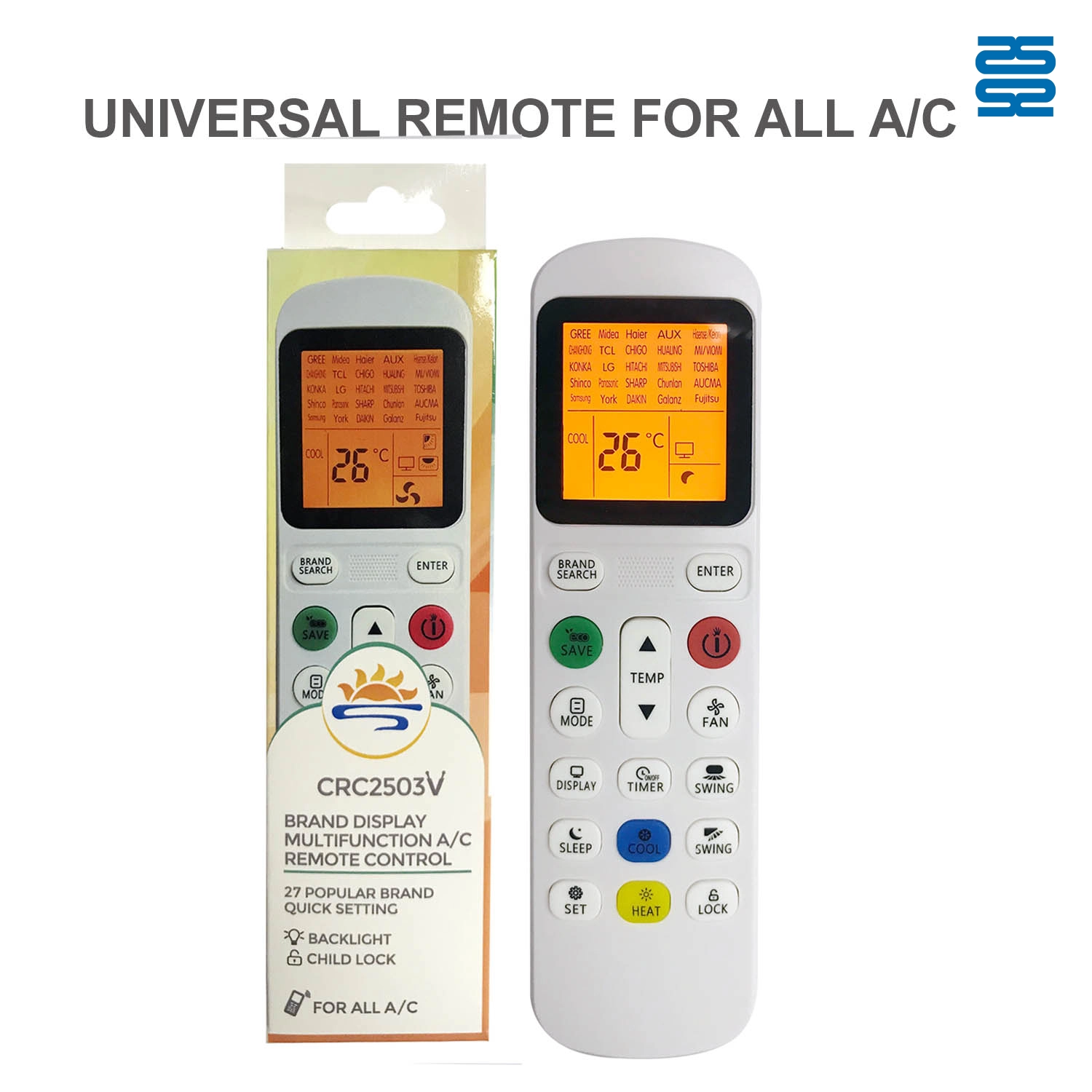
Universal Air Conditioner Remote Control CRC2503V Compatible with All Brands
◼ Let’s Build Together
Get in Touch with SYSTO
If you have any comments or good suggestions, please leave us a message, later our professional staff will contact you as soon as possible.


Contact
Email us
Text or Call us
Address
Room 1606, No. 65, Zhongshan Seven Road, Liwan District, Guangzhou, Guangdong, China.

Facebook
Instagram
YouTube
Tik Tok
VK