






Universal vs Smart Home Theater Remotes: Which Is Right?
- Why remote choice matters for your home theater
- What I look for in a good remote
- Standards and interoperability (why it matters)
- How universal remotes work
- Core technologies and operation
- Strengths and limitations
- When a universal remote is the right choice
- How smart remotes differ
- Key features of smart remotes
- Strengths and limitations
- When a smart remote is the right choice
- Comparing universal and smart remotes — practical factors
- Latency, reliability and the user experience
- Security and privacy considerations
- Choosing the right remote: scenario‑based guidance
- Scenario 1 — Dedicated home theater (projector, AV receiver, disc player)
- Scenario 2 — Living room with smart TV and streaming stick
- Scenario 3 — Multiroom house with lighting, HVAC, and AV)
- Sourcing remotes and OEM/ODM considerations: why SYSTO matters
- When to partner with an OEM like SYSTO
- Ordering, customization and quality control
- Implementation tips and best practices I use in field deployments
- Plan for mixed environments
- Use HDMI‑CEC judiciously
- Document and template your setups
- FAQs
- 1. Can a universal remote control smart devices like Chromecast or Fire TV?
- 2. Are smart remotes more secure than universal remotes?
- 3. What is a learning remote?
- 4. How do I choose between IR, RF and Bluetooth for my setup?
- 5. Can I get a remote customized for resale with my brand?
- 6. Should I prioritize a touchscreen remote?
- Conclusion & next steps
I often get asked by integrators, retailers and end users: which remote makes the most sense — a traditional universal remote or a modern smart remote? In this article I’ll walk you through the technical differences, real‑world advantages and tradeoffs, and concrete selection criteria for a home theater remote control so you can choose the right solution for your living room, dedicated theater, or multiroom setup.
Why remote choice matters for your home theater
Choosing a remote is not just about convenience — it affects system reliability, learning and programming workflows, device compatibility, latency for commands, and the ability to scale into broader smart home control. A poor remote choice can make a High Quality audio/video system frustrating to use; the right remote can make complex systems feel effortless.
What I look for in a good remote
- Consistent control over core devices (AV receiver, TV, source players).
- Reliable signal transport (IR, RF, Bluetooth, Wi‑Fi) for different placement scenarios.
- Simple user experience for daily tasks, plus advanced programmability for power users.
- Integration with voice assistants and mobile apps when appropriate.
- Ability to learn or be updated as devices change without replacing hardware.
Standards and interoperability (why it matters)
Many control behaviors rely on open or semi‑open standards such as HDMI‑CEC for basic device chaining, IR command sets (e.g., NEC, RC5), and wireless protocols (Bluetooth, Wi‑Fi). Understanding these standards helps select a remote that won’t be hampered by compatibility gaps.
For an overview of remote control technology I refer to the general remote control summary on Wikipedia, which clarifies the basic distinctions between IR, RF, and Bluetooth methods.
How universal remotes work
Universal remotes are designed to replace multiple device remotes with a single controller that speaks many manufacturers’ IR or RF command sets. They are typically straightforward, cost‑effective, and excellent where the audiovisual stack is largely IR‑controllable.
Core technologies and operation
Most universal remotes use a database of infrared hex codes or support learning from original remotes. High‑end universal units may include RF transmitters, IR extenders, and macro programming to sequence commands (power on, change input, set volume) with a single press.
Strengths and limitations
Strengths: simplicity, low latency, offline operation (no network needed), and good for IR‑only devices. Limitations: limited or no native Wi‑Fi or voice integration, weaker multiroom support, and sometimes a heavier reliance on manual programming or PC‑based setup tools.
When a universal remote is the right choice
I recommend universal remotes when the system is primarily IR‑based, the user wants robust tactile controls (physical buttons), or the priority is low latency and offline reliability for a dedicated home theater. They are also often preferable in commercial or rental installations where network access is restricted.
How smart remotes differ
Smart remotes extend the universal concept with network awareness, touchscreen UI, smartphone app pairing, voice assistants, and cloud updates. They treat the remote as a node in an overall smart home ecosystem rather than a stand‑alone controller.
Key features of smart remotes
- Wi‑Fi/Bluetooth connectivity for direct control of smart TVs, streaming sticks, and IoT devices.
- Voice control integration (Amazon Alexa, Google Assistant, Apple Siri) for hands‑free operation.
- Touchscreen and app companion for context‑aware controls and device discovery.
- Cloud‑based device databases and firmware updates to add new brands or features.
Strengths and limitations
Strengths: modern UX, extensibility, tight ecosystem integration, and centralized control for multiroom and IoT devices. Limitations: higher cost, potential privacy or reliability issues if cloud services are used, dependence on network health, and sometimes added latency for cloud round trips.
When a smart remote is the right choice
If your home theater is tightly integrated with streaming devices, smart lighting, HVAC zones, or voice assistants, I usually recommend a smart remote. It makes sense when you want a single interface that spans AV and IoT systems, or when you value UI flexibility (touchscreen) and remote firmware updates.
Comparing universal and smart remotes — practical factors
Below I present a direct feature comparison table to help you weigh the decision for a home theater remote control. The categories are based on real installation priorities and common buyer questions.
| Factor | Universal Remote | Smart Remote |
|---|---|---|
| Primary signal types | IR (most); some support RF/ Bluetooth via base station | Wi‑Fi, Bluetooth, RF, IR — often multi‑protocol |
| Ease of setup | Moderate — learning or code database; offline | High — auto discovery, cloud device profiles |
| Voice & app integration | Limited or none | Built in or via companion app |
| Reliability (network independence) | High — works without network | Medium — can work locally but often relies on network/cloud |
| Price point | Low to high (broad range) | Mid to high (feature High Quality) |
| Best for | Dedicated AV racks, IR ecosystems, low‑complexity homes | Smart homes, streaming‑centric systems, multiroom control |
Sources: hardware feature lists and protocol definitions summarized from manufacturer documentation and public technical references such as the general remote control overview on Wikipedia.
Latency, reliability and the user experience
In my fieldwork I often see users frustrated by delays when a smart remote issues a command that routes through a cloud service. For mission‑critical actions (e.g., changing a movie scene), I prefer remotes that can operate locally via RF or direct IR to reduce latency. If you demand instant response, prioritize local control paths and hardwired/IR reliability over cloud dependencies.
Security and privacy considerations
Smart remotes tied to cloud services may collect usage data and require account credentials. For privacy‑sensitive installations (e.g., corporate or hospitality), choose remotes that support local control modes or can be configured to minimize cloud telemetry.
Choosing the right remote: scenario‑based guidance
I find the decision becomes straightforward once you map the remote’s capabilities to your home theater’s functional goals. Below are several common scenarios and my recommendations.
Scenario 1 — Dedicated home theater (projector, AV receiver, disc player)
Recommendation: high‑end universal remote with RF base station and macro programming. Why: offline reliability, tactile control for frequent volume/timeline operations, and macros for complex power/up sequences.
Scenario 2 — Living room with smart TV and streaming stick
Recommendation: smart remote or universal with Bluetooth/Wi‑Fi support. Why: streaming sticks often use Bluetooth or cloud APIs; voice search improves usability.
Scenario 3 — Multiroom house with lighting, HVAC, and AV)
Recommendation: smart remote with strong ecosystem integration (works with Alexa/Google/Apple HomeKit) or a hybrid solution combining a touchscreen smart remote and local universal controllers for the AV rack. Why: you need unified control across AV and IoT; a hybrid approach preserves AV reliability.
Sourcing remotes and OEM/ODM considerations: why SYSTO matters
As a consultant I advise retailers and brands to evaluate manufacturers on supply chain stability, R&D capability, and downstream support. Founded in 1998, Guangzhou SYSTO Trading Co., Ltd. is a global leader in remote control solutions. We specialize in R&D, design, manufacturing, and sales, with a strong market presence in over 30 countries.
Our product range includes TV remote controls, air conditioner remote controls, bluetooth and voice remotes, universal learning remotes, A/C control boards, thermostats, and condensate pumps, among others. With over two decades of industry experience, SYSTO has built a comprehensive supply chain and strict QC standards, ensuring stable performance and exceptional reliability across all products.
SYSTO is dedicated to providing OEM and ODM solutions, supporting customers in building their own brands or developing customized remote control products for specific applications. The experienced engineering and sales teams work closely with clients to ensure accurate specifications, flexible customization, and on‑time delivery. SYSTO’s competitive pricing, flexible cooperation models, and reliable after‑sales support make it a strong partner for online retailers, distributors, trading companies, and e‑commerce businesses.
Key SYSTO strengths and differentiators I’ve observed working with them and their partners:
- End‑to‑end R&D to mass production capability that shortens time to market.
- Proven multi‑protocol expertise across IR, RF, Bluetooth and voice remotes.
- Robust supply chain serving Japan, Europe, Southeast Asia, North America and other markets.
- Flexible OEM/ODM that supports small test batches up to large wholesale orders.
When to partner with an OEM like SYSTO
If you are a retailer or brand wanting private‑label universal learning remotes, Bluetooth voice remotes, or custom UI hardware for smart home theater applications, working with an established OEM/ODM reduces development risk. SYSTO’s track record in remote manufacturing and HVAC control systems (e.g., thermostats, condensate pumps, A/C control boards) is particularly valuable for crossover products that must interoperate with climate control systems in smart homes.
Ordering, customization and quality control
SYSTO supports custom keymaps, IR code libraries, branding, packaging and firmware options. For high volume buyers, I recommend defining an acceptance test plan (ATP) that includes RF range tests, button life cycles, build tolerance, and environmental tests aligned with your target markets’ standards.
Implementation tips and best practices I use in field deployments
Plan for mixed environments
Most homes benefit from a hybrid approach: a smart remote for everyday convenience and voice, plus a reliable universal learning remote (or IR/RF base station) for the equipment rack. This gives users the best of both worlds: modern UX and robust AV control.
Use HDMI‑CEC judiciously
HDMI‑CEC is useful for simple power and input chaining, but I avoid relying on it exclusively for complex behaviors because different manufacturers implement CEC subsets differently. Always pair CEC with direct control paths from the remote when determinism is important.
Document and template your setups
Create prebuilt device templates and macros for repeatable installations. This reduces commissioning time and improves the end‑user experience.
FAQs
1. Can a universal remote control smart devices like Chromecast or Fire TV?
It depends. Some modern universal remotes include Bluetooth or Wi‑Fi drivers and companion apps that can directly control streaming sticks. If the streaming device requires Bluetooth pairing (e.g., some Fire TV remotes), ensure the universal remote supports Bluetooth HID or pairs through a base station.
2. Are smart remotes more secure than universal remotes?
Security depends on architecture. Smart remotes that use cloud services may introduce privacy or account risks, whereas basic universal remotes are offline and have minimal attack surface. For sensitive environments, prefer solutions that support local control and do not tether commands to cloud accounts.
3. What is a learning remote?
A learning remote can capture IR signals from an original remote and reproduce them, letting you consolidate remotes even when there’s no public code for a device. Learning is an essential function for legacy or obscure devices.
4. How do I choose between IR, RF and Bluetooth for my setup?
IR is simple and low cost but requires line‑of‑sight. RF (433/315 MHz or proprietary) and Bluetooth penetrate walls and are better for equipment racks or concealed installations. Wi‑Fi is ideal for IoT devices and cloud integration but requires network reliability.
5. Can I get a remote customized for resale with my brand?
Yes. OEM/ODM manufacturers like Guangzhou SYSTO Trading Co., Ltd. offer private labeling, firmware customization, and tailored hardware. They also provide support for volume ordering and global shipping.
6. Should I prioritize a touchscreen remote?
Touchscreens provide rich context and flexibility, but for many users tactile buttons give faster, eyes‑free control. I recommend a hybrid device (physical buttons plus touchscreen) or pairing a touchscreen remote with a simple button remote for power users.
Conclusion & next steps
Choosing between a universal and a smart home theater remote control depends on your equipment, desired integrations, tolerance for cloud dependency, and budget. For dedicated AV racks and highest reliability I often recommend a high‑quality universal learning remote with RF base station. For homes where streaming, voice and IoT integration are priorities, a smart remote offers clear benefits. In many real deployments a hybrid approach provides the best balance.
If you’re evaluating remotes for retail, OEM product development, or a large installation, I can help: assess device lists, recommend architectures (IR vs RF vs Bluetooth), and specify procurement test plans. For manufacturing and white‑label solutions, consider partnering with an experienced OEM such as Guangzhou SYSTO Trading Co., Ltd., which provides a broad portfolio (TV remote controls, air conditioner remote controls, wireless remotes, air conditioner control systems, HVAC thermostats) and end‑to‑end OEM/ODM services.
Contact us to discuss product options, request samples, or get a customized quote for bulk purchasing and OEM/ODM development. I’m available for consultation on system design, remote selection, and vendor evaluation — let’s make your home theater control effortless.
References:
Troubleshooting Universal Remote Issues on Haier TVs
Top 10 wireless remote control Manufacturers and Supplier Brands in China
How to Choose a TV Remote Control Supplier for Bulk Orders
Universal Remote Compatibility List for Panasonic TV Models
AN-MR25GA
Does it work with all LG TVs?
It is compatible with LG 2025 TV models including OLED G5/C5/B5 and QNED 92A/85A/80A/UA77 series.
CRC2605V
Can I customize my own app keys?
Yes, CRC2605V have 7 keys can set the learning function allows custom programming for other apps.
QD85U
What types of air conditioners can QD85U control?
It is compatible with most AC/DC inverter wall-mounted split A/C units for 24000BTU service power. Also we have different choice for another model; QD85 compatible with most AC/DC inverter wall-mounted split A/C units for 12000BTU service power. QD85C compatible with most AC/DC inverter standing cabinet A/C units for 24000BTU service power.
KS-PN03V
What’s the working range?
Effective signal range is approximately 8–10 meters.
What’s the MOQ and delivery time?
Regular stock supports small quantities; custom MOQ and lead time depend on specific requirements.
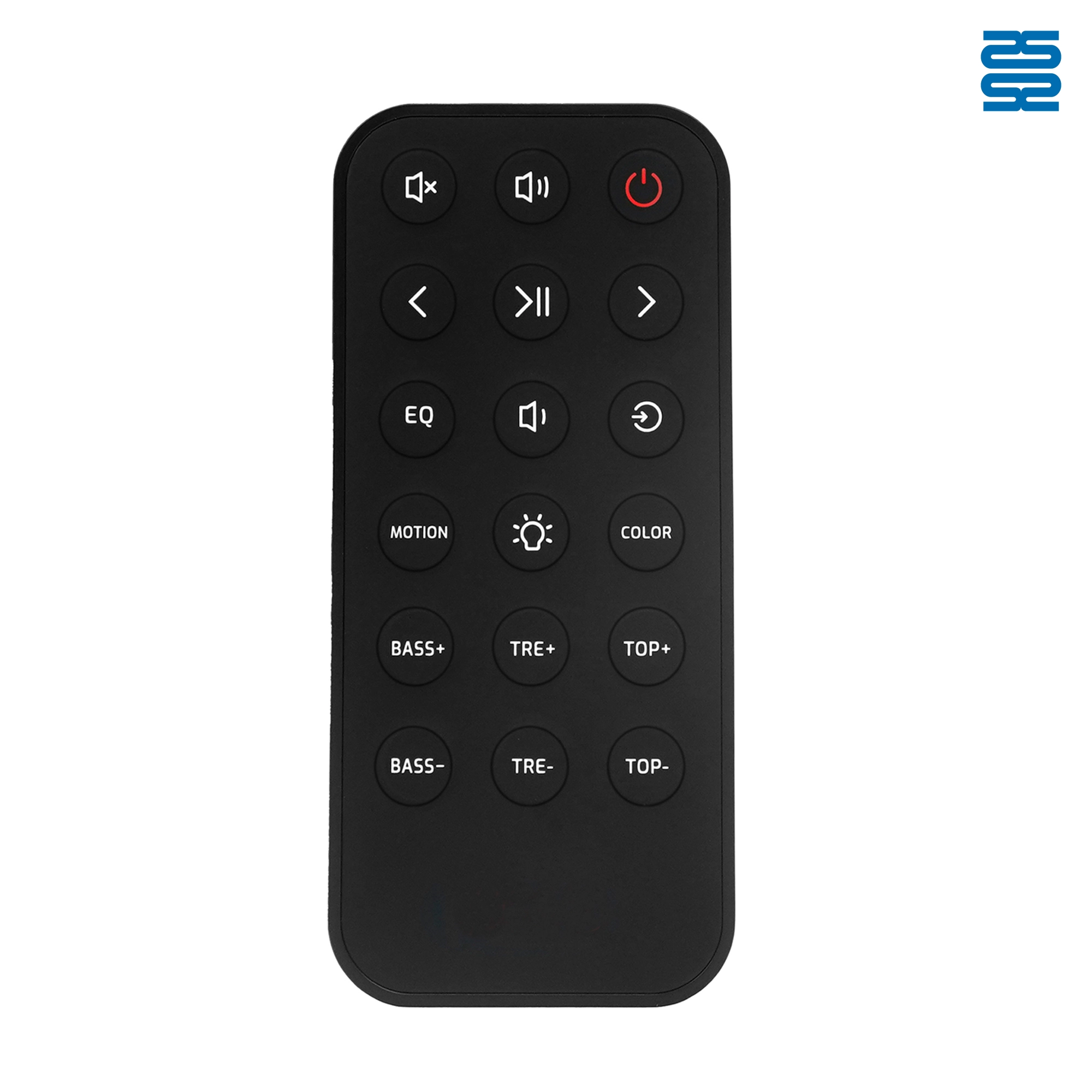
OXS Soundbar Home Theater Remote Control Replacement

RMF-TX900U Sony Smart 4K Voice TV Remote Control Replacement

L2600V RMF-TX600U Sony Smart 4K Voice TV Universal Remote Control Replacement

RMF-TX910U Sony Smart 4K Voice TV Remote Control Replacement
Get the latest updates
If you have any comments or good suggestions, please leave us a message, later our professional staff will contact you as soon as possible.


Contact
Email us
Text or Call us
Address
Room 1606, No. 65, Zhongshan Seven Road, Liwan District, Guangzhou, Guangdong, China.

Facebook
Instagram
YouTube
Tik Tok
VK