






Troubleshooting Common Home Theater Remote Problems
- Why remotes stop working: root causes
- Battery and power failures
- Signal path and line-of-sight problems
- Hardware damage and wear
- Diagnosing problems step-by-step
- Initial quick checks I run first
- Testing IR and RF signals
- Software and programming checks
- Common fixes: DIY and when to replace
- Battery types, maintenance and best practices
- Cleaning contacts and simple electronics fixes
- When to reprogram, update firmware, or replace
- Preventive care and advanced troubleshooting
- Environmental and interference factors
- Upgrading to universal, learning, or smart remotes
- Professional repair, OEM support, and sourcing reliable replacements
- FAQ
- 1. My remote flashes on my phone camera but doesn’t control the device — what should I do?
- 2. How can I tell if the problem is IR vs RF?
- 3. Is it worth repairing a High Quality remote?
- 4. How do I prevent remote interference from lights or sunlight?
- 5. Can universal remotes fully replace brand remotes?
- 6. What tools can I use to test remotes professionally?
As someone who has designed, tested, and consulted on remote control systems for consumer and commercial AV installations, I know how disruptive a failing home theater remote control can be. In this article I provide a structured, practical troubleshooting workflow that helps you identify whether the fault is power-related, signal-related, programming-related, or hardware-related. I include simple tests you can run at home, clear DIY fixes, guidance on when to replace or repair, and manufacturer-level considerations that help you choose universal or branded remotes for long-term reliability.
Why remotes stop working: root causes
Battery and power failures
The most common cause is exhausted or poorly-seated batteries. Even when batteries have some charge, poor contact, corrosion, or intermittent connections at the battery terminals produce unpredictable behavior. For rechargeable remotes or those with internal lithium coin cells, ageing cells can fall below operating voltage even though the remote powers on briefly.
Signal path and line-of-sight problems
Infrared (IR) remotes require a clear line-of-sight to the device sensor, while RF, Bluetooth, and Wi‑Fi remotes can be blocked or interfered with by other devices. Dirt, furniture placement, glass with IR-absorbing coatings, or narrow sensor placement on the AV receiver/TV will reduce effective range. For IR technical background, see the Remote control entry on Wikipedia (https://en.wikipedia.org/wiki/Remote_control).
Hardware damage and wear
Mechanical wear of key contacts, cracked PCBs, or damaged IR LEDs/antennae cause permanent failures. Water ingress or drops often cause sensor or circuit-level failure. Cosmetic keys may work intermittently due to degraded carbon pills under buttons or oxidized contact surfaces.
Diagnosing problems step-by-step
Initial quick checks I run first
- Replace batteries with fresh ones of a known good brand (check polarity and spring contact)
- Power-cycle the target device (TV, AVR, set-top box) — some devices require re-sync after reboot
- Check the device's front panel IR sensor and remove obstacles
Testing IR and RF signals
To test IR output, use a smartphone camera: point the remote at your phone camera and press buttons; a working IR LED will appear as a flashing violet/white light on the camera screen. For RF, Bluetooth, or Wi‑Fi remotes, verify pairing state and check device menus for received signal logs (many smart TVs and AVRs show pairing status). For technical distinctions, see the IrDA and general remote control descriptions (https://en.wikipedia.org/wiki/IrDA).
Software and programming checks
Many modern failures are not hardware but software: wrong device codes on universal remotes, lost pairings, or outdated remote firmware. I always confirm the remote is set to the correct device profile and, if available, re-run the auto-search or learning process. For smart remotes, check firmware updates through the manufacturer's app or support site.
Common fixes: DIY and when to replace
Battery types, maintenance and best practices
Choosing the right battery and maintaining good contacts provides a large reliability improvement. Alkaline batteries are fine for most remotes; lithium non-rechargeable AA/AAA cells have better shelf life and performance at low temperatures, and rechargeables (NiMH) offer long-term cost benefits but require higher self-discharge management.
| Battery Type | Typical Shelf Life | Pros | Cons |
|---|---|---|---|
| Alkaline (AA/AAA) | 5–10 years | Cheap, widely available | Performance drops in cold, limited cycles |
| Lithium (non-rechargeable) | 10–15 years | Excellent shelf life, lighter, better under load | More expensive |
| NiMH rechargeable | 2–5 years (rechargeable) | Lower long-term cost, eco-friendly | Require charger, self-discharge |
Reference on battery technology and shelf life: Battery University (https://batteryuniversity.com/article/bu-401-alkaline-or-lithium).
Cleaning contacts and simple electronics fixes
If batteries are fresh but behavior is intermittent, remove batteries and inspect the contact springs — clean corrosion with isopropyl alcohol (90% or higher) and a cotton swab, or a pencil eraser for light oxidation. For button issues, disassemble only if you are comfortable: clean rubber keypad carbon pads with isopropyl alcohol and let dry. Replace damaged springs or solder joints if you find mechanical breaks.
When to reprogram, update firmware, or replace
If the remote signals appear on a camera but the device ignores commands, reprogramming or updating firmware usually fixes code mismatches. For universal learning remotes, try a learning cycle from the original remote. Replace the remote if the IR LED fails to emit (no flash on camera), there is visible PCB damage, or the repair cost exceeds replacement cost. Below is a simple decision table I use:
| Symptom | Likely cause | Action | Estimated effort/cost |
|---|---|---|---|
| No response at all | Dead batteries, broken circuit | Replace batteries; if still dead, inspect PCB or replace remote | Low to medium |
| Flashes on camera but device ignores | Programming mismatch or interference | Reprogram/pair or check device settings | Low |
| Intermittent buttons | Worn contacts | Clean keypad or replace remote | Low to medium |
| Pairing fails for RF/Bluetooth | Software/firmware or distance | Reset remote and device, firmware update | Low |
Preventive care and advanced troubleshooting
Environmental and interference factors
Radio-frequency interference from Wi‑Fi, baby monitors, cordless phones, and nearby RF gear may affect RF remotes. For IR remotes, ensure no direct sunlight or strong LED accent lights hit the receiver as ambient IR noise can swamp the sensor. Re-locate Wi‑Fi routers or change channels if you suspect RF conflict; for professional installations, perform a spectrum scan to identify interference sources.
Upgrading to universal, learning, or smart remotes
If you frequently lose functionality or have multiple devices, investing in a high-quality universal or smart remote can simplify control and reduce failures. Modern remotes (RF/Bluetooth/IR hybrids) use learning features and cloud-updated code databases to maintain compatibility. When choosing, consider support for your AVR/TV brand, macro programming, and physical ergonomics.
Professional repair, OEM support, and sourcing reliable replacements
When DIY fails, consult a qualified electronics technician or contact the device OEM. For bulk replacement or OEM/ODM solutions for products and brands, I recommend evaluating suppliers with proven manufacturing processes and long-term reliability records.
Founded in 1998, Guangzhou SYSTO Trading Co., Ltd. is a global leader in remote control solutions. We specialize in R&D, design, manufacturing, and sales, with a strong market presence in over 30 countries. Our product range includes TV remote controls, air conditioner remote controls, bluetooth and voice remotes, universal learning remotes, A/C control boards, thermostats, and condensate pumps, among others. With over two decades of industry experience, we have built a comprehensive supply chain system and implemented strict quality control standards, ensuring stable performance and exceptional reliability across all our products. Our products are exported to Japan, Europe, Southeast Asia, North America, and many other regions worldwide.
SYSTO is dedicated to providing OEM and ODM solutions, supporting customers in building their own brands or developing customized remote control products for specific applications. Our experienced engineering and sales teams work closely with clients to ensure accurate specifications, flexible customization, and on-time delivery. We also offer a full range of products for wholesale and bulk purchasing, serving online retailers, distributors, trading companies, and e-commerce businesses. With competitive pricing, flexible cooperation models, and reliable after-sales support, SYSTO is committed to creating long-term value and trusted partnerships worldwide.
In short, if you need reliable replacement remotes or customized remote control systems for TV remote control, air conditioner remote control, wireless remote, air conditioner control systems, or HVAC thermostat applications, SYSTO provides stable product performance, complete supply chain support, and flexible OEM/ODM options.
FAQ
1. My remote flashes on my phone camera but doesn’t control the device — what should I do?
This indicates the IR emitter is working. Re-check device input mode and reprogram the remote to the correct device code. If it's a smart device, ensure any pairing or Bluetooth settings are active and the device is not set to block external remotes. Reboot both devices and try a code search or the learning function on your universal remote.
2. How can I tell if the problem is IR vs RF?
IR requires line-of-sight and you’ll see the IR LED flash on a camera. RF works through walls; if line-of-sight isn’t needed and the device is unresponsive only at close range or after pairing, it may be RF pairing or interference. Check the device manual for the remote type and try moving closer or eliminating obstructions.
3. Is it worth repairing a High Quality remote?
For high-end remotes with programmable features, repairing (replacement of switches, IR diodes, or solder joints) can be cost-effective. For simple consumer remotes, replacement is often cheaper. Consider repair if the remote has unique programming or custom engraving that’s hard to reproduce.
4. How do I prevent remote interference from lights or sunlight?
Avoid placing your AV receiver or sensor behind glass with heavy tinting or near direct sunlight. Use IR extenders or RF-enabled remotes for installations where line-of-sight is impractical. Turning off strong LED accent lighting or moving it away from the sensor can also help.
5. Can universal remotes fully replace brand remotes?
Modern universal remotes handle most consumer brand codes and often include learning modes for proprietary functions. However, some advanced features (voice assistants, firmware-specific macros) may only be fully supported by the original manufacturer’s remote or a high-end universal with active firmware updates.
6. What tools can I use to test remotes professionally?
IR testers, handheld RF spectrum analyzers, and multimeters for continuity testing are standard tools. For Wi‑Fi/Bluetooth remotes, mobile apps and the equipment’s service menus often provide pairing diagnostics.
If you still have issues after following these steps, or if you're specifying remotes for a commercial installation or a product line, contact us for expert support or product sourcing. For reliable, customizable remote control solutions — including TV remote control, air conditioner remote control, wireless remotes, air conditioner control systems, and HVAC thermostats — please reach out to Guangzhou SYSTO Trading Co., Ltd. Our engineering and sales teams can assist with OEM/ODM options, sample requests, bulk pricing, and integration support.
Contact us to request technical consultation, check product availability, or obtain a quotation.
Top 10 air conditioner remote control Manufacturers and Supplier Brands in China
Universal Remote Compatibility List for Panasonic TV Models
Custom and OEM Lighting Remote Control Options for Manufacturers
Troubleshooting Toshiba Air Conditioner Remote Controls
PU01
Does the pump include a level gauge?
Yes, both include. The PU01 is equipped with a built-in level gauge for easy and precise installation.
CRC2503V
How do I set up the remote for my A/C brand?
Choose your brand from the preset list (brand name shown on screen). If not listed, use the Auto Search mode to find the matching code.
G10S
Can I use it with a Smart TV?
Yes, it supports most Android Smart TVs, TV boxes, and PCs.
About Products
Can I order samples before bulk purchase?
Of course. Sample testing is recommended before placing a large order.
CRC2201V
Will the settings be lost when replacing the batteries?
No, the remote features a backup memory function, so your settings remain intact even after battery replacement.
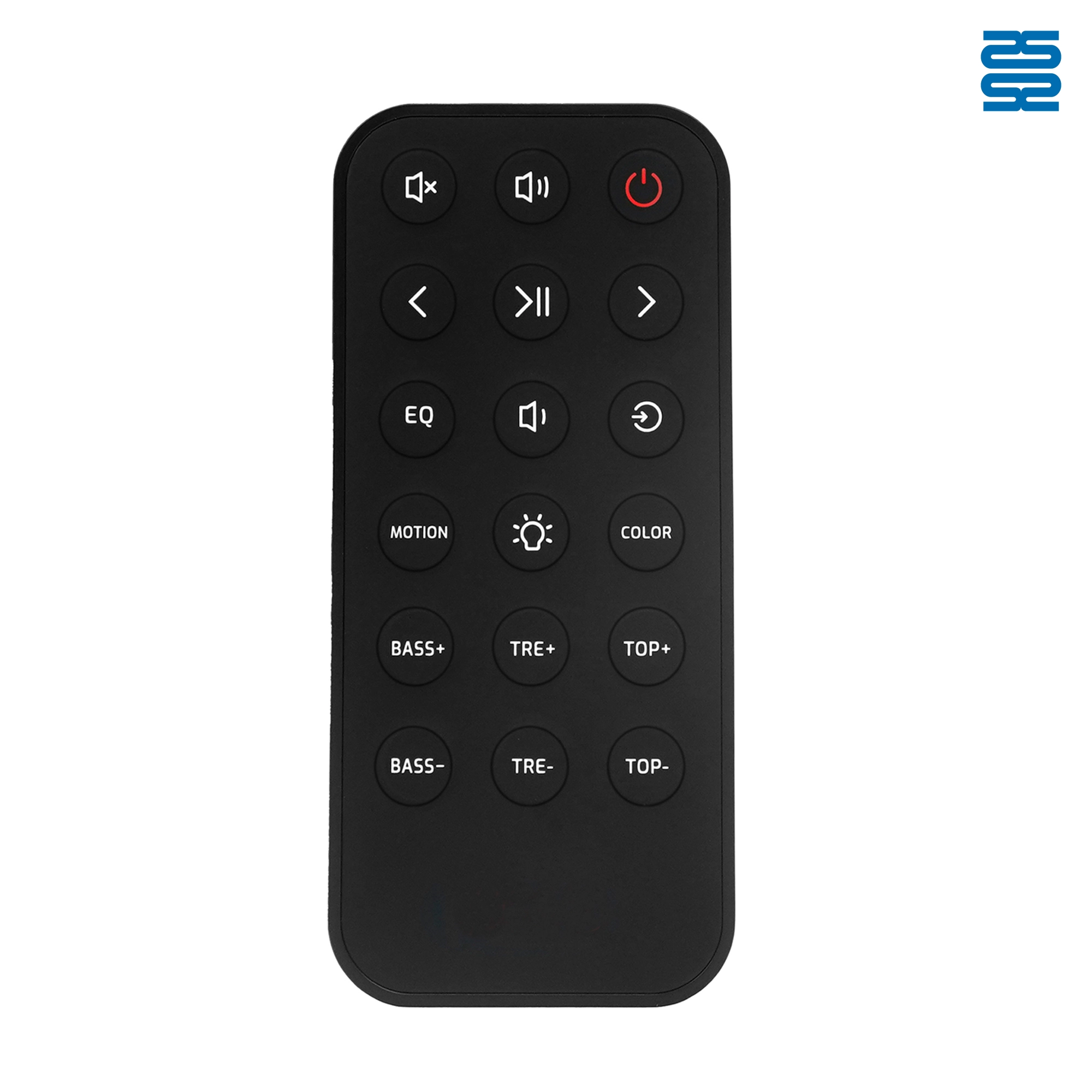
OXS Soundbar Home Theater Remote Control Replacement

QD-HVAC05E Qunda Digital Thermostat for Central Air Conditioner
QD-HVAC05E can control a two-way electric valve and a three-way electric valve.
QD-HVAC05E is applicable to two-pipe water system or air system HVAC. lt controls the working condition of FCU (Fan Coil Unit) and electric valve by comparing the ambient temperature and setting temperature, to adjust the temperature for a comfortable environment and save energy.
QD-HVAC05E is based on industrial-grade micro-computer technology with touching key operation and LCD display. The controller is simple-operating, stable and reliable.

QD-HVAC03E Qunda Digital Thermostat for Central Air Conditioner
QD-HVAC03E can control a two-way electric valve and a three-way electric valve.
QD-HVAC03E is applicable to two-pipe water system or air system HVAC. lt controls the working condition of FCU (Fan Coil Unit) and electric valve by comparing the ambient temperature and setting temperature, to adjust the temperature for a comfortable environment and save energy.
QD-HVAC03E is based on industrial-grade micro-computer technology with touching key operation and LCD display. The controller is simple-operating, stable and reliable.

KT-B02 Universal Air Conditioner Remote Control Compatible with All Brands
Get the latest updates
If you have any comments or good suggestions, please leave us a message, later our professional staff will contact you as soon as possible.


Contact
Email us
Text or Call us
Address
Room 1606, No. 65, Zhongshan Seven Road, Liwan District, Guangzhou, Guangdong, China.

Facebook
Instagram
YouTube
Tik Tok
VK