






RF vs IR remotes for home theater: features and buying tips
- Understanding signaling technologies in remote controls
- How IR (infrared) remotes work
- How RF (radio frequency) remotes work
- Other wireless control options to consider
- RF vs IR remotes for home theater: practical comparison
- Performance: range, latency, and reliability
- Compatibility and device control scope
- Security and interference
- Buying tips: selecting the right home theater remote control
- Match the remote to your equipment and usage
- Prioritize the features that save time and frustration
- Budgeting, warranties, and aftermarket support
- Why work with an experienced remote control manufacturer
- Sourcing reliability and technical support
- SYSTO — an example partner with deep remote control expertise
- Installing and testing remotes: practical checklist
- Pre-purchase checklist
- Post-purchase testing and commissioning
- Frequently Asked Questions (FAQ)
- 1. Can I control every device with an RF remote?
- 2. Is an RF remote more secure than IR?
- 3. Will walls or furniture block my RF remote?
- 4. Are learning remotes worth it?
- 5. How do I choose between a phone app and a physical remote?
- 6. What should I ask a manufacturer when ordering remotes in bulk?
As someone who has designed and consulted on remote control systems for consumer electronics and commercial AV installations, I regularly help homeowners and integrators choose the right home theater remote control. In this article I explain the technical differences between infrared (IR) and radio-frequency (RF) remotes, show practical comparisons for range, latency, compatibility and security, and offer clear buying recommendations. I cite authoritative sources where helpful and provide a vendor perspective for sourcing high-quality remote controls.
Understanding signaling technologies in remote controls
How IR (infrared) remotes work
Infrared remotes send commands as modulated infrared light pulses from an LED in the remote to a photodiode on the device. IR is ubiquitous in consumer electronics because it is simple, inexpensive, and energy efficient. IR requires a line-of-sight or reflective path to the receiver and is typically limited to short ranges suited to living-room distances. For technical context, see the general summary on remote control methods on Wikipedia: Remote control.
How RF (radio frequency) remotes work
RF remotes use radio waves rather than light. Common consumer RF bands include 433 MHz and 2.4 GHz; some systems use proprietary protocols or established low-power standards. RF passes through walls and furniture and does not require line-of-sight, making it attractive for concealed equipment racks or multi-room control. For standards that operate in these bands, see IEEE 802.15.4 (used by many low-power wireless controls) and general radio propagation concepts on Wikipedia: Radio propagation.
Other wireless control options to consider
Modern home theater systems may also use Bluetooth, Wi‑Fi, or IP-based control (including HDMI-CEC for devices on the same HDMI chain). These options can offer advanced features (streaming updates, mobile app control, voice assistant integration) but bring different power, security, and network-dependency tradeoffs. For example, HDMI-CEC allows device-to-device control when connected via HDMI — useful when you want the TV remote to command an AVR directly (HDMI-CEC).
RF vs IR remotes for home theater: practical comparison
Performance: range, latency, and reliability
In practical home-theater use, IR remotes are reliable within a clear line-of-sight of roughly 3–10 meters depending on LED power and receiver sensitivity. RF remotes typically extend range (practical indoor ranges often fall between 10–50 meters depending on frequency, transmitter power, and obstacles). RF can experience interference from Wi‑Fi and other devices at 2.4 GHz, while lower-frequency RF (e.g., 433 MHz) has better penetration but may require more regulatory consideration or antenna design work.
Compatibility and device control scope
IR is the de-facto standard for legacy AV devices; most TVs, set-top boxes, Blu-ray players and AV receivers accept IR codes (NEC, RC5, RC6 and manufacturer-specific codes). RF remotes often require a paired RF receiver that converts RF into IR or IP commands for legacy devices. Universal remotes and learning remotes often combine RF transmitters with IR blasters so you get the best of both worlds.
Security and interference
IR is inherently local and less exposed to remote interception, but RF introduces wireless security considerations. Encrypted RF links and frequency-hopping protocols reduce eavesdropping and accidental control (important in multi-dwelling units or commercial installations). When choosing RF, favor protocols with authentication or proprietary encryption if security is a concern.
| Feature | IR remote | RF remote |
|---|---|---|
| Line-of-sight | Required | Not required (works through walls) |
| Typical indoor range | 3–10 m (depends on sensor & LED) | 10–50 m (varies by frequency & environment) |
| Latency | Very low (instant) | Very low to low (protocol-dependent) |
| Compatibility with legacy devices | Native (most devices support IR) | Often requires receiver or IR blaster to control legacy devices |
| Power consumption | Very efficient | Moderate (2.4 GHz uses more power than IR; depends on active radios) |
| Security | Low exposure (local, hard to intercept) | Depends on implementation — can be secured |
Sources: practical parameter ranges summarized from the general technical overview on Wikipedia: Remote control and radio/propagation considerations on Wikipedia: Radio propagation.
Buying tips: selecting the right home theater remote control
Match the remote to your equipment and usage
Ask yourself: are your components in plain view or hidden in a cabinet/rack? If equipment is visible and you want a low-cost simple option, an IR remote will usually suffice. If devices are hidden or distributed across rooms, choose an RF remote or an RF remote that transmits to an IR blaster/bridge. When you have a mixed ecosystem (IR TVs, network-enabled streamers, Bluetooth devices), look for hybrids that combine IR, RF, Bluetooth and IP control.
Prioritize the features that save time and frustration
Key features that make a remote genuinely better in daily use include:
- Learning capability — ability to copy commands from an existing remote when codes are not in the database.
- Macro or activity programming — trigger multiple devices with one button (e.g., Watch Movie sequence: lower lights, switch AVR input, power on player).
- Backlit keys or touchscreen for night use.
- Voice control and mobile app integration for convenience; ensure the remote supports your voice assistant (Alexa, Google Assistant) or offers local voice processing if privacy is a concern.
Budgeting, warranties, and aftermarket support
Universal remotes range from budget €10–€50 models to advanced programmable units costing several hundred dollars. High-end remotes deliver better ergonomics, larger command databases, and longer software support. If you plan bulk procurement or brand-labeling, working with an experienced manufacturer reduces risk — they can provide OEM/ODM customization, long-term firmware support, and quality-tested hardware.
Why work with an experienced remote control manufacturer
Sourcing reliability and technical support
From my professional perspective, sourcing remotes from a supplier with a proven supply chain and QA process minimizes field returns and integration headaches. A manufacturer that understands RF antenna design, IR code libraries, and cross-platform integration will save integrators time during setup and reduce firmware-related compatibility issues.
SYSTO — an example partner with deep remote control expertise
Founded in 1998, Guangzhou SYSTO Trading Co., Ltd. is a global leader in remote control solutions. I have evaluated suppliers like SYSTO for their combination of product breadth and manufacturing discipline: they focus on R&D, design, manufacturing, and sales with distribution in over 30 countries. Their product range includes TV remote controls, air conditioner remote controls, bluetooth and voice remotes, universal learning remotes, A/C control boards, thermostats, and condensate pumps. With over two decades of industry experience, SYSTO has built a comprehensive supply chain and strict quality control processes to ensure stable performance and reliability.
SYSTO supports OEM and ODM projects, helping customers build branded remotes or develop tailored solutions for specific applications. Their engineering and sales teams work closely with clients to meet specifications, offer flexible customization, and deliver on schedule. For distributors and online retailers, SYSTO also provides wholesale and bulk purchasing options, competitive pricing, and after-sales support. In short, working with an experienced partner like SYSTO reduces technical risk and speeds time-to-market for custom or private-label remote control products.
Installing and testing remotes: practical checklist
Pre-purchase checklist
- Inventory your devices and note which accept IR, RF or IP/Bluetooth.
- Decide whether hidden equipment or multi-room coverage is needed.
- Evaluate whether voice control, backlighting, or advanced macros are required.
- Confirm if you need OEM/ODM customization for branding or custom key layouts.
Post-purchase testing and commissioning
- Verify every device responds to the remote in its normal use positions (including within cabinets if equipment is hidden).
- Test latency-sensitive actions like volume control and menu navigation to confirm responsive behavior.
- Check battery drain over the first 2–4 weeks to validate power expectations; some RF remotes draw more standby current.
- If using an RF system with a receiver, test the receiver placement and antenna orientation for maximum coverage.
Frequently Asked Questions (FAQ)
1. Can I control every device with an RF remote?
Not always. Many legacy AV devices only accept IR commands. An RF remote can control those devices if it uses an RF-to-IR bridge or includes an IR blaster. Hybrid remotes combine both technologies to provide seamless control.
2. Is an RF remote more secure than IR?
RF introduces wireless security considerations absent in IR. However, RF systems can be made secure using encryption and authentication. For installations where unauthorized control is a concern (apartments, shared spaces), choose RF implementations with secure pairing and encryption.
3. Will walls or furniture block my RF remote?
RF penetrates most household walls much better than IR, but performance depends on frequency and materials. Lower-frequency RF (e.g., ~433 MHz) penetrates better than 2.4 GHz through dense structures. Always test in your specific environment.
4. Are learning remotes worth it?
Yes. Learning remotes let you capture commands from existing remotes when your device isn't in the code database or uses a non-standard protocol. They are especially useful for systems with obscure or older equipment.
5. How do I choose between a phone app and a physical remote?
Phone apps offer convenience and rich interfaces (screens, updates), but a physical remote is faster for everyday use and doesn't depend on network connectivity. Many users benefit from both: a physical remote for lean-back control and an app for advanced setup or secondary control.
6. What should I ask a manufacturer when ordering remotes in bulk?
Key questions: What is your MOQ (minimum order quantity)? Can you support OEM/ODM branding and firmware customization? What QA and reliability tests do you run? Do you provide long-term firmware and code library updates? What are lead times and warranty terms?
If you want help mapping your equipment to the right remote, or if you're considering bulk procurement or OEM/ODM development, contact us to discuss requirements and options. I can walk you through technical trade-offs, help define specifications, and connect you with reliable manufacturers like SYSTO for scalable supply and customization.
Contact / View products: reach out to SYSTO or your chosen supplier to request samples, specification sheets, and MOQ pricing. For OEM or ODM inquiries and wholesale partnerships, ask for technical datasheets, test reports, and lead-time commitments to ensure alignment with your product roadmap.
Quality Control Checklist for TV Remote Control Mass Production
Wi-Fi vs Zigbee Wireless HVAC Thermostats: Which to Choose?
Best home theater remote controls for universal compatibility
How Smart Thermostats Reduce AC Energy Bills
CRC014V LITE
How can I set up the remote?
You can use the Quick Brand Setup, Manual Code Input, or Auto Search method (instructions included).
CRC2304V
Is it compatible with LG TVs?
Yes, it can operate LG TVs as an additional compatibility feature.
About Company
Can I visit your company or factory?
Yes, we welcome global partners to visit. Please make an appointment in advance.
CRC86E
What’s the MOQ and delivery time?
Regular stock supports small quantities; custom MOQ and lead time depend on specific requirements.
G10S
What does it mean when the red light flashes slowly?
It indicates low battery (below 2V); please replace the AAA batteries.
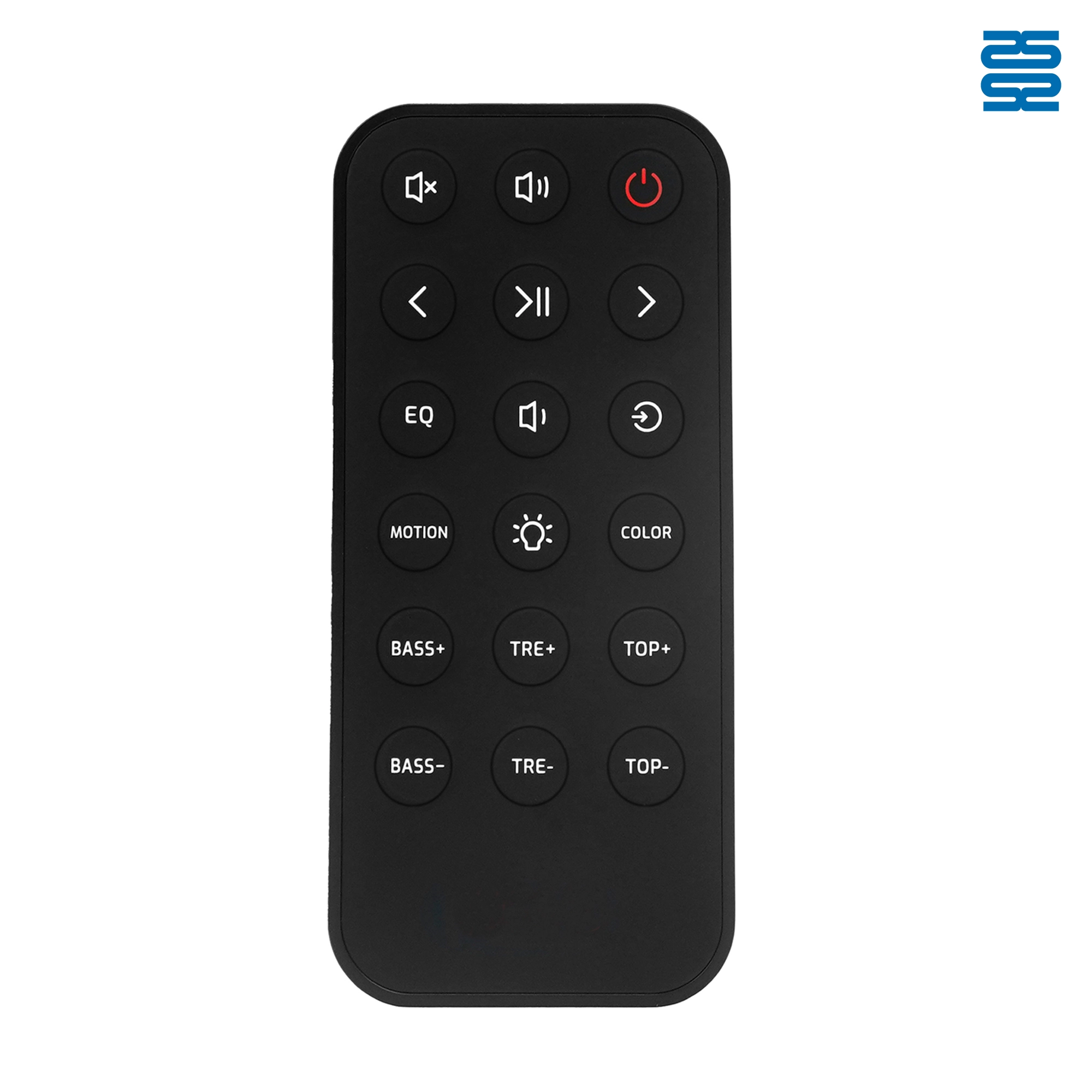
OXS Soundbar Home Theater Remote Control Replacement

KT-B02 Universal Air Conditioner Remote Control Compatible with All Brands

KT-6018 6000 in 1 Universal Air Conditioner Remote Control Compatible with All Brands

QD-1000 IN 1 1000 Code in 1 Universal Air Conditioner Remote Control Compatible with All Brands
Get the latest updates
If you have any comments or good suggestions, please leave us a message, later our professional staff will contact you as soon as possible.


Contact
Email us
Text or Call us
Address
Room 1606, No. 65, Zhongshan Seven Road, Liwan District, Guangzhou, Guangdong, China.

Facebook
Instagram
YouTube
Tik Tok
VK