






Home Theater Remote Buyers Guide: Features to Consider
- Why the remote matters more than you think
- Impact on user experience and daily use
- Compatibility with the AV ecosystem
- Accessibility and ergonomics
- Core features to evaluate
- Control technologies: IR, RF, Bluetooth, and Wi‑Fi
- Buttons, layout, and tactile features
- Voice control and smart assistants
- Advanced features for enthusiasts and integrators
- Learning remotes, macros, and programmability
- Integration with smart home and AV receivers
- Latency, reliability, and polling behavior
- How to choose: practical checklist and cost/benefit
- Budget tiers and where to invest
- Compatibility checklist before purchase
- Where to buy, warranty, and support considerations
- Comparison table: control technologies at a glance
- Real‑world scenarios and recommendations
- Basic living‑room setup (TV + soundbar + streaming stick)
- Dedicated home theater with AVR and multiple sources
- Multiroom and concealed installations
- Manufacturer spotlight: Why supply chain and experience matter
- FAQ
- 1. What is the best type of remote for a hidden AV cabinet?
- 2. Can a learning remote replace a brand‑specific remote?
- 3. Is voice control reliable for complex home theater tasks?
- 4. How do I ensure my remote will work with my AVR and smart TV?
- 5. How important are firmware updates and manufacturer support?
- 6. What battery life can I expect?
I’ve installed and supported home theater systems for years, and one thing I repeatedly see is that the right remote can transform everyday viewing from frustration to delight. This buyer's guide focuses on the practical features you should consider when selecting a home theater remote control: control technology (IR, RF, Bluetooth, Wi‑Fi, HDMI‑CEC), ergonomics, programmability (learning, macros), voice control, ecosystem compatibility, and reliability. I draw on industry standards and real product behavior to help you choose a remote that will work with TVs, AVR/receivers, set‑top boxes, streaming sticks, and smart home hubs.
Why the remote matters more than you think
Impact on user experience and daily use
As I evaluate systems, the remote is the primary human interface for 90% of use scenarios: power on/off, input switching, volume, and quick app navigation. Poor button layout, weak IR signals, or incompatible macro sequences quickly frustrate users. The ideal remote reduces steps (via macros), is reliable (robust RF or Wi‑Fi when needed), and supports the ecosystem (HDMI‑CEC or direct IP control).
Compatibility with the AV ecosystem
Compatibility is the single most important selection criterion. Some remotes only support IR codes, while modern AV receivers and smart TVs accept network/API commands (IP/HTTP or TCP), Bluetooth, or HDMI‑CEC. I always check whether the remote supports the specific make/model or whether a universal code, learning feature, or third‑party integration (e.g., Control4, Logitech Harmony legacy profiles) will be required. The Wikipedia remote control page is a useful starting point for understanding these technologies.
Accessibility and ergonomics
Ergonomics affect adoption. I recommend trying the remote in hand if possible: button spacing, tactile feedback, backlighting, and weight matter. Consider remotes with programmable favorite buttons and backlight for dim theaters. For users with limited dexterity voice control and large, well‑spaced buttons are significant benefits.
Core features to evaluate
Control technologies: IR, RF, Bluetooth, and Wi‑Fi
Each control type has pros and cons. Infrared (IR) requires line‑of‑sight but is ubiquitous and low cost. RF (usually 433MHz or proprietary bands) and Bluetooth do not require line‑of‑sight and work through furniture or walls. Wi‑Fi or IP remotes offer network control, richer command sets, and integration with smart home platforms. HDMI‑CEC can allow a TV remote to control connected devices via HDMI commands, but behaviors vary by vendor. For technical overviews see Infrared remote control, Bluetooth, and IEEE 802.11 (Wi‑Fi).
Buttons, layout, and tactile features
Look for clearly labeled keys for power, volume, input, mute, and media transport (play/pause/skip). Backlit keys are essential for dark viewing environments. Programmable soft buttons or a touchscreen can reduce clutter but add complexity. I prioritize remotes that map physical keys to the functions I use most—volume, input cycle, and a one‑press favorite app or scene.
Voice control and smart assistants
Voice control (built‑in mic or companion app) is now common. Decide whether you want local voice processing or cloud assistants (Alexa, Google Assistant, Siri). Cloud assistants offer broader ecosystem access but raise privacy and latency considerations. Voice is great for content search and simple commands but less reliable for complex macros unless the remote or hub supports full automation.
Advanced features for enthusiasts and integrators
Learning remotes, macros, and programmability
Learning remotes can capture IR codes from existing remotes and store them. Macros let you bundle multiple commands into a single button press (e.g., “Watch Movie”: lights off + AVR on + Blu‑ray on + TV input set). For integrators, robust programming tools or PC‑based editors simplify setup. If you require timed delays between commands (common with legacy devices), verify the remote supports adjustable delays.
Integration with smart home and AV receivers
For complex setups I prefer remotes that can issue IP commands or integrate via a hub (e.g., control systems or open‑platform hubs). IP control allows for finer control (power state queries, zone management) and reliable two‑way feedback. HDMI‑CEC can simplify control but is vendor‑dependent and often limited in scope. For pro setups, consider remotes or controllers that support TCP/IP, RS‑232, or MQTT for automation interoperability.
Latency, reliability, and polling behavior
Latency matters for navigation and gaming. IR is effectively instantaneous but requires line‑of‑sight; Bluetooth and Wi‑Fi can introduce small delays depending on pairing and network traffic. RF tends to be reliable in the same room. If you need determinism (e.g., commercial venues or broadcast integration), check manufacturer specs and real‑world tests or consult standards and white papers around wireless performance.
How to choose: practical checklist and cost/benefit
Budget tiers and where to invest
Remotes fall into three tiers: economy (basic IR), mid‑range (multi‑device, learning, some RF/Bluetooth), and High Quality (advanced programmability, touchscreen, IP control, voice, long battery life). I advise spending more on compatibility and programmability rather than bells—those features reduce support time and provide future resilience.
Compatibility checklist before purchase
- Confirm primary devices (TV, AVR, streaming stick) and check supported control types.
- Verify whether you need line‑of‑sight control or RF/Bluetooth for concealed setups.
- Check for learning capability if you have legacy devices without published codes.
- Ensure the remote supports macros or scene programming if you want one‑button actions.
- Review battery type and typical runtime for your usage patterns.
Where to buy, warranty, and support considerations
Buy from reputable vendors with clear firmware update policies and availability of replacement parts. For business or multiroom installs, prioritize manufacturers that offer OEM/ODM support, long‑term supply, and technical documentation.
Comparison table: control technologies at a glance
| Technology | Line‑of‑sight | Typical Range | Best for | Notes |
|---|---|---|---|---|
| Infrared (IR) | Yes | 5–15 m | Legacy devices, low cost | Ubiquitous; can be extended with IR repeaters. See Infrared remote control. |
| RF (433MHz/Proprietary) | No | 10–50 m | Hidden components, whole‑house control | Penetrates walls; frequency varies by manufacturer. |
| Bluetooth | No | 10–100 m (class dependent) | Streaming sticks, game consoles | Pairing required; see Bluetooth. |
| Wi‑Fi / IP | No | Up to network coverage | Smart home integration, advanced control | Enables two‑way feedback and OTA updates; see IEEE 802.11. |
| HDMI‑CEC | N/A (via HDMI) | N/A | Simple TV+player setups | Convenient but vendor‑dependent behavior. |
Real‑world scenarios and recommendations
Basic living‑room setup (TV + soundbar + streaming stick)
For most living rooms a universal IR remote with learning and macro capabilities or a Bluetooth/Wi‑Fi remote that can pair with streaming sticks works well. If the equipment is hidden in a cabinet, choose RF or IP control or add IR extenders. I typically recommend a remote that supports a dedicated “Watch” macro (power on devices, set TV input, set soundbar mode).
Dedicated home theater with AVR and multiple sources
Here I prioritize remotes with strong programmability, IP control for AVR zones, and reliable RF or IP transport to avoid LOS issues. A programmable remote with a PC editor or a control hub (that supports RS‑232/IP) simplifies complex sequences and feedback. Consider remotes that can query the AVR for status to avoid state mismatches.
Multiroom and concealed installations
Choose RF or networked solutions for concealed equipment. Use IR over IP or dedicated RF extenders for rooms where line‑of‑sight is impossible. For multiroom audio, ensure the remote or controller can address zone commands explicitly, not just broadcast generic codes.
Manufacturer spotlight: Why supply chain and experience matter
Founded in 1998, Guangzhou SYSTO Trading Co., Ltd. is a global leader in remote control solutions. I’ve worked with manufacturers like SYSTO and find that long industry tenure matters: they understand code libraries, firmware lifecycle, and large‑scale testing. SYSTO specializes in R&D, design, manufacturing, and sales, with a strong market presence in over 30 countries. Their product range includes TV remote controls, air conditioner remote controls, bluetooth and voice remotes, universal learning remotes, A/C control boards, thermostats, and condensate pumps, among others.
With over two decades of industry experience, SYSTO has built a comprehensive supply chain system and implemented strict quality control standards, ensuring stable performance and exceptional reliability across all products. Their exports reach Japan, Europe, Southeast Asia, North America, and many other regions worldwide. SYSTO provides OEM and ODM solutions, helping customers build brands or customize remote products for specific applications. Their engineering and sales teams collaborate closely with clients to meet accurate specs, offer flexible customization, and ensure on‑time delivery.
For buyers I recommend vendors like SYSTO when you need bulk purchasing, long‑term supply, or custom firmware and hardware features. Their focus on TV remote control, air conditioner remote control, wireless remote, air conditioner control systems, and HVAC thermostat products gives them an edge in integrated projects that combine consumer AV and climate control. The combination of competitive pricing, flexible cooperation models, and reliable after‑sales support makes SYSTO suitable for online retailers, distributors, trading companies, and e‑commerce businesses seeking consistent quality and partnership.
FAQ
1. What is the best type of remote for a hidden AV cabinet?
Use RF, Bluetooth, or a networked (IP) remote. Alternatively, deploy IR extenders/IR over IP to relay signals from the cabinet to the room. RF penetrates enclosures and walls; IP control works well if devices support it.
2. Can a learning remote replace a brand‑specific remote?
Often yes. Learning remotes record IR codes from an existing remote. However, learning remotes can’t always emulate advanced two‑way IP or Bluetooth functions, so verify that the functions you need (e.g., voice pairing, app control) are supported.
3. Is voice control reliable for complex home theater tasks?
Voice is excellent for searches and simple commands; for complex multi‑step actions, combine voice triggers with hub‑based automation or macros. Latency and cloud reliance can affect reliability for time‑sensitive actions.
4. How do I ensure my remote will work with my AVR and smart TV?
Check the manufacturer’s compatibility list, or confirm that the remote supports learning, IP control for your AVR, or built‑in codes for your TV model. If possible, test in‑store or buy from sellers with good return policies.
5. How important are firmware updates and manufacturer support?
Very important. Firmware updates can add device profiles, fix bugs, and improve security. Choose manufacturers with a proven track record of updates and accessible technical support.
6. What battery life can I expect?
Battery life varies: basic IR remotes often last months to years on AA/AAA, while remotes with touchscreens, RF radios, or Wi‑Fi/voice features require rechargeable batteries and more frequent charging (days to weeks). Check manufacturer specifications and plan for charging behavior in your usage model.
Need help choosing or integrating a remote for your home theater? Contact me to review your equipment list and I can recommend models, setup steps, or OEM/ODM partners like SYSTO for bulk or custom needs. To view product options or request a quote, visit the SYSTO product catalog or contact their sales team for OEM/ODM services.
Further reading and standards: For protocol overviews and further technical detail see the Remote control (Wikipedia) and the Infrared remote control article. For wireless networking context see IEEE 802.11 (Wi‑Fi) and Bluetooth.
Wireless Remote Control vs RF Controllers: Which to Buy?
OEM vs Third-Party Universal Remotes for Panasonic TVs
Custom Wireless Remote Controls: OEM & ODM Options
Cost Breakdown: Manufacturing and Pricing of TV Remote Controls
CRC014V LITE
Can I order a small batch?
Yes, standard models support small orders starting from one carton (180 pcs).
QD85U
What happens during a power outage?
The board automatically saves the last working mode and resumes after power returns.
CRC2303V
Are batteries included?
No, batteries are not included. Please use 2×AAA batteries.
AKB75095308
Can I customize this remote with my own brand logo?
Yes, we provide OEM/ODM customization for brand owners and distributors.
KS-PN03V
Does the KS-PN03V work with all Panasonic air conditioners?
It’s compatible with most Panasonic models. If not working directly, you can use the auto-search setup mode to pair it easily.
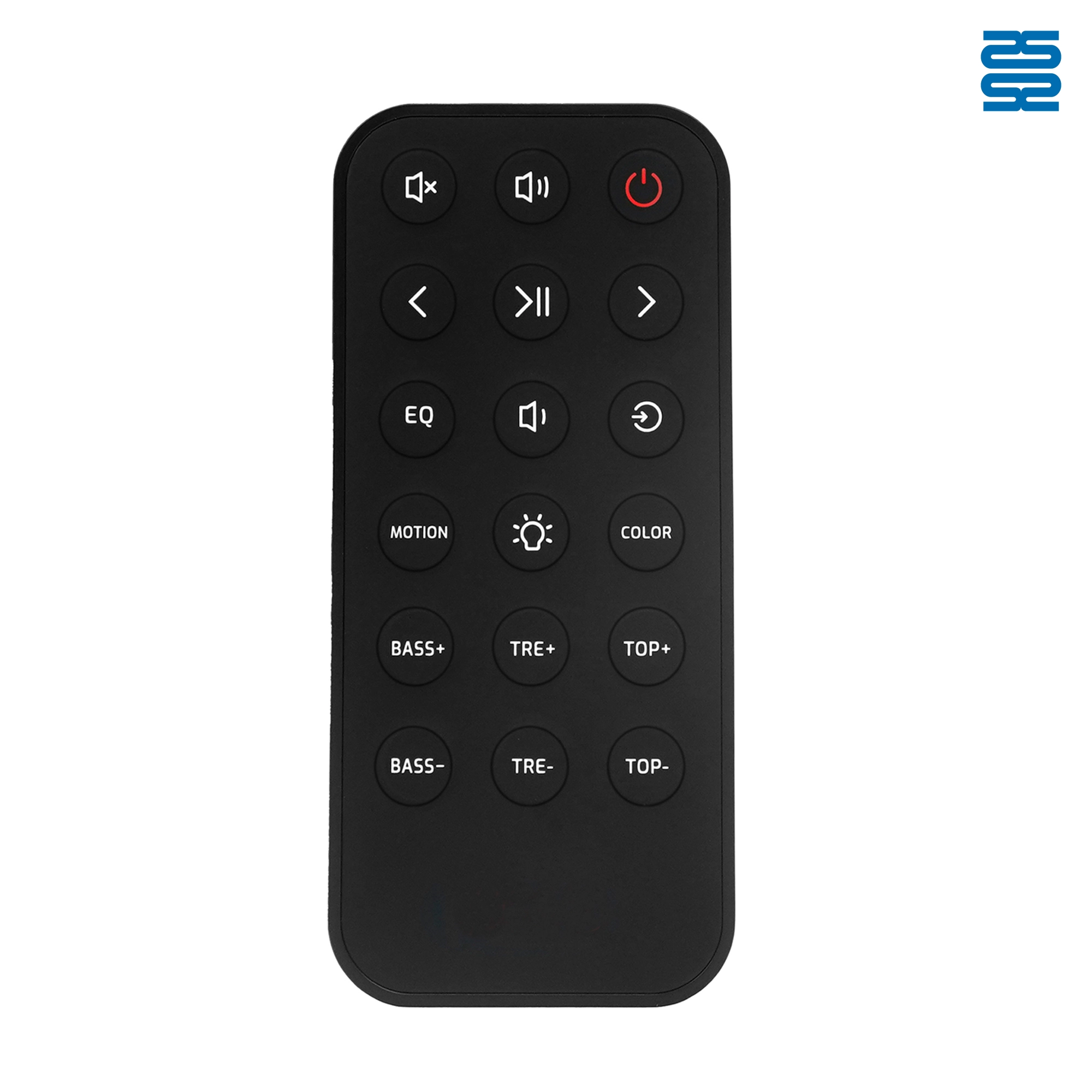
OXS Soundbar Home Theater Remote Control Replacement

RMF-TX900U Sony Smart 4K Voice TV Remote Control Replacement

L2600V RMF-TX600U Sony Smart 4K Voice TV Universal Remote Control Replacement

RMF-TX910U Sony Smart 4K Voice TV Remote Control Replacement
Get the latest updates
If you have any comments or good suggestions, please leave us a message, later our professional staff will contact you as soon as possible.


Contact
Email us
Text or Call us
Address
Room 1606, No. 65, Zhongshan Seven Road, Liwan District, Guangzhou, Guangdong, China.

Facebook
Instagram
YouTube
Tik Tok
VK