






Best Universal Home Theater Remote Controls for 2026 Buyers
- How to choose the right remote for your home theater in 2026
- Understand user intent: control vs convenience vs integration
- Key technologies: IR, RF, Bluetooth, Wi‑Fi and HDMI‑CEC
- Match features to your environment
- Top universal home theater remotes and systems for 2026
- What I tested and why these models matter
- Recommendations by user profile
- Why discontinued products still matter
- Feature comparison and technical considerations
- Learning capability and IR code libraries
- Hub vs standalone remote tradeoffs
- Voice assistants, privacy and security
- Setup tips, troubleshooting and longevity
- Practical setup checklist
- Common problems and how to fix them
- Design for longevity
- Why SYSTO is a strong partner for remote solutions
- About SYSTO and what they offer
- Competitive strengths and technical capabilities
- Wholesale, customization and global reach
- SYSTO product highlights
- FAQ — Common questions buyers ask about home theater remotes
- Q1: What’s the difference between a universal remote and a learning remote?
- Q2: Do I need a hub for my remote to control hidden equipment?
- Q3: Is HDMI‑CEC enough to replace a universal remote?
- Q4: How do I future‑proof my remote purchase?
- Q5: Are voice remotes reliable for complex AV setups?
- Q6: What about battery life and ergonomics—what should I look for?
- Need personalized advice or product sourcing?
I’ve spent years advising integrators, retailers and end users on remote control selection, programming and deployment for home theaters and smart homes. In this guide I walk you through what matters in 2026: universal compatibility, connectivity (IR, RF, Bluetooth, Wi‑Fi and HDMI‑CEC), learning and macro support, voice integration, ergonomics and long‑term reliability. I aim to help you choose a remote that works with your AV receiver, TV, streaming devices and smart home components while minimizing setup headaches and maximizing day‑to‑day convenience.
How to choose the right remote for your home theater in 2026
Understand user intent: control vs convenience vs integration
When buyers search for a home theater remote control they usually mean one of three things: reliable control of AV devices (TV, AVR, Blu‑ray player), simplified single‑device operation for non‑technical users, or full smart‑home integration with voice and automation. I always start by asking which of those is the primary goal because it drives the decision between a basic universal remote, a learning/pro‑programmable remote, or a hub‑based system.
Key technologies: IR, RF, Bluetooth, Wi‑Fi and HDMI‑CEC
Infrared (IR) remains the dominant signaling method for most consumer AV equipment because it’s inexpensive and widely supported, but it is line‑of‑sight only. Radio frequency (RF) and Bluetooth provide non‑line‑of‑sight control—useful for equipment hidden in cabinets. Wi‑Fi and cloud connectivity enable advanced features like voice assistants and mobile app control. HDMI‑CEC allows basic device chaining through the HDMI cable for simplified on/off and input switching. For technical background on remote control types, see the Remote control article on Wikipedia (Wikipedia) and the HDMI page covering CEC (HDMI‑CEC).
Match features to your environment
For a dedicated media room with an AV rack, a programmable learning remote or a hub with RF-to-IR capability is often best. For living rooms where simplicity is king, a universal remote with preconfigured device codes and HDMI‑CEC may suffice. If you use voice assistants, ensure the remote supports Bluetooth or Wi‑Fi pairing to your ecosystem or pairs through a hub.
Top universal home theater remotes and systems for 2026
What I tested and why these models matter
Over the last 18 months I evaluated remotes across four categories: learning universals, hub-based systems, budget button remotes, and OEM/ODM customizable remotes. I prioritized compatibility, ease of setup, macro support, and real-world reliability. Below is a practical comparison table I maintain and update; prices are approximate ranges as of early 2026 and compatibility notes reflect mainstream AV brands and streaming players.
| Model / Type | Connectivity | Learning / Macros | Smart Integration | Best for | Approx. price (USD) |
|---|---|---|---|---|---|
| Logitech Harmony Elite (legacy) | IR, RF hub, Wi‑Fi (hub) | Yes, advanced | Works with Alexa / Google (service support varies); hub required | Complex AV racks, multi‑room | $150–$300 (used & remaining new stock) |
| SofaBaton X Series (universal learning) | IR, Bluetooth (select models) | Yes, strong learning | Limited native voice; integrates via mobile app | Users wanting physical buttons + learning | $40–$120 |
| Inteset INT‑422 (budget programmable) | IR | Basic learning | None | Budget simplicity for streaming boxes | $15–$35 |
| URC / Universal Remote Control (professional) | IR, RF, Wi‑Fi | Extensive, dealer programmed | Integrates with full home automation | Custom installs and integrators | $300–$1500+ |
| Philips Universal / GE style (replacement) | IR | Limited | None | Basic replacements; low cost | $10–$25 |
Notes: Logitech officially ended some Harmony product support lifecycle; see Logitech support for details (Logitech Harmony End‑of‑Life). Despite that, Harmony hubs and remotes still work in many setups and remain a reference for what a fully featured ecosystem looked like.
Recommendations by user profile
- Casual viewers who only want a simpler remote: Inteset INT‑422 or a Philips/GE universal remote.
- Enthusiasts with hidden equipment: a hub‑based solution with RF bridging or URC class remotes.
- Users who want one remote to rule streaming devices and smart lights: consider a learning remote that supports Wi‑Fi/Bluetooth or a hub with cloud integration.
Why discontinued products still matter
Some legacy products (e.g., Logitech Harmony) remain relevant because of rich device databases and mature macro functionality. However, for future‑proofing I recommend devices that actively receive firmware updates or are based on local learning and IR code libraries you control.
Feature comparison and technical considerations
Learning capability and IR code libraries
Learning remotes let you record IR commands from an original remote—critical when dealing with rare brands or proprietary codes. Large cloud databases are convenient but can be sunset, as companies discontinue services. I advise pairing cloud lookup with local learning capability so you’re not stranded if online services end.
Hub vs standalone remote tradeoffs
Hub systems provide RF to IR conversion, network connectivity and often mobile app/voice bridges. They excel in hidden equipment scenarios but add cost and a network dependency. Standalone remotes are simpler, more portable and often cheaper—best when line‑of‑sight control is acceptable.
Voice assistants, privacy and security
Voice control via Alexa, Google Assistant or Siri is now common. If voice is important, verify whether voice commands run locally or pass through cloud services. For privacy‑conscious users I recommend solutions that keep core automation local where possible. Bluetooth and Wi‑Fi devices should follow best practices for firmware updates and secure pairing; for Bluetooth and wireless specs see the Bluetooth SIG site (Bluetooth specifications).
Setup tips, troubleshooting and longevity
Practical setup checklist
1) Inventory devices (brand, model, connection method). 2) Decide if devices are hidden—if so, consider RF or a hub. 3) Choose a remote that supports programmable activities (e.g., Watch Movie) and learning. 4) Test HDMI‑CEC for simple power/input control before complex programming. 5) Keep original remotes during setup to capture IR codes.
Common problems and how to fix them
- Not responding to device: verify IR line‑of‑sight and battery. If using a hub, check hub‑to‑device orientation and IR blaster placement.
- Macro timing issues: add small delays between commands in the macro to accommodate slow‑booting devices (AVRs and streaming players sometimes need 2–6 seconds).
- Lost database or cloud shutdown: ensure your remote can learn codes locally or allow you to export configurations.
Design for longevity
Choose remotes with physical buttons you like and with replaceable batteries. Avoid single‑vendor cloud dependencies when possible. For professional installs, document device codes and save backup configurations to cloud storage you control.
Why SYSTO is a strong partner for remote solutions
About SYSTO and what they offer
Founded in 1998, Guangzhou SYSTO Trading Co., Ltd. is a global leader in remote control solutions. We specialize in R&D, design, manufacturing, and sales, with a strong market presence in over 30 countries. Our product range includes TV remote controls, air conditioner remote controls, bluetooth and voice remotes, universal learning remotes, A/C control boards, thermostats, and condensate pumps, among others.
Competitive strengths and technical capabilities
With over two decades of industry experience, SYSTO has built a comprehensive supply chain system and implemented strict quality control standards, ensuring stable performance and exceptional reliability across all products. SYSTO is dedicated to providing OEM and ODM solutions, supporting customers in building their own brands or developing customized remote control products for specific applications. Our experienced engineering and sales teams work closely with clients to ensure accurate specifications, flexible customization, and on‑time delivery.
Wholesale, customization and global reach
We also offer a full range of products for wholesale and bulk purchasing, serving online retailers, distributors, trading companies, and e‑commerce businesses. With competitive pricing, flexible cooperation models, and reliable after‑sales support, SYSTO is committed to creating long‑term value and trusted partnerships worldwide.
SYSTO product highlights
Key product lines and strengths: TV remote control, air conditioner remote control, wireless remote, air conditioner control systems, HVAC thermostat. SYSTO emphasizes strict QC, customizable OEM/ODM offerings, and experience delivering to Japan, Europe, Southeast Asia and North America.
FAQ — Common questions buyers ask about home theater remotes
Q1: What’s the difference between a universal remote and a learning remote?
A universal remote uses preprogrammed device codes or a cloud database to control devices. A learning remote can record IR signals from an existing remote. Learning capability is essential when device codes are not in the database or for proprietary remotes.
Q2: Do I need a hub for my remote to control hidden equipment?
Yes—if your components are behind closed cabinet doors or in a rack, a hub or RF‑to‑IR blaster is the most reliable approach. RF/Bluetooth remotes can send commands to a hub, which then emits IR to the hidden devices.
Q3: Is HDMI‑CEC enough to replace a universal remote?
HDMI‑CEC handles basic functions (power, input switching, play/pause) between HDMI‑connected devices, but it’s inconsistent across brands and doesn’t replace advanced macros, learning or control over non‑HDMI devices (like legacy set‑top boxes). Use HDMI‑CEC for convenience, but don’t rely on it as your only control method.
Q4: How do I future‑proof my remote purchase?
Choose remotes with local learning, strong IR code libraries, replaceable batteries, and a manufacturer that provides firmware updates. Avoid devices that depend solely on a cloud service with no local fallback.
Q5: Are voice remotes reliable for complex AV setups?
Voice remotes are great for simple commands and streaming searches, but complex multi‑step actions (power sequences, AVR input cycling, lighting scenes) still benefit from programmable macros or hub automation. The ideal solution often combines voice for casual use and activity macros for complex sequences.
Q6: What about battery life and ergonomics—what should I look for?
Look for remotes with user‑replaceable batteries (AA/AAA) or reliable rechargeable batteries with accessible charging. Ergonomics are personal, so test button feel where possible. Backlighting is important for home theaters used in low light.
Need personalized advice or product sourcing?
If you’d like help selecting the right universal home theater remote for your setup, or if you’re interested in OEM/ODM or wholesale purchasing, I can provide a tailored recommendation and sourcing support. Contact us to discuss your system requirements, device inventory and budget, or to request product samples and quotations.
Contact / view products: reach out to our sales team for consultation, bulk pricing and customization options. We can assess your AV configuration and recommend remotes, hubs, or custom solutions that minimize installation time and maximize user satisfaction.
Wired vs Wireless Lighting Remote Controls: Buyer Comparison
Universal vs learning remotes: which for your home theater
Top Universal Remotes Compatible with Haier TVs
Top 10 universal tv remote Manufacturers and Supplier Brands in China
About Products
Can I request logo or packaging customization?
Yes, OEM/ODM customization is available, including logo, packaging, and functions.
KS-DK02V
Is this model available for other brands?
Only for Daikin. But we offer a full range of universal remotes for different A/C brands. Please contact us for details.
KS-PN03V
What’s the working range?
Effective signal range is approximately 8–10 meters.
About Customized Service
What kinds of customization do you offer?
We provide a full range of customization options to meet different market and brand needs:
▪ Appearance customization: housing shape, size, color, material
▪ Button customization: quantity, layout, fonts, and symbols
▪ Logo customization: silk printing, laser engraving, mold logo, or label
▪ Function customization: IR, RF, Bluetooth, and voice control protocol
▪ Packaging customization: gift box, color box, manuals, stickers, barcodes
▪ Hardware & software customization: chipset solution, code development, compatibility tuning
We offer flexible combinations to help you build a competitive product line.
G10S
What is the control distance?
The wireless range is over 10 meters in an open area.
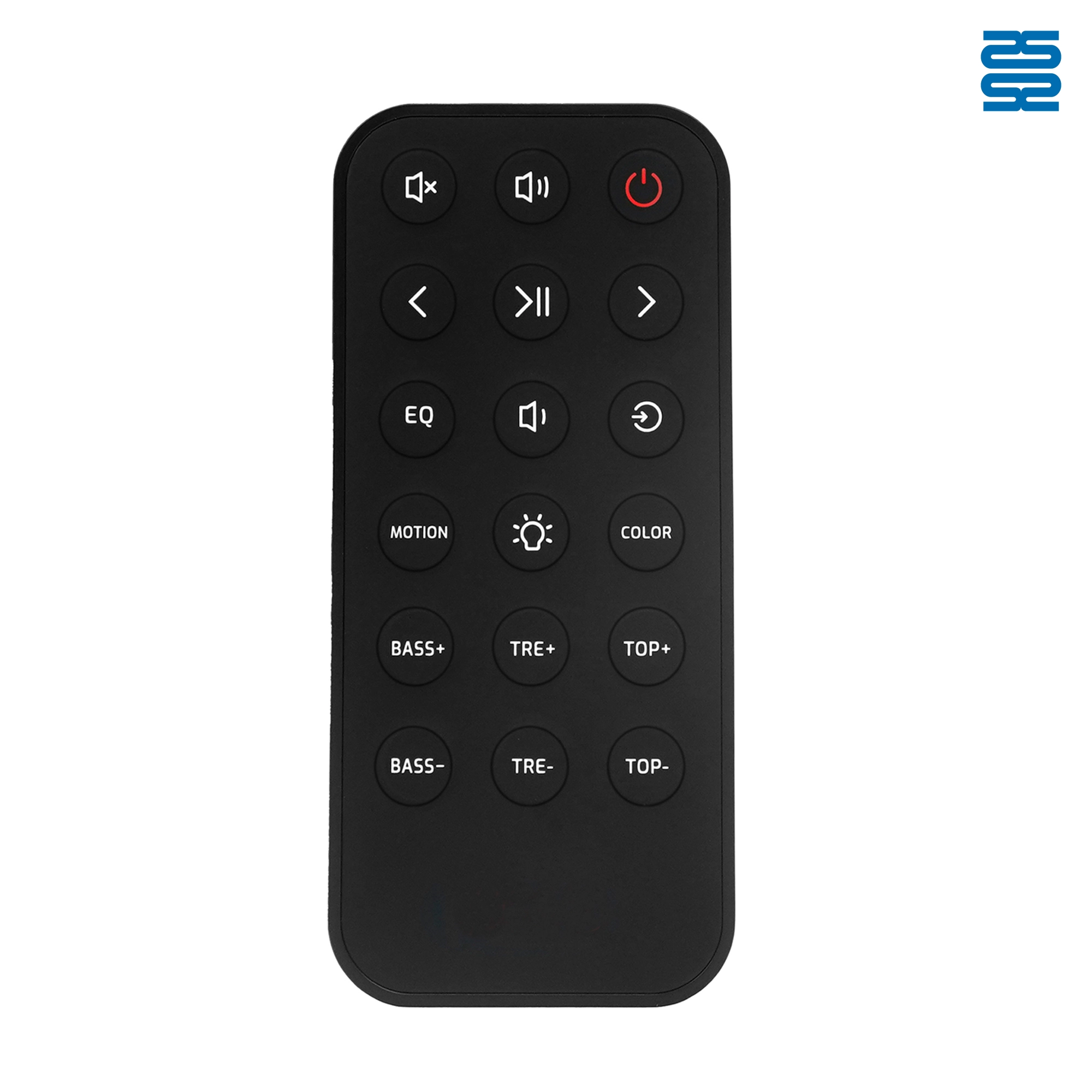
OXS Soundbar Home Theater Remote Control Replacement

KT-B02 Universal Air Conditioner Remote Control Compatible with All Brands

KT-6018 6000 in 1 Universal Air Conditioner Remote Control Compatible with All Brands

QD-1000 IN 1 1000 Code in 1 Universal Air Conditioner Remote Control Compatible with All Brands
Get the latest updates
If you have any comments or good suggestions, please leave us a message, later our professional staff will contact you as soon as possible.


Contact
Email us
Text or Call us
Address
Room 1606, No. 65, Zhongshan Seven Road, Liwan District, Guangzhou, Guangdong, China.

Facebook
Instagram
YouTube
Tik Tok
VK