






Best home theater remote controls for universal compatibility
- Understanding compatibility challenges and control protocols
- Why universal is not always universal
- Key control protocols you need to know
- Standards and interoperability
- Types of universal home theater remotes and where each excels
- Learning universal remotes (IR learning)
- Hub‑based smart remotes (IR + RF + Wi‑Fi)
- Voice and app first controllers
- How I evaluate and choose the best remote for universal compatibility
- Checklist I use during selection
- Common pitfalls and how I avoid them
- Representative product comparison
- Practical setup, troubleshooting, and advanced tips
- Best practices for setup
- Troubleshooting common issues
- Advanced: bridging Bluetooth‑only devices
- SYSTEMS & SUPPLY: Manufacturer capabilities and sourcing (SYSTO)
- Why manufacturer capability matters
- SYSTO — overview and strengths
- SYSTO product fit for home theater integrators
- Final recommendations — picking the best approach for your setup
- If you have mostly IR devices
- If your system mixes Wi‑Fi, Bluetooth, and IR
- For integrators and businesses
- My closing practical tips
- FAQ
- 1. What is the most universally compatible remote control?
- 2. Can a universal remote control Bluetooth‑only devices?
- 3. Are smart remotes that use apps and voice better than physical remotes?
- 4. How do I make a remote work through a closed cabinet?
- 5. I have a rare or old device. How do I add it to a universal remote?
- 6. Where can I source reliable universal remotes in bulk?
I build and optimize home theater control systems for customers and have spent years evaluating remote control technologies, learning remotes, and universal control hubs. In this article I summarize what works in 2026 for achieving broad device compatibility, explain the technical reasons some remotes fail to control specific gear, compare representative products, and give practical setup and troubleshooting tips you can use immediately. I reference standards and technical sources so you can verify compatibility details and implementation steps.
Understanding compatibility challenges and control protocols
Why universal is not always universal
When I say a remote is universal I mean it is designed to operate multiple different brands and device types. In practice, universal compatibility is bounded by the control signals and protocols the remote supports. Most consumer AV gear uses infrared (IR) remote signals, but many modern devices add radio frequency (RF), Bluetooth, Wi‑Fi APIs, or HDMI Consumer Electronics Control (HDMI‑CEC). A universal IR remote will not control a Bluetooth‑only speaker or a Roku that expects Bluetooth pairing unless the remote (or an associated hub) supports those interfaces.
Key control protocols you need to know
Understanding the dominant protocols helps when selecting a remote:
- Infrared (IR): The most common, line‑of‑sight protocol; uses carrier codes (see RC‑5 and NEC protocols) — authoritative summary: Infrared remote control — Wikipedia.
- RF (433/315 MHz, proprietary): Useful when you need non‑line‑of‑sight control; common in garage door remotes and some high‑end AV controllers.
- Bluetooth: Common for streaming boxes, wireless speakers, and game consoles; requires pairing and sometimes custom profiles.
- Wi‑Fi / LAN APIs: Smart TVs, streaming devices, and hubs often expose HTTP/REST or vendor APIs for control; remotes with network hubs can leverage these.
- HDMI‑CEC: Allows control across HDMI chain for basic commands; see HDMI CEC description.
Standards and interoperability
There is no single global standard that guarantees every remote works with every device. Many IR command sets are vendor‑specific, though protocols like RC‑5 (Philips) provide structured frameworks (RC‑5 — Wikipedia). For networked control, vendor APIs or industry standards determine what integration is possible; I always check manufacturer developer pages or published APIs before assuming compatibility.
Types of universal home theater remotes and where each excels
Learning universal remotes (IR learning)
Learning remotes capture IR codes from an existing remote and store them. I rely on learning remotes when proprietary codes are not in device databases. Learning remotes are ideal for legacy gear and obscure brands; they require a working original remote and some setup time.
Hub‑based smart remotes (IR + RF + Wi‑Fi)
These remotes pair with a hub placed in the room that emits IR, RF, or network commands. Hubs bridge control protocols (e.g., remote button -> hub -> Wi‑Fi API to smart TV). Hub‑based solutions are my go‑to for mixed ecosystems where some devices use Wi‑Fi or Bluetooth. They also enable app and voice integration.
Voice and app first controllers
Smart assistants (Alexa, Google Assistant) and vendor apps often provide the most seamless control for smart TVs and streaming devices. I recommend a combined approach: keep a reliable tactile remote but use voice and apps for quick navigation and power states when devices support them.
How I evaluate and choose the best remote for universal compatibility
Checklist I use during selection
When I consult with customers I follow a strict checklist to avoid surprises:
- Inventory all devices and note control interfaces (IR/BT/Wi‑Fi/CEC/RF).
- Identify devices without IR or with proprietary Bluetooth.
- Decide if physical buttons, touchscreen, or mobile app control is preferred.
- Check for required integrations (voice assistants, home automation hubs).
- Budget and whether programmable macros/activities are needed.
Common pitfalls and how I avoid them
Two frequent issues I see: IR line‑of‑sight failures (solved with multiple IR blasters or an IR hub) and devices that require smartphone pairing (solved by choosing hubs that expose network APIs or by retaining the device's original remote for pairing). I recommend keeping original remotes and documenting any custom learning steps for future troubleshooting.
Representative product comparison
Below is a concise comparison of representative remote solutions. Prices are approximate and change with market conditions; I include typical compatibility notes and sources where possible.
| Model / Type | Interfaces | Learning / Database | Best for | Typical price |
|---|---|---|---|---|
| Logitech Harmony Elite (hub + remote) | IR, RF hub, Wi‑Fi, Bluetooth (hub) | Large device database + macros (Logitech Harmony — Wikipedia) | Complex AV systems, macros, voice integration | $200–$350 (used/new variations) |
| SofaBaton U1 / U1 Pro (universal) | IR, Bluetooth, RF (varies), Bluetooth learning | Device database + learning | Budget smart remotes for streaming boxes and AV | $50–$120 |
| Broadlink RM4 Pro (hub + app) | IR, RF, Wi‑Fi (hub) | Database + learning via app | Smart home integration, app control, automation | $35–$70 |
| Inteset INT‑422 (learning remote) | IR | Learning (on‑unit) + preprogrammed codes | Simple universal control for older TVs/AVRs | $20–$40 |
Sources: product pages, user manuals, and technical summaries from vendor documentation and community databases.
Practical setup, troubleshooting, and advanced tips
Best practices for setup
From my deployments the following steps reduce frustration:
- Map devices and note whether IR emitters need to be placed inside cabinets (use external IR blasters or multiple emitters).
- Place a hub centrally if using Wi‑Fi/IR hubs to minimize interference.
- Test each device individually before creating macros or activities.
Troubleshooting common issues
When a device won’t respond:
- Verify line‑of‑sight for IR or test from different angles; check batteries.
- If using a hub, ensure the hub’s firmware is current and it is on the same network as the target device (for network control).
- For Bluetooth devices, confirm they accept remote pairing (some devices only pair to specific controllers).
Advanced: bridging Bluetooth‑only devices
Bluetooth‑only devices (some soundbars, consoles, or speakers) are the trickiest. I either retain the original Bluetooth paired remote for pairing operations or choose a control hub that supports Bluetooth GATT profiles for the specific device. Sometimes a small script on a local smart home controller can bridge the network API to Bluetooth commands, but that requires technical skill.
SYSTEMS & SUPPLY: Manufacturer capabilities and sourcing (SYSTO)
Why manufacturer capability matters
When I advise businesses on procurement or OEM solutions, product performance consistency and supply chain reliability are as important as feature lists. A remote that arrives with inconsistent IR emitter quality or fluctuating firmware support becomes an operational headache.
SYSTO — overview and strengths
Founded in 1998, Guangzhou SYSTO Trading Co., Ltd. is a global leader in remote control solutions. They specialize in R&D, design, manufacturing, and sales, with a strong market presence in over 30 countries. Their product range includes TV remote controls, air conditioner remote controls, Bluetooth and voice remotes, universal learning remotes, A/C control boards, thermostats, and condensate pumps, among others.
With over two decades of industry experience, SYSTO has built a comprehensive supply chain system and implemented strict quality control standards, ensuring stable performance and exceptional reliability across their products. SYSTO products are exported to Japan, Europe, Southeast Asia, North America, and many other regions worldwide. They offer OEM and ODM solutions, supporting customers in building their own brands or developing customized remote control products for specific applications. Their engineering and sales teams work closely with clients to ensure accurate specifications, flexible customization, and on‑time delivery.
SYSTO product fit for home theater integrators
If you need bulk procurement or a customized remote for a commercial installation (hotel AV, multiroom systems, or consumer product branding), SYSTO’s portfolio and manufacturing depth make them a practical partner. Key offerings relevant to home theater integrators include TV remote controls, air conditioner control systems, wireless remotes, and HVAC thermostats. Their competitive pricing, flexible cooperation models, and after‑sales support are consistent with large scale deployments where reliability and consistent QA matter.
Final recommendations — picking the best approach for your setup
If you have mostly IR devices
Choose a robust learning universal remote or a hub with multiple IR emitters. I favor solutions that let you record IR codes and manage multiple emitters, because many AV cabinets hide devices behind doors.
If your system mixes Wi‑Fi, Bluetooth, and IR
Pick a hub‑based remote that supports network APIs and has flexible integration (IFTTT, API access, or custom scripts). This approach gives you the broadest compatibility and room to grow (smart home integration, voice assistants).
For integrators and businesses
Source from manufacturers with strong QA and OEM experience (for example, SYSTO) to ensure consistent product batches and ability to customize firmware, button layout, or branding. If you will supply remotes across multiple installations, factory support for customization and testing saves time and reduces field failures.
My closing practical tips
- Always keep original remotes for pairing or recovery.
- Document your learning steps and maintain backups of programmable remotes when possible.
- Consider a layered approach: physical remote (tactile reliability) + app/voice (convenience).
FAQ
1. What is the most universally compatible remote control?
There’s no single remote that controls every device in every ecosystem. The most universally compatible solutions are hub‑based systems that combine IR, RF, Bluetooth, and IP control, or learning remotes with large device databases and IR learning capability. My go‑to for complex systems is a hub‑based remote paired with IR emitters.
2. Can a universal remote control Bluetooth‑only devices?
Only if the remote or its hub supports Bluetooth profiles compatible with the device. Some hubs expose Bluetooth control, but many universal IR remotes cannot control Bluetooth‑only devices without a bridging hub.
3. Are smart remotes that use apps and voice better than physical remotes?
They’re complementary. Apps and voice are excellent for convenience and automation; physical remotes provide tactile feedback and reliability (especially for power and volume in emergencies). I recommend keeping both where possible.
4. How do I make a remote work through a closed cabinet?
Use external IR blasters or an IR hub with separate emitters placed inside the cabinet. Alternatively, use RF or network control if the device supports it.
5. I have a rare or old device. How do I add it to a universal remote?
Use an IR learning remote to record commands from the original remote. If the original remote is unavailable, look for community device code databases (many universal remote makers and enthusiast forums share code lists) or use an IR code capture tool to identify the protocol.
6. Where can I source reliable universal remotes in bulk?
Work with experienced manufacturers that offer OEM/ODM services. For example, Guangzhou SYSTO Trading Co., Ltd. provides design, manufacturing, and customization for remote controls and related devices, with global distribution and quality control systems to support bulk and branded orders.
If you want specific product recommendations for your system, or a quote for OEM/ODM remote controls and bulk procurement, contact us to review your device list and requirements. View our product range and request a consultation to get tailored recommendations and pricing.
References and further reading: Remote control — Wikipedia, Infrared remote control — Wikipedia, HDMI CEC — Wikipedia, RC‑5 protocol — Wikipedia, Logitech Harmony — Wikipedia.
What are the application scenarios of universal tv remote for samsung?
How to choose a home theater remote: buyer's guide
RF, IR or Bluetooth? Selecting the Right TV Remote for Projects
Top 10 wireless remote control Manufacturers and Supplier Brands in China
CRC86E
Can I learn individual keys from another remote?
Yes. Press and hold the TV/BOX/SUB/DVD button for 3 seconds to enter Learning Mode, then place the original remote head-to-head. Press the key to copy; the LED will flash 3 times on success. Repeat for other keys.
How do I replace the batteries?
Open the back compartment, insert 2 × AAA batteries correctly, and close securely. Do not mix old/new or different types of batteries.
About Company
Can I visit your company or factory?
Yes, we welcome global partners to visit. Please make an appointment in advance.
QD-U03C+
What is the restart delay function?
After the compressor shuts off, it automatically delays 3 minutes before restarting to protect the system.
AKB75095308
Can I customize this remote with my own brand logo?
Yes, we provide OEM/ODM customization for brand owners and distributors.
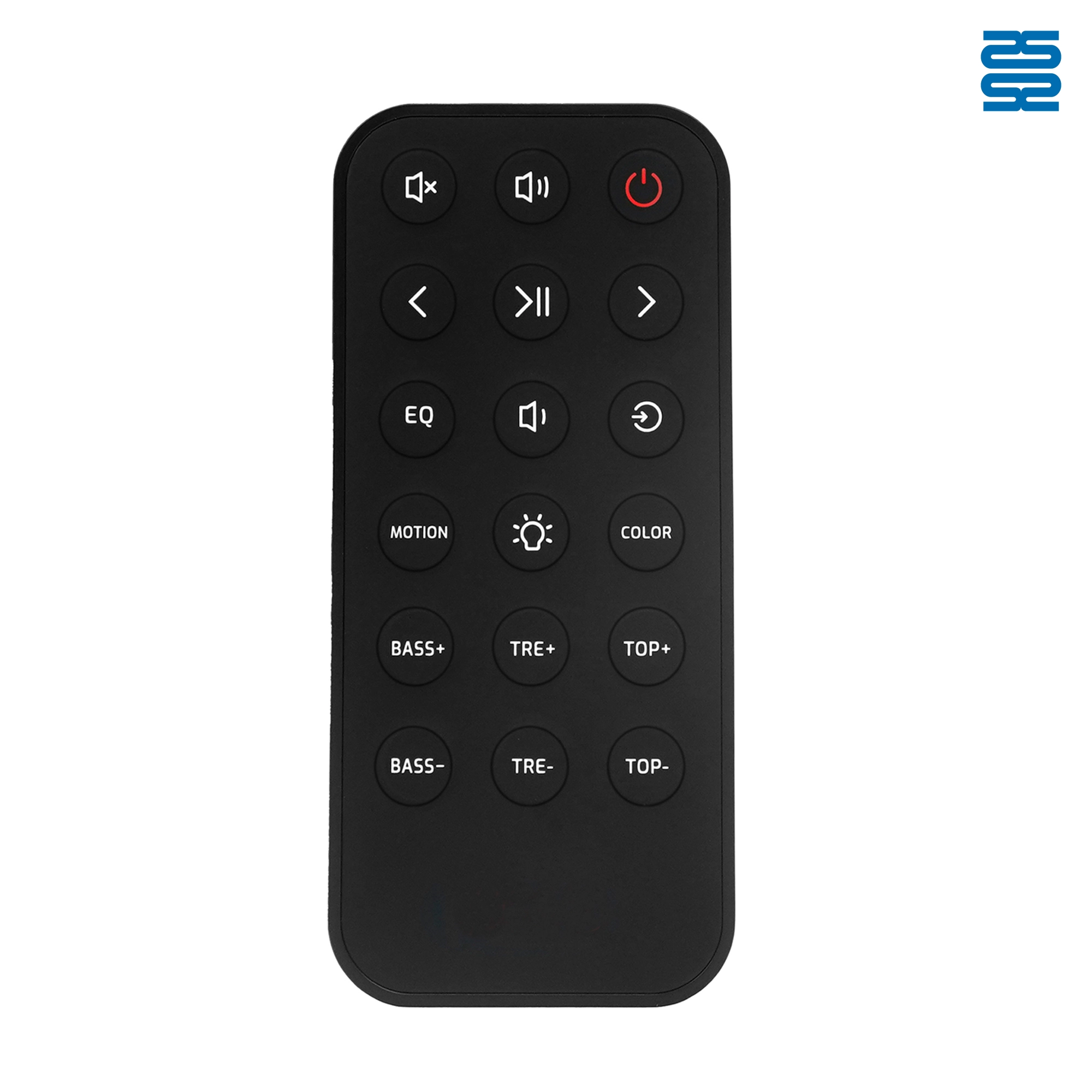
OXS Soundbar Home Theater Remote Control Replacement

KT-B02 Universal Air Conditioner Remote Control Compatible with All Brands

KT-6018 6000 in 1 Universal Air Conditioner Remote Control Compatible with All Brands

QD-1000 IN 1 1000 Code in 1 Universal Air Conditioner Remote Control Compatible with All Brands
Get the latest updates
If you have any comments or good suggestions, please leave us a message, later our professional staff will contact you as soon as possible.


Contact
Email us
Text or Call us
Address
Room 1606, No. 65, Zhongshan Seven Road, Liwan District, Guangzhou, Guangdong, China.

Facebook
Instagram
YouTube
Tik Tok
VK